




















EMO3000CCC03 General Electric Microwave - Instructions
Keep searches simple. Use keywords, e.g. "leaking", "pump", "broken" or "fit".
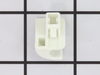
Rack holder was catching fire.
Removed the damaged holder by pulling it out. The new one went in with ease. This sure beat the $90 quoted to us to have a GE repair person come to the house. The part was under $7 and under $16 total for shipping. I think we were fortunate to be able to order this part on-line.
Parts Used:
-
Maureen from Yorba Linda, CA
-
Difficulty Level:Really Easy
-
Total Repair Time:Less than 15 mins
2 of 4 people
found this instruction helpful.
Was this instruction helpful to you?
Thank you for voting!
Turntable / cooking tray not rotating
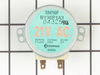
Let me keep this short and simple.
Disconnect the power to the microwave
Remove the (7) screws from the bottom panel
Disconnect the wires from the old Drive Motor
Remove the retaining screws of the drive motor
Then install the new drive motor in the reverse order
Disconnect the power to the microwave
Remove the (7) screws from the bottom panel
Disconnect the wires from the old Drive Motor
Remove the retaining screws of the drive motor
Then install the new drive motor in the reverse order
Parts Used:
-
Cory from Galesburg, IL
-
Difficulty Level:Really Easy
-
Total Repair Time:Less than 15 mins
-
Tools:Screw drivers
1 person
found this instruction helpful.
Was this instruction helpful to you?
Thank you for voting!
Turn table not turning
Removed the 5 screws that held the housing so it dropped down. removed the 2 screws to the motor. Disconnedted the plug. reinstalled the new motor. connected the plug and raised the housing and replaced the 5 screws. Took less than 10 minutes start to finish. Piece-of-cake.
Parts Used:
-
Joan from Hampstead, NC
-
Difficulty Level:Really Easy
-
Total Repair Time:Less than 15 mins
-
Tools:Screw drivers
1 person
found this instruction helpful.
Was this instruction helpful to you?
Thank you for voting!
the plate quit rotating inside oven
removed the srews under the unit unplugged the rotor motor and unscrewed 2 screws holding in the motor. When new motor arrived I plugged it up and put it on with the 2 screws and then put the bottom filter screen piece back on with the 6 little screws. REal, real easy.
Parts Used:
-
Jerry from Sneads Ferry, NC
-
Difficulty Level:Really Easy
-
Total Repair Time:Less than 15 mins
-
Tools:Screw drivers
1 person
found this instruction helpful.
Was this instruction helpful to you?
Thank you for voting!
turntable wouldnt turn
easy repair. removed seven screws on the underside of the microwave and lowered the bottom cover. removed two screws from the old motor, unpluged the wires. reversed this sequence to install. took less than 5 minutes.
I had previously read these steps others had posted on partselect so the job was a breeze!
I had previously read these steps others had posted on partselect so the job was a breeze!
Parts Used:
-
Christopher from Villa Rica, GA
-
Difficulty Level:Really Easy
-
Total Repair Time:Less than 15 mins
-
Tools:Screw drivers
1 person
found this instruction helpful.
Was this instruction helpful to you?
Thank you for voting!
Microwave was making a koud grinding sound
First I unplugged the microwave from the wall receptacle. Next I removed eight screws that let the bottom plate of the microwave hood pivot down with its hinges. Next I removed two screws holding the turn motor in place. I then unplugged the motor and replaced it with the new motor and reversed the above procedures until everything was back in place. I then turned the microwave on and was thrilled to find it working properly again.
Parts Used:
-
Lloyd from Cleburne, TX
-
Difficulty Level:Really Easy
-
Total Repair Time:Less than 15 mins
-
Tools:Screw drivers
1 person
found this instruction helpful.
Was this instruction helpful to you?
Thank you for voting!
it broke after 3 days and i was denied a new part or refund
-
GLENN from MANDEVILLE, LA
-
Difficulty Level:Very Difficult
-
Total Repair Time:Less than 15 mins
-
Tools:Screw drivers
1 person
found this instruction helpful.
Was this instruction helpful to you?
Thank you for voting!
the glass cooking tray would no longer move.
We removed the vents from under the bottom and then the 4 screws and pulled the motor out. It was a no brainer to fix and the part came in alot faster than expected.
Thank You
Thank You
Parts Used:
-
Wendy from Sparta, AL
-
Difficulty Level:Really Easy
-
Total Repair Time:Less than 15 mins
-
Tools:Screw drivers
1 person
found this instruction helpful.
Was this instruction helpful to you?
Thank you for voting!
drive tray table failed to turn
unplugged the appliance, removed the glass tray from inside, turned the microwave on its side and removed the 3x3 panel, removed the drive motor by taking out two screws and disconnecting the two electrical wires, compared the new item with the old one, placed new in olds position and screwed in place. replaced the 3x3 cover, turned microwave upright, plugged in the power cord, placed a cup of water on the tray, turned the microwave on for 30 sec. and watched the table turn. Very simple and convenient application.
Parts Used:
-
Steven from Vista, CA
-
Difficulty Level:Really Easy
-
Total Repair Time:Less than 15 mins
-
Tools:Screw drivers
1 person
found this instruction helpful.
Was this instruction helpful to you?
Thank you for voting!
Glass cooking tray not turning
First I removed the 6 screws that hold the bottom panel in place. I removed the two screws that hold the element in place. I then pulled the element out about 3 inches and disconnected the two wires and then connected the two wires to the new element. Secured the element in place and replaced bottom panel.
Real simple process!
Thanks!
Real simple process!
Thanks!
Parts Used:
-
Antonio from Colorado Springs, CO
-
Difficulty Level:Really Easy
-
Total Repair Time:Less than 15 mins
-
Tools:Screw drivers
1 person
found this instruction helpful.
Was this instruction helpful to you?
Thank you for voting!
drive motor dead
This is the 3rd time I have used PartSelect to help me repair appliances I never thought I could fix on my own. The troubleshooting knowledgebase walked me through repairing my dryer, the illustrated parts diagrams gave confidence to replace the thermostat in my oven, and now to replace the tray motor in my microwave, all saving lots of money in my pocket instead of the repairmans. This motor repair simply requires removal of 4 screws, and unplugging an electrical connector. Hooray for PartSelect!!!
Parts Used:
-
Wayne from Mt. Juliet, TN
-
Difficulty Level:Really Easy
-
Total Repair Time:Less than 15 mins
-
Tools:Screw drivers
1 person
found this instruction helpful.
Was this instruction helpful to you?
Thank you for voting!
Excessive noise while driving the glass tray.
Straight forward repair. The item came quickly, and since I had taken the other motor out previously to test it, the instalation was a breeze. There are a total of 7 external screws for the cover and two internal that hold the motor in place. One screw driver is all you need and access to the bottom of the microwave (I was fortunate that mine was an above the range model so accessing the bottom was easy). Anyone with a little manual dexterity can handle this repair now problem!
Parts Used:
-
Terrence from Milton, FL
-
Difficulty Level:Really Easy
-
Total Repair Time:Less than 15 mins
-
Tools:Screw drivers
1 person
found this instruction helpful.
Was this instruction helpful to you?
Thank you for voting!
turntable would not rotate
removed the screws holding the bottom panel, unscrewed the motor. Disconnected the motor. Connected new motor. Screwed in new motor. Replace panel
Parts Used:
-
Brian from Irvine, CA
-
Difficulty Level:Really Easy
-
Total Repair Time:Less than 15 mins
-
Tools:Screw drivers
1 person
found this instruction helpful.
Was this instruction helpful to you?
Thank you for voting!
Microwave cooking tray stopped turning
Unplugged microwave from the wall. Removed the screws on the bottom of the oven. Detached the light, removed the bottom panel. Unscrewed one more screw on the turn table motor and twisted to remove. Plugged in the new one and reattached the Electrical wires and bottom panel. Piece of cake. Just don't forget to reconnect the lights!
Parts Used:
-
Cecil from Gilbert, AZ
-
Difficulty Level:Really Easy
-
Total Repair Time:15 - 30 mins
-
Tools:Screw drivers
1 person
found this instruction helpful.
Was this instruction helpful to you?
Thank you for voting!
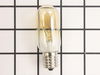
Under the microwave there are two light bulbs that light up the top of the oven/range.
Last week I removed the glass cover that was held in by one screw and removed the burnt out light bulb. I ordered the bulb and left the glass cover off until the bulb arrived. I had to wait until this evening to put the glass cover back on and fasten the screw because I have a window right next to the oven and the sun streaming in made it too difficult for me to see how to put the glass back in and replace the screw.
Parts Used:
-
Janet from TREASURE IS, FL
-
Difficulty Level:Very Easy
-
Total Repair Time:Less than 15 mins
-
Tools:Screw drivers
1 person
found this instruction helpful.
Was this instruction helpful to you?
Thank you for voting!