




















DFE28JMKMES General Electric Refrigerator - Instructions
Keep searches simple. Use keywords, e.g. "leaking", "pump", "broken" or "fit".
Refrigerator freezing.
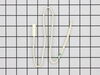
Temp. Sensor was under an egg shaped cover on the left side wall in the refrigerator. Remove the cover, cut the two wires to the old sensor and remove it. Connect the new sensor to the two wires using butt connectors. Replace cover and done.
Parts Used:
-
Wayne from Rancho Cordova, CA
-
Difficulty Level:Really Easy
-
Total Repair Time:Less than 15 mins
Was this instruction helpful to you?
Thank you for voting!
Fridge was freezing food near the back, adjusting internal temp not fixing the problem
Unplugged the refrigerator first....then on the inside of the fridge, I popped the temp sensor cover off (upper LH side) and exposed the old sensor. I snipped off the old sensor about 3" down from the end and connected the new sensor (which I trimmed down to about 3" long) with some heat shrink wire nuts/connectors. Let the fridge run for a day or so and confirmed the problem was solved! Oh yeah, there was no way to tell the 2 wires apart (power vs. ground) on the sensor. However there was a manufacturer's stamp on the wires. So note the orientation of the text and mark one of the wires with a sharpie on both the old and new sensor before trimming. This will give you a reference for which wires to connect when adding the new sensor to the old wires.
Parts Used:
-
Zachary from Decatur, GA
-
Difficulty Level:Easy
-
Total Repair Time:Less than 15 mins
-
Tools:Pliers
Was this instruction helpful to you?
Thank you for voting!
sticky switch
easy pry out, disconnect wiring, connect on new switch and press in switch.
Parts Used:

-
ANTHONY from NEW EGYPT, NJ
-
Difficulty Level:Really Easy
-
Total Repair Time:Less than 15 mins
-
Tools:Pliers, Screw drivers
Was this instruction helpful to you?
Thank you for voting!
compressor running and hot, refer and fridge room temp.
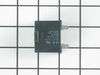
Watched a youtube on capacitors- though on a motor with a pulley, the symptoms were the same, motor running and pulley not turning-bad capacitor. Took a chance for a 17+ dollar part vs a new compressor. It worked.
Parts Used:
-
Charles from Durham, CA
-
Difficulty Level:Really Easy
-
Total Repair Time:Less than 15 mins
Was this instruction helpful to you?
Thank you for voting!
freezer would not defrost
There were only 3parts listed to check omed out the defrost heater and thermostat ....thermistor checked bad ordered replacement took less than 2 minutes to replace after I defrosted it again runs fine
Parts Used:
-
philip from cocoa, FL
-
Difficulty Level:Really Easy
-
Total Repair Time:Less than 15 mins
-
Tools:Nutdriver
Was this instruction helpful to you?
Thank you for voting!
light switch quit working
-
David from Simpsonville, SC
-
Difficulty Level:Easy
-
Total Repair Time:Less than 15 mins
-
Tools:Screw drivers
Was this instruction helpful to you?
Thank you for voting!
fan and compressor wont start
Googled the model number of refrigerator with symptoms of "refrigerator wont run". Parts select web site appeared on my screen, opened Parts Select website, Partselect said probable cause of my frige symptom was that the run capacitor usually burns out 51% of the time. They were correct with the diagnosis 100%. I ordered the run capacitor for $23.00, installed it in 10 minutes, refrigerator runs good as new. Thank you for saving me cost of service call. I probably saved $200 or more. I will use Partselect again with my next problem. THANK YOU,
Parts Used:
-
JOSE from NEW YORK, NY
-
Difficulty Level:Really Easy
-
Total Repair Time:Less than 15 mins
-
Tools:Screw drivers
Was this instruction helpful to you?
Thank you for voting!