




















CWE9900 Maytag Wall Oven - Instructions
Keep searches simple. Use keywords, e.g. "leaking", "pump", "broken" or "fit".
Oven would not heat
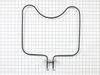
I opened the oven door and unscrewed the two screws that connected the element to the back of the oven. I then pulled the element forward but it would not expose the electrical connections that powered it. I pulled a little harder and it would not pull through the insulation. I then decided that it must be accessable from the back. I took off the door the lighten the oven. I pulled the oven out of the cabinet till the conduit was taught and I could just barely see that there wasn't a panel to access the connection. I then put the back into the cabinet and pulled a little harder yet on the element and the connecters pull through the insulation. I was then able to test the element with the multimeter and decide the power was getting to the element but no heat. I ordered the part the next day. Recieved it the day after that, smokin' fast service I must add. Installed the element and it works like a new one. My wife loved it and then she loved me.
Parts Used:
-
Ken from Greenfield, IN
-
Difficulty Level:Really Easy
-
Total Repair Time:More than 2 hours
-
Tools:Screw drivers
2 of 3 people
found this instruction helpful.
Was this instruction helpful to you?
Thank you for voting!
No temperature control
Turned off breakers to oven. Removed two screws that held oven in cabinet. Removed oven door by opening slightly and pulling up on door. Pulled oven out 1/3 of way. Took out four screws on top of control panel. Took oven light switch off by unscrewing holding ring. Removed temp knob on right by pulling. Removed start / stop knob same way.Removed glass straight out. Removed four screws that held elecrtonic clock conrtol board. Unpluged three wire plug from right side and the nine wire plug from the left side. Worked board out at and angle. Went backwards to connect and replace board, screws and door.Slid oven back in and tested oven after turning breakers back on, worked like new.
Parts Used:

-
Max from Houston, TX
-
Difficulty Level:Easy
-
Total Repair Time:30 - 60 mins
-
Tools:Screw drivers
2 of 3 people
found this instruction helpful.
Was this instruction helpful to you?
Thank you for voting!
Oven Temperature was 50 degrees low
Took screws out of the back on the side the sensor was on, unplugged it & took out the two screws on the inside of the oven to release the sensor. Put new sensor in place with the two screws & used one of the adapters to plug in the new sensor. Put screws back in the back panel & turned on the oven which unfortunately is still 50 degrees low. Need a new clock with computer which is out of stock & unavailable. I was an electrician for 25 years so didn't experience any problems. It was a cheap thing to try.
Parts Used:
-
Eugene from Clinton, IA
-
Difficulty Level:Really Easy
-
Total Repair Time:15 - 30 mins
-
Tools:Screw drivers
2 of 3 people
found this instruction helpful.
Was this instruction helpful to you?
Thank you for voting!
Bake Element Stopped Heating.
I removed one screw easily. The other screw was difficult to remove without stripping it. I sprayed wd 40 and let it sit overnight. The next day, my husband sprayed it again and after trying several different size phillips screwdrivers, he got the second screw out. He easily removed the element and then the two wires from it. He attached the two wires and replaced the screws. We tested it and it worked. The best part is: my husband scrubbed the oven before putting all the parts back!
Parts Used:
-
Paula from Green Village, NJ
-
Difficulty Level:Easy
-
Total Repair Time:15 - 30 mins
-
Tools:Screw drivers
2 of 3 people
found this instruction helpful.
Was this instruction helpful to you?
Thank you for voting!
"F3" error message and no oven heat
Unplugged the range, removed screws holding the old sensor. When I pulled it out, the wire connecting to the sensor was completely broken through,therefore I could not just pull the wire to get to the connector. Unscrewed one side of back panel to access the connector. Pushed the connector and wire of the new sensor through the hole ( and behind the insulation), disconnected the old sensor and connected the new one. Re screwed the new connector in place plus rescrewed the back panel. Plugged the range in and - Viola! Everything now works like a charm and I have my oven back. Easy-Peasy. Oh - I am an older female with very limited DYI experience. I just saved myself $650.00!
Parts Used:
-
Pat from PAYSON, AZ
-
Difficulty Level:Very Easy
-
Total Repair Time:15 - 30 mins
-
Tools:Screw drivers
1 person
found this instruction helpful.
Was this instruction helpful to you?
Thank you for voting!
Oven switch not working
Had to remove the glass top and the control panel and the panel bracket then use angled needle nosed pliers to compress the retainers then pull the switch from the inside of the oven
Parts Used:
-
Terry from DIAMOND BAR, CA
-
Difficulty Level:Easy
-
Total Repair Time:30 - 60 mins
-
Tools:Nutdriver, Pliers
1 person
found this instruction helpful.
Was this instruction helpful to you?
Thank you for voting!
Door Glass Broken inside
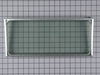
Removed the door removed 2 inner panels Installed and reassembled A Cake Walk NOTE be careful not to strip threads
Parts Used:
-
William from IDAHO FALLS, ID
-
Difficulty Level:Very Easy
-
Total Repair Time:30 - 60 mins
-
Tools:Screw drivers, Socket set
1 person
found this instruction helpful.
Was this instruction helpful to you?
Thank you for voting!
Replacement of old oven door seal
Removed door (that was the most difficult part)
Took out lots of screws to disassemble
Cleaned all the components that were now exposed
Put new seal in place
Put parts back together with screws
Put oven door back
Excellent!!
Took out lots of screws to disassemble
Cleaned all the components that were now exposed
Put new seal in place
Put parts back together with screws
Put oven door back
Excellent!!
Parts Used:
-
Edie from SANTA FE, NM
-
Difficulty Level:Easy
-
Total Repair Time:1- 2 hours
-
Tools:Screw drivers
1 person
found this instruction helpful.
Was this instruction helpful to you?
Thank you for voting!
the fan started making noises like it was shaking
I pulled off the facia from the microwave/oven. Unscrewed the plate holding the microwave and slid out the microwave. The microwave and oven are a unit. I unscrewed the oven from the hole it sits in and slid out the oven and set it on a sturdy chair. Then I unscrewed (6 screws) the bracket that holds the microwave to the oven. After that I unscrewed (14 screws) the top sheetmetal plate on the oven and slid that around behind the oven. Then I unscrewed the grounding strap inside. Did the 2 screws on each side of the oven holding the fan unit and slid that out. Undid the 2 wires plugged into the motor and the 2 screws holding the fan motor. Then I slid off the fan from the old motor and slid it onto the new motor and reversed the whole process.
Parts Used:
-
Jerry from Rocklin, CA
-
Difficulty Level:Really Easy
-
Total Repair Time:Less than 15 mins
-
Tools:Screw drivers
1 person
found this instruction helpful.
Was this instruction helpful to you?
Thank you for voting!
Oven would not hold temperature, not turn on, and would shut off during use.
Extremely simple repair to make. Move stove away from wall and disconnect power. Remove the oven racks. Remove the rear sheet metal panel covering the wiring harnesses. Caution: Sharp edges and corners on sheet metal.Sensor is located in upper left corner on rear oven wall. Using a long-shafted #2 Philips screwdriver, remove the two Philips head screws and gently pull the sensor 1" away from the oven wall. At this point, it will help to have an assist from someone while you are behind the range. Have the assistant gently tug on the sensor while you watch for wires moving on the rear of the range. After locating the sensor wires, gently disconnect the plastic connector clip. Note: plastic connectors become brittle with age and exposure to heat Move to front of range and gently remove sensor from rear wall by pulling the wiring through the oven wall. Before inserting the new sensor wire through the oven wall, "dry fit" the wiring connectors to see that the new sensor is a correct connection. Make connection, and secure the sensor to the rear oven wall with the two screws. Install racks, reinstall rear sheet metal panel, and connect the power. Set the oven baking temperature to a moderately low temp, 300 - 350 deg. to test the new sensor.
Parts Used:
-
John from Arvada, CO
-
Difficulty Level:Very Easy
-
Total Repair Time:Less than 15 mins
-
Tools:Nutdriver, Screw drivers
1 person
found this instruction helpful.
Was this instruction helpful to you?
Thank you for voting!
No problem installing the sensor
I removed the two mounting screws and pulled the harness through the opening unsnapped the sensor from the harness and installed the new sensor i didn't have to used the adapters the new sensor fitted
Parts Used:
-
tommy from FAYETTEVILLE, NC
-
Difficulty Level:Very Easy
-
Total Repair Time:Less than 15 mins
-
Tools:Screw drivers
1 person
found this instruction helpful.
Was this instruction helpful to you?
Thank you for voting!
Bake element burned out/arced
Removed old element, 2 screws, cleaned oven , 60 minutes, replaced with new element, working like new, wife thoroughly impressed...
Parts Used:
-
William from GAINESVILLE, FL
-
Difficulty Level:Very Easy
-
Total Repair Time:Less than 15 mins
-
Tools:Screw drivers
1 person
found this instruction helpful.
Was this instruction helpful to you?
Thank you for voting!
Oven door was locked, couldn't set oven temps
Got a bent metal coathook to temporarily release the oven door, removed the screws from the old probe, inserted the new one, and hooked it up, using the one of the plug adapters provided. Problem solved! The oven door latch was now disengaged, the oven would now accept temperature inputs, and the rear cooling fan (which wouldn't shut off) now turned off. That's a lot of things working better for less than $50!
Parts Used:
-
William from Nashville, TN
-
Difficulty Level:Easy
-
Total Repair Time:15 - 30 mins
-
Tools:Screw drivers
1 person
found this instruction helpful.
Was this instruction helpful to you?
Thank you for voting!
Range oven door switch need replaced
I raised the top of my Whirlpool Continuous Cleaning Canning Oven, then had to unscrew 3 screws and a lock nut, then raise top about 4 inches, so I could put my hand inside to unplug the wires to the switch, and push it through the hole in front, of oven. Then put the new switch through hole and plug in new switch. Then screw down top; and close lid. Part #866294
Parts Used:
-
Ruth from Gastonia, NC
-
Difficulty Level:A Bit Difficult
-
Total Repair Time:15 - 30 mins
-
Tools:Nutdriver, Screw drivers
1 person
found this instruction helpful.
Was this instruction helpful to you?
Thank you for voting!
Oven temperature fluctuates
Replaced the thermostat according to existing videos and had to adjust the thermostat using instuctions in the user manual for model CWE4800ACB.
Parts Used:
-
Larry from SOLON, IA
-
Difficulty Level:Easy
-
Total Repair Time:30 - 60 mins
-
Tools:Screw drivers
1 person
found this instruction helpful.
Was this instruction helpful to you?
Thank you for voting!