




















CWE5800ACE Maytag Wall Oven - Instructions
Keep searches simple. Use keywords, e.g. "leaking", "pump", "broken" or "fit".
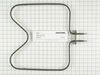
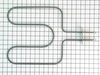
Wall Oven elements (Bake & Broil)
Followed example your provided- excellent guidance.
Parts Used:
-
woodrow W from TEMPLE, TX
-
Difficulty Level:Really Easy
-
Total Repair Time:30 - 60 mins
-
Tools:Pliers, Screw drivers
3 of 3 people
found this instruction helpful.
Was this instruction helpful to you?
Thank you for voting!
ovens wouldn't maintain temperature after preheat cycle
unplugged oven. removed 2 screws that hold the sensor in place, then removed the dozen or so screws that hold on the rear panel, unplugged sensor and fed wire through insulation. identified and installed correct harness adapter then fed new wire and connecter through insulation and connected to adapter. installed sensor retaining screws.plugged oven back in and tested function.no dice. unplugged oven once again. removed oven control panel and upon inspection of printed circuit board discovered 3 solder joints had failed. dang. resoldered failed joints and also sweetened up a few others that looked suspect. reinstalled controller, replaced all retaining hardware, and plugged in the oven. tah-dah!! works like a charm now. moral of the story is check the pc board first and save $50 for unneeded pats!!! or buy the controller from parts direct for $260ish. btw a roll of solder and soldering iron from an auto parts store cost around $10, learned to solder on you-tube $0. amazing all the home appliances yo can fix if you're not afraid to take a few screws out and poke around a bit. CHEERS!
Parts Used:

-
sherri from elk horn, IA
-
Difficulty Level:A Bit Difficult
-
Total Repair Time:30 - 60 mins
-
Tools:Screw drivers
3 of 4 people
found this instruction helpful.
Was this instruction helpful to you?
Thank you for voting!
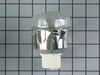
needed new oven light assembly/part #PS1864256
Removed old assembly, attached wires to new and inserted into space for same. Of course you must turn off the range circuit breaker. The part that took the most time was removing the old assembly. Once that was done, the rest took only a few minutes.
Parts Used:
-
Sara from Harwich Port, MA
-
Difficulty Level:A Bit Difficult
-
Total Repair Time:15 - 30 mins
-
Tools:Pliers, Screw drivers
25 of 70 people
found this instruction helpful.
Was this instruction helpful to you?
Thank you for voting!
Indicator Lens melted and fell back into the control panel
I took the back panel off, removed the old lens, installed the new lens. How easy to order from home, receive the part, do the repair and pay less than it costs to simply drive to the parts house. Cool....
Parts Used:

-
Philip from Houston, TX
-
Difficulty Level:Really Easy
-
Total Repair Time:Less than 15 mins
-
Tools:Screw drivers
3 of 4 people
found this instruction helpful.
Was this instruction helpful to you?
Thank you for voting!
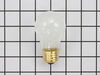
Replacing the bulb in the freezer side
Removed the ice brucket,
Removed the light shield by releasing one screw using a nutdriver.
Replacing the bulb and reinstalled the light shield.
Your web site is one of the best and most helpfull service sites I ever used. Just wish that in the future you will ship parts overseas.
Removed the light shield by releasing one screw using a nutdriver.
Replacing the bulb and reinstalled the light shield.
Your web site is one of the best and most helpfull service sites I ever used. Just wish that in the future you will ship parts overseas.
Parts Used:
-
Yafa (and David) from Bothell, WA
-
Difficulty Level:Easy
-
Total Repair Time:Less than 15 mins
-
Tools:Nutdriver
5 of 11 people
found this instruction helpful.
Was this instruction helpful to you?
Thank you for voting!
Bake Element Burned
Turn off the electricity for the oven from the switch box. Unsure the damaged element from the unit. Pull it forward and unplug connections. Then plug the new element and use the new screws to screw it back to the unit. That's all
Parts Used:
-
Manuk from STUDIO CITY, CA
-
Difficulty Level:Really Easy
-
Total Repair Time:Less than 15 mins
-
Tools:Screw drivers
2 of 2 people
found this instruction helpful.
Was this instruction helpful to you?
Thank you for voting!
A seal came off the oven
I found the model, ordered the new seal, it arrived very quickly via mail and I replaced the seal. You simply slid off the old, slid on the new one and hooked it in place. No expensive repairman!
Parts Used:

-
andrea from new york, NY
-
Difficulty Level:Really Easy
-
Total Repair Time:Less than 15 mins
3 of 5 people
found this instruction helpful.
Was this instruction helpful to you?
Thank you for voting!
oven light glass cover was broken
took out the old dome cover and replaced it with a new one by unscrewing and replaced the new one and a fiberglass gasket. simple.
Parts Used:

-
wayne from LIMINGTON, ME
-
Difficulty Level:Really Easy
-
Total Repair Time:15 - 30 mins
2 of 2 people
found this instruction helpful.
Was this instruction helpful to you?
Thank you for voting!
After cleaning, F1-1 error flashed and neither oven worked
First I called a repairman and left a message. That was 3 weeks ago. So, I 'googled' the error message and determined what part I thought I needed. Ordered the part on Wednesday evening and it was there when I got home from work on Friday. I unpacked the part, got a phillips screwdriver and then watched the repair video on your website. About 20 minutes later I pushed my stove back in place and the flashing said 'set time'. Then I checked both ovens, and have since used both, and everything works!!
Parts Used:
-
Georgene from Rock City, IL
-
Difficulty Level:Easy
-
Total Repair Time:15 - 30 mins
-
Tools:Screw drivers
3 of 5 people
found this instruction helpful.
Was this instruction helpful to you?
Thank you for voting!
left cover for the oven light broke when trying to replace the bulb
Ordered the part. when it arrived-quite speedily, I just unpacked it and put the cotton gasket around the glass and screwed it to the proper place in the oven. Very easy.
Parts Used:
-
Mark from SHOREVIEW, MN
-
Difficulty Level:Very Easy
-
Total Repair Time:Less than 15 mins
2 of 2 people
found this instruction helpful.
Was this instruction helpful to you?
Thank you for voting!
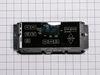
Oven stopped working mid-bake and clock went dark
I removed the front panels and took out the clock. Clock removal was done two or three wires at a time. I hooked up the old wires to the new clock as I went. There were about 7 wires. This ensured a proper hook up. Reinstalled the front panels, and back to baking dinner.
Parts Used:
-
Steve from Marietta, GA
-
Difficulty Level:Really Easy
-
Total Repair Time:15 - 30 mins
-
Tools:Pliers, Screw drivers
5 of 11 people
found this instruction helpful.
Was this instruction helpful to you?
Thank you for voting!
Replace the oven Sensor
The sensor is mounted in the top right side of the oven.An extra long screw driver helps to avoid damage to the sensor when replacing it.The connectors were the opposite to the old sensor and I did not see that there were adapter cables included. It might help to connect or tie these together as I only expected the sensor and did not look for adapters.I had cut the wires and used wire nuts when I found the adapters.The repairs works fine.
Mike
Mike
Parts Used:
-
Michael from Exeter, NH
-
Difficulty Level:Really Easy
-
Total Repair Time:15 - 30 mins
-
Tools:Nutdriver, Pliers, Screw drivers
3 of 5 people
found this instruction helpful.
Was this instruction helpful to you?
Thank you for voting!
Lower bake element would not heat.
Removed two screws. Gently pulled old element away from back of oven, exposing two wires. Disconnected the element from wires by pulling the ends apart with hands. Reconnected the wires with new element. LESS THAN FIVE MINUTES! Saved about a hundred bucks!. (Demo on You Tube.)
Parts Used:
-
Janice from SOUTHFIELD, MI
-
Difficulty Level:Really Easy
-
Total Repair Time:Less than 15 mins
-
Tools:Screw drivers
2 of 2 people
found this instruction helpful.
Was this instruction helpful to you?
Thank you for voting!
Broken glass on over door
Removed the handle, placed the glass over the door, attached the oven door handle and DONE!!!
Parts Used:

-
Mary Francine from TEXARKANA, TX
-
Difficulty Level:Very Easy
-
Total Repair Time:Less than 15 mins
-
Tools:Screw drivers
2 of 2 people
found this instruction helpful.
Was this instruction helpful to you?
Thank you for voting!
Maytag range had "F3" code display, oven would not work.
Oven sensor replacement was easy. Thermistor was installed in less than 15 minutes. After installation STILL had "F3" error message. Harness was ok, "Clock" or ECU needed to be replaced. "Computer" is obsolete, no spares available, some companies will rebuilt for $400+. Since the stove was going to the landfill I had nothing to lose by taking the "Clock" apart. It has one chip that is probably the power supply and control chip, another chip is an EEPROM with 128 bytes of storage and the last is a darlington chip that controls the relays. Cleaned up everything that looked like it needed cleaning with alcohol. When I reassembled the unit the pins for the thermistor harness felt loose, so I took it apart, again, and found cold solder joints on all four pins. It must have been there all along but plugging and unplugging the harness finally broke out the solder so I could see it. Soldered the pins back in and now it all works. It's worth a try if you're getting the "F3" message. If the relays on your stove aren't working it would be a good idea to replace the darlington chip. Good luck.
Parts Used:
-
phillip from Farmington, NM
-
Difficulty Level:Difficult
-
Total Repair Time:More than 2 hours
-
Tools:Nutdriver, Screw drivers
2 of 2 people
found this instruction helpful.
Was this instruction helpful to you?
Thank you for voting!