




















CWB7030SL2SS General Electric Microwave Oven Combo - Instructions
Keep searches simple. Use keywords, e.g. "leaking", "pump", "broken" or "fit".
Powered Off completely
After reading reviews that there was no power what so ever and a fuse replacement will solve the problem, I tried it. Replacing the fuse is very easy (and I am not handy at all). All you have to do is remove the microwave cover from the top by removing two screws, slide the cover to the left and pulling the cover off. Then remove the grill in front of you, by removing one or two screws. The fuse is in front of you, use pliers and be firm but gentle. Replacing the fuse is easy but it did not solve my problem.
Parts Used:

-
Mohammad from Piscataway, NJ
-
Difficulty Level:Easy
-
Total Repair Time:Less than 15 mins
-
Tools:Screw drivers
Was this instruction helpful to you?
Thank you for voting!
All power to the microwave went out.
PartSelect had helpful repair instructions on-line which made the repair easier and faster. Unfortunately, there were other problems with the oven that immediately blew the new fuse I had just installed. It was then determined that additional repair would most likely cost almost as much as a new microwave.
Parts Used:
-
Michael from East China Township, MI
-
Difficulty Level:Easy
-
Total Repair Time:Less than 15 mins
-
Tools:Screw drivers
Was this instruction helpful to you?
Thank you for voting!
circuit shortage shows, i thing it because i heat on the counter too long cause the thermotart not fumctional.
-
Rong from Portland, OR
-
Difficulty Level:Really Easy
-
Total Repair Time:Less than 15 mins
Was this instruction helpful to you?
Thank you for voting!
microwave just stopped working
First unplugged the microwave, took top grill off, took control panel off, took wires off and used color coded tape to make sure they went back in right places, took fuse out and replaced it and put every thing back and it all worked fine and to top it off my wife did it all. So it was pretty easy.
Parts Used:
-
James from Fall Branch, TN
-
Difficulty Level:Easy
-
Total Repair Time:30 - 60 mins
-
Tools:Pliers, Screw drivers
Was this instruction helpful to you?
Thank you for voting!
No heat on convection or bake. other functions operated fine
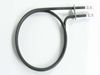
un plugged the oven. pulled the back cover off (3 screws). the heater terminations were there. removed heater wires. checked heater resistance with meter set on ohms reading was not correct. removed heater found a burned out place. installed new heater in reverse order of removal. works fine. If someone is a fare handy man this was a very simple task to do.
Parts Used:
-
lyle from crosby, TX
-
Difficulty Level:Easy
-
Total Repair Time:30 - 60 mins
-
Tools:Screw drivers
Was this instruction helpful to you?
Thank you for voting!
microwave won't heat
bought a fuse but that didn't solve the problem. Guess I need a new microwave
Parts Used:
-
Stephanie from Kernersville, NC
-
Difficulty Level:Really Easy
-
Total Repair Time:Less than 15 mins
-
Tools:Pliers, Screw drivers
Was this instruction helpful to you?
Thank you for voting!
Microwave would not heat
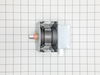
I went on line, put in microwave repair and watched a video on repair. I then took the oven down from over the range and took it apart. I could see were the magnetron had burned out. There was a hole with obvious burn marks. I went on line looking for the needed part. I clicked on PartSelect and order the magnetron. I received the part within three days, regular shipping. As I had not put the oven back together it took only a few moments to save 150 to 200+ dollars. I put it back together and happy, happy me, it worked.
Parts Used:
-
David from Roanoke, VA
-
Difficulty Level:Easy
-
Total Repair Time:Less than 15 mins
-
Tools:Screw drivers
Was this instruction helpful to you?
Thank you for voting!