




















CVM1790XS2SL General Electric Microwave - Instructions
Keep searches simple. Use keywords, e.g. "leaking", "pump", "broken" or "fit".
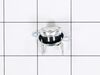
Original part was fried
Had to remove microwave from the wall. Then disassemble entire top assembly to get to the part. Easy enough to replace after that. Then just reassemble and reinstall. About 2hrs. total
Parts Used:
-
michelle from virginia beach, VA
-
Difficulty Level:Difficult
-
Total Repair Time:1- 2 hours
-
Tools:Screw drivers
20 of 34 people
found this instruction helpful.
Was this instruction helpful to you?
Thank you for voting!
Touch pad failed to respond to any programming effort
Went to onlin source, found a couple youtube videos then went to the GE site which had a not-too-easy that find trouble shooting guide. It was extremely helpful as it described a fuse as a fix 80% of the time for touch paid failure. I really didn't believe it would b a fuse, but it was the cheapest fix, $8. I got the fuse and was surprised to fine there are two of them on this model. I took a guess and replaced the top one ( neither fuse was black or burned to indicate a failure but the top one was a bit mor greyish). put it all back together and it works fine.
Parts Used:

-
charles from SARASOTA, FL
-
Difficulty Level:Easy
-
Total Repair Time:30 - 60 mins
-
Tools:Screw drivers
13 of 14 people
found this instruction helpful.
Was this instruction helpful to you?
Thank you for voting!
microwave stopped working
took off upper grille and touch pad and removed the old line fuse and replaced with a new fuse ...turned on it is working fine...sources of help: UTube and GE manuel
Parts Used:
-
John from OWOSSO, MI
-
Difficulty Level:Easy
-
Total Repair Time:30 - 60 mins
-
Tools:Pliers, Screw drivers
13 of 15 people
found this instruction helpful.
Was this instruction helpful to you?
Thank you for voting!
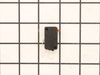
had to press door opener slightly to work
Removed screws holding outer shell. Pushed in door handle to identify faulty switch. Ordered part. Pryed switch out with screw driver and unplugged. reinstalled new switch. Presto. BUT... I did NOT use both hands while working on the microwave. I did not release the energy from the capacitor or whatever holds the killer amperage even when unplugged. It would be advisable to do this first. I did not because it seemed complicated, so I was EXTREMELY CAREFUL about not touching anything else inside the unit. I used one hand only so if I did touch something I would not get juiced through the chest. It was a piece of cake repair, but I would not go deeper without doing the discharge routine.
Parts Used:
-
Lawrence from East Patchogue, AL
-
Difficulty Level:Really Easy
-
Total Repair Time:Less than 15 mins
-
Tools:Screw drivers
16 of 24 people
found this instruction helpful.
Was this instruction helpful to you?
Thank you for voting!
All power out. No display, not operational
Remove microwave and set on flat surface. Remove all screws on top. Remove all screws around back edge holding top on. Finally remove the screws on botton holding top on and remove top. On left side on top, remove 6 screws holding black channel in place. Also remove 3 screws holding metal top in place. Now lift black channel up and unplug 2 wires on cutout. Replace cutout and reinstall everything in reverse order. Worst part is taking microwave down and reinstalling.
Parts Used:
-
Steven from Gardiner, ME
-
Difficulty Level:A Bit Difficult
-
Total Repair Time:1- 2 hours
-
Tools:Screw drivers
15 of 22 people
found this instruction helpful.
Was this instruction helpful to you?
Thank you for voting!
rack holder broke off in oven
tried to replace rack holder but was unable. It did not turn easily and took a screwdriver to pry it out before replacing it. No instructions were available from manufacturer so we were afraid if we pried it out we would be severing different entry parts for the rack holder. Not a good scene!!!We finally pried it out but without instructions.
Parts Used:

-
Margaret from Garden City, NY
-
Difficulty Level:Difficult
-
Total Repair Time:30 - 60 mins
-
Tools:Pliers, Screw drivers, Wrench set
14 of 21 people
found this instruction helpful.
Was this instruction helpful to you?
Thank you for voting!
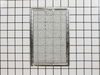
grease filter missing - taken by previous owner
-
Pamela from Indio, CA
-
Difficulty Level:Really Easy
-
Total Repair Time:Less than 15 mins
12 of 16 people
found this instruction helpful.
Was this instruction helpful to you?
Thank you for voting!
Oven shut down when TCO (thermostat) detected overheat. Once cutoff, it has to be replaced not reset.
The spacesaver is mounted over the stovetop. I removed the oven, then removed all the screws from the cover. Removed the cover and located the TCO and removed the wiring and the TCO. Ordered the part VIA internet and replaced it . It helps a little that I was Radar tec. and taught Electronics for 10 years and repaired lots of Microwaves. However anyone could do it just watch what you remove and replace in reverse order.
Parts Used:
-
R C from Eglin Air Force Base, FL
-
Difficulty Level:A Bit Difficult
-
Total Repair Time:1- 2 hours
-
Tools:Pliers, Screw drivers, Wrench (Adjustable)
11 of 14 people
found this instruction helpful.
Was this instruction helpful to you?
Thank you for voting!
No cooking Power
Had to remove outer cover (special screws involved). Found the correct part at PartSelect.Com and it arrived 3 days later as promissed.
This oven has diffcult electrical connections at switch to get disconnected. I found it easier with the sw loose and in hand so that the connectors can be released with a small screwdriver.
One has to this in order to test the part wirh an ohm meter. I found the sw did not close but remained open and thus caused the oven not to function.
Removing interconnect switch is tricky but not difficult.
Outer cover replacement is not as easy as it should be, especially the sides.
All is well and working.
Microwaves are simple devices if you are know how to read and understand schemetic diagrams.
This oven has diffcult electrical connections at switch to get disconnected. I found it easier with the sw loose and in hand so that the connectors can be released with a small screwdriver.
One has to this in order to test the part wirh an ohm meter. I found the sw did not close but remained open and thus caused the oven not to function.
Removing interconnect switch is tricky but not difficult.
Outer cover replacement is not as easy as it should be, especially the sides.
All is well and working.
Microwaves are simple devices if you are know how to read and understand schemetic diagrams.
Parts Used:
-
Norbert from Minnetonka, MN
-
Difficulty Level:A Bit Difficult
-
Total Repair Time:15 - 30 mins
-
Tools:Pliers, Screw drivers
12 of 19 people
found this instruction helpful.
Was this instruction helpful to you?
Thank you for voting!
Lack of power to unit
This is the second time replacing this fuse, last time was exactly one year ago. The first time I replaced it, I removed the oven from the wall & disassembled a number of things to reach the culprit. This time I left the oven mounted & was able to access the 2 grille mounting screws on the top of the grille & remove it. Next comes the black plastic air deflector held by two screws & is mounted in front & on the right, it is shown on the parts list just above part #1434. After removing it, remove the two silver cover screws in the front, this cover also doesn't have a part # but is shown to the right of part #1410. At this point you can lift this cover enough to access the fuse which is on the left & held in place by one tiny screw through the clamp at the top, (careful not to drop it when removing). PS: Don't forget to cut the power to the microwave before starting!
Parts Used:
-
Neil from Williston, VT
-
Difficulty Level:Easy
-
Total Repair Time:15 - 30 mins
-
Tools:Screw drivers
11 of 16 people
found this instruction helpful.
Was this instruction helpful to you?
Thank you for voting!
after 3-4 minutes microwave display would blink and unit would just cut out.
This was the second time I've had to open up the microwave. 1st time display would blank out but system would continue to operate. Found solder connections on board to LED display were defective. Resoldered and unit was fine. This time I found the connection to the oven cavity temp cut-off was bad, plastic connection cover melted. When unit operated bottom lead and wire would heat up. Couldn't measure a Discernable distance so either wire or connector connection surface was not sufficient to carry the current. 1st replaced sensor still wire heated up. Replaced connector and there was no sign how heat from resistances.
Parts Used:
-
Larry from Brookfield, CT
-
Difficulty Level:A Bit Difficult
-
Total Repair Time:30 - 60 mins
-
Tools:Wrench set
12 of 20 people
found this instruction helpful.
Was this instruction helpful to you?
Thank you for voting!
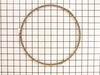
We broke the glass plate in the microwave and the rotating ring too
We had an accident on Christmas day, while using the convection option on the microwave, the glass plate and ring assembly slipped down from where it was temporally being stored, and shattered into many pieces.I was really lucky, we had a older GE microwave that we scrapped out. My wife and I decided to keep the glass plate and rotating ring, when we tried the parts it wouldn't turn. I decided to try a new rotating ring considering the glass plate would of cost quite a bit more. When the part came, I tried the ring and as I said I was really lucky, it worked perfectly. The ring from the old microwave made the glass plate sit too high and consequently wouldn't turn. It wasn't really much of a repair, but it all worked out great, the parts site was easy to use and the parts came when they said they would.
Parts Used:
-
Dennis from Minneapolis, MN
-
Difficulty Level:Really Easy
-
Total Repair Time:Less than 15 mins
10 of 14 people
found this instruction helpful.
Was this instruction helpful to you?
Thank you for voting!
one wheel missing on tray ring
-
Lisa from Decatur, AL
-
Difficulty Level:Really Easy
-
Total Repair Time:Less than 15 mins
11 of 18 people
found this instruction helpful.
Was this instruction helpful to you?
Thank you for voting!
Microwave does not have power at all, though outlet has power
unplugged power cable / unhooked front vent / unscrew the monitor panel / slide up to dislodge / take the fuse out and put in the new one in / fuse is located right in front of monitor panel once its open might be covered by wirings / you can unpin the cables from the panel to make it easier for you just make sure to put it back properly or you can have somebody hold the panel for you. Installing the fuse is easy waiting for the parts is crazy......
Parts Used:
-
Ronie from BRIARWOOD, NY
-
Difficulty Level:Really Easy
-
Total Repair Time:Less than 15 mins
-
Tools:Screw drivers
8 of 9 people
found this instruction helpful.
Was this instruction helpful to you?
Thank you for voting!
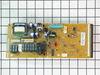
Dim panel lights on Profile Microwave Oven
Repair was easy. I took a picture of the board while connectors were still in their place. That really wasn't necessary because it was easy to match each connector with its receptacle.
On completion, the power was put on and I was disappointed that the repair hadn't worked. The panel lights were still dim and hard to read.
I did a google search on this problem and read that the problem with dim lights is due to a bad condenser and (though I don't believe it) one can go bad in time without being used. I called Parts Select and received a return authorization. The next day to my surprise, the panel lights were now bright and readable. I called Parts select and cancelled the return. Two weeks later it is still working.
Thanks for being a reputable company.
On completion, the power was put on and I was disappointed that the repair hadn't worked. The panel lights were still dim and hard to read.
I did a google search on this problem and read that the problem with dim lights is due to a bad condenser and (though I don't believe it) one can go bad in time without being used. I called Parts Select and received a return authorization. The next day to my surprise, the panel lights were now bright and readable. I called Parts select and cancelled the return. Two weeks later it is still working.
Thanks for being a reputable company.
Parts Used:
-
Frank from HAMBURG, NJ
-
Difficulty Level:Easy
-
Total Repair Time:Less than 15 mins
-
Tools:Screw drivers
8 of 9 people
found this instruction helpful.
Was this instruction helpful to you?
Thank you for voting!