




















CTA14CFB Hotpoint Refrigerator - Instructions
Keep searches simple. Use keywords, e.g. "leaking", "pump", "broken" or "fit".
Wouldn't cool
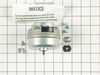
I removed the 3 screws that held the motor and fan. Exchanged fan blades and reinstalled the fan and new motor
I was surprised to find the motor. The refrigerator/freezer was over 28 yrs old. Works fine now
I was surprised to find the motor. The refrigerator/freezer was over 28 yrs old. Works fine now
Parts Used:
-
Clarence from Great Cacapon, WV
-
Difficulty Level:Really Easy
-
Total Repair Time:15 - 30 mins
-
Tools:Socket set
18 of 25 people
found this instruction helpful.
Was this instruction helpful to you?
Thank you for voting!
Interior light needed replaced
Unplugged the appliance for safety. Removed two 1/4" screws that held the assembly in place. Carefully removed the wire guard that retains the glass shield. Unscrewed old light bulb and replaced with new part. Reversed the steps after cleaning glass cover.
Parts Used:

-
Leo from TWIN FALLS, ID
-
Difficulty Level:Really Easy
-
Total Repair Time:Less than 15 mins
-
Tools:Nutdriver
22 of 43 people
found this instruction helpful.
Was this instruction helpful to you?
Thank you for voting!
Noisy Fan Motor - Bearing went out.
Moving the frig out and cleaning was the hardest part of this job - lots of dust collected over the 17 years the frig was in place. Once all the cleaning was done, with the frig out and back cover off (10 -12 screws taken off with nutdriver),I plugged the frig in and observed the the problem was a noisy fan motor. The motor is at the very back of the frig with easy access to the 3 brackets holding it in place.
Pull off the electrical clip. Remove the screw holding the bracket to the frame on the front bracket, leaving the bracket attacked to the fan. The other two screws remove from the fan, leaving the brackets in place.
Reverse the procedure when you receive the new part from PartSelect(great company to deal with)!
Pull off the electrical clip. Remove the screw holding the bracket to the frame on the front bracket, leaving the bracket attacked to the fan. The other two screws remove from the fan, leaving the brackets in place.
Reverse the procedure when you receive the new part from PartSelect(great company to deal with)!
Parts Used:
-
Robert from Carpinteria, CA
-
Difficulty Level:Easy
-
Total Repair Time:1- 2 hours
-
Tools:Nutdriver
11 of 14 people
found this instruction helpful.
Was this instruction helpful to you?
Thank you for voting!
Refridgerator was running constantly and condesor would get very hot, condesor fan would only turn on if I spun it.
Unplugged fridge removed the three screws that held fan on to fan frame unplugged condensor fan removed brackets from old fan and put them on new fan installed new fan plugged in fridge and now it works great!
Parts Used:
-
Raymond from Los Lunas, NM
-
Difficulty Level:Easy
-
Total Repair Time:15 - 30 mins
-
Tools:Nutdriver, Socket set
8 of 9 people
found this instruction helpful.
Was this instruction helpful to you?
Thank you for voting!
Twice I ordered the oven light bulb & each time the light bulb was defected
I had to call for a appointment for repair with GE Appliance because I thought then it . .was something electrical. The technician came out & checked everything out, turned out it was not electrical, The technician went out to his truck got a light bulb from his truck, put it in & it worked. It cost me $121.00 for trip charge from GE appliance for a light bulb that worked, your light bulbs were defective twice. Very disappointed with your products, cost me alot of money for a good light bulb thru GE appliance
Parts Used:
-
Barbara from BELLEVUE, WA
-
Difficulty Level:Very Difficult
-
Total Repair Time:Less than 15 mins
15 of 32 people
found this instruction helpful.
Was this instruction helpful to you?
Thank you for voting!
Not cooling - cond fan did not turn
Unplug refrig! Removed back cardboard covering (~5 screws)
(1) Cleaned all the dust out (hardest part!)
(2) Removed power wire to motor
(3) Removed 3 bolts holding motor to frame
(4) Removed motor/fan blade to the left
(5) Moveded fan blade to new motor (clean it!)
(6) Replaced motor, reinstalled 3 bolts
(7) Plugged power wire to new motor
(8) Tested it - worked fine, failed safe, drained to bilge!
Replaced back cover (had to tape it since I horked it up removing it)
(1) Cleaned all the dust out (hardest part!)
(2) Removed power wire to motor
(3) Removed 3 bolts holding motor to frame
(4) Removed motor/fan blade to the left
(5) Moveded fan blade to new motor (clean it!)
(6) Replaced motor, reinstalled 3 bolts
(7) Plugged power wire to new motor
(8) Tested it - worked fine, failed safe, drained to bilge!
Replaced back cover (had to tape it since I horked it up removing it)
Parts Used:
-
Daniel from Great Falls, VA
-
Difficulty Level:Easy
-
Total Repair Time:15 - 30 mins
-
Tools:Pliers, Screw drivers, Socket set
6 of 7 people
found this instruction helpful.
Was this instruction helpful to you?
Thank you for voting!
Started to see a little sweat in freezer and ice cream not getting hard frig staying on longer.
Pulled frig out. Removed back cover. Unplugged frig, unplugged motor. Removed fan from old motor first then 3 screws from bracket that holds motor and removed motor. Reattached motor back on bracket, reattached fan on motor. Plugged fan back in and then frig. Everything worked fine no more soupy ice cream !!
Parts Used:
-
Frank from Philadelphia, PA
-
Difficulty Level:Easy
-
Total Repair Time:15 - 30 mins
-
Tools:Socket set, Wrench set
6 of 7 people
found this instruction helpful.
Was this instruction helpful to you?
Thank you for voting!
unusually noisy
Removed the three screws from old motor body-bracket assembly , pulled off 1/4'' spade terminals and removed shield from terminal block for re-use.
Removed fan from old unit and installed on new,
screwed new motor in place, replaced terminal wires, plugged back in refrigerator.
Now my old rerfrigerator is whisper quiet
Removed fan from old unit and installed on new,
screwed new motor in place, replaced terminal wires, plugged back in refrigerator.
Now my old rerfrigerator is whisper quiet
Parts Used:
-
Anthony from South Plainfield, NJ
-
Difficulty Level:Really Easy
-
Total Repair Time:Less than 15 mins
-
Tools:Socket set
5 of 6 people
found this instruction helpful.
Was this instruction helpful to you?
Thank you for voting!
Fan Stops - Bad Bearing
Unplug unit from wall. Removed cover from rear of unit. Cleaned coils with vaccuum cleaner. Unplug wires from fan motor and remove nut holding fan blade to motor. Remove 3 screws holding motor to mount. Replace with new motor,make sure fan blade does not hit housing. Plug unit back in wall and replace cover.
Parts Used:
-
JACK R from LEESBURG, FL
-
Difficulty Level:Easy
-
Total Repair Time:15 - 30 mins
-
Tools:Nutdriver, Screw drivers, Socket set
4 of 5 people
found this instruction helpful.
Was this instruction helpful to you?
Thank you for voting!
Noisy refrigerator.
Remove the 4 screws holding the back cover onto the refrigerator. Unplug the power for the refrigerator. There's 3 bolts holding the fan motor assembly to the refrigerator. Loosen the two bolts which allow the brackets to pivot out , and remove the third bolt. Disconnect the electrical leads, and remove the fan blade, then rotate the fan motor assembly out from the refrigerator. Install mounting brackets from the old motor onto the new motor, then reinstall the assembly in the reverse order of removal.
Parts Used:
-
Rodney from Lafayette, LA
-
Difficulty Level:Really Easy
-
Total Repair Time:15 - 30 mins
-
Tools:Screw drivers, Socket set
5 of 8 people
found this instruction helpful.
Was this instruction helpful to you?
Thank you for voting!
fan blade wobbly making loud rubbing noise
Looked at existing installation removed it with 6 piece screwdriver and replaced it in the reverse order.
Not complicated at all.
Not complicated at all.
Parts Used:

-
Salvatore from Perrineville, NJ
-
Difficulty Level:Really Easy
-
Total Repair Time:15 - 30 mins
-
Tools:Nutdriver, Screw drivers
4 of 8 people
found this instruction helpful.
Was this instruction helpful to you?
Thank you for voting!
lights blown out
-
Gerald from WINTERVILLE, GA
-
Difficulty Level:Very Easy
-
Total Repair Time:Less than 15 mins
6 of 14 people
found this instruction helpful.
Was this instruction helpful to you?
Thank you for voting!
The light inside the oven had burned out
0. As a safety precaution, unplug the range or hit the relevant fuse breaker before you start. You might also want to grab a flashlight. Definitely do not try to do this while the oven is hot.
1. Pinch the wire over the light bulb cap to remove it. This is inside the oven at the back.
2. Pop off the hemispherical glass cap.
3. Unscrew the old light bulb, and screw the new light bulb in its place.
4. Put the cap back.
5. Secure the cap by putting the wire back in its slots on the cap.
No tools needed, the cap is just held in place with pressure from the wire.
1. Pinch the wire over the light bulb cap to remove it. This is inside the oven at the back.
2. Pop off the hemispherical glass cap.
3. Unscrew the old light bulb, and screw the new light bulb in its place.
4. Put the cap back.
5. Secure the cap by putting the wire back in its slots on the cap.
No tools needed, the cap is just held in place with pressure from the wire.
Parts Used:
-
Catherine from SEATTLE, WA
-
Difficulty Level:Very Easy
-
Total Repair Time:Less than 15 mins
3 of 5 people
found this instruction helpful.
Was this instruction helpful to you?
Thank you for voting!
Light burnt out.
Turned the wire protector to the side. Turned out the old bulb and replaced it with the new. Turned the wire protector back in place and I'm like new.
Parts Used:
-
Roscoe G from ROCHESTER, NY
-
Difficulty Level:Very Easy
-
Total Repair Time:Less than 15 mins
2 of 4 people
found this instruction helpful.
Was this instruction helpful to you?
Thank you for voting!
water leaking from under dishwasher
Water was leaking from under the GE dishwasher, but once we pulled it out, had apparently been going on for a little while. Turning the water off to the dishwasher made it stop, so it was happening even when the unit was not running, potentially indicating somewhere early in the path of the water to and into the machine.
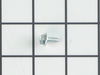
Indeed, inspecting the water inlet vale showed a slow leak. Getting the replacement part was fine, and it fit the electrical, water inlet (existing 90-degree water inlet elbow), and water outlet connections just fine - but the original machine screws that held on the original water inlet valve did not work. It took a little research to figure out the new type of screw required, which was apparently a 10/16 Type AB, which seemed to be a less common type of sheet metal screw (with a point), as opposed to the original flat-ended machine screws. So, after ordering those separately (which were a bit expensive), it went together fine.
A note on the water inlet valve part just indicating the the threading on those parts has changed over time, so potentially ordering the screws to attach it might be worthwhile, would be good information to add about the water inlet valve.
Indeed, inspecting the water inlet vale showed a slow leak. Getting the replacement part was fine, and it fit the electrical, water inlet (existing 90-degree water inlet elbow), and water outlet connections just fine - but the original machine screws that held on the original water inlet valve did not work. It took a little research to figure out the new type of screw required, which was apparently a 10/16 Type AB, which seemed to be a less common type of sheet metal screw (with a point), as opposed to the original flat-ended machine screws. So, after ordering those separately (which were a bit expensive), it went together fine.
A note on the water inlet valve part just indicating the the threading on those parts has changed over time, so potentially ordering the screws to attach it might be worthwhile, would be good information to add about the water inlet valve.
Parts Used:
-
Edward from E LONGMEADOW, MA
-
Difficulty Level:A Bit Difficult
-
Total Repair Time:30 - 60 mins
-
Tools:Pliers, Socket set, Wrench (Adjustable)
1 person
found this instruction helpful.
Was this instruction helpful to you?
Thank you for voting!