




















CRSH232PB5 Crosley Refrigerator - Instructions
Keep searches simple. Use keywords, e.g. "leaking", "pump", "broken" or "fit".
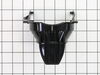
ice dispenser paddle broke off
Remove power from refrigerator. Pull out the drip tray below paddle. Removed the 3 screws behind tray. Gently pull control panel out and remove the ribbon cable plug from panel. Set panel aside. Remove three screws holding panel housing to door, then pull out housing slightly and disconnect harness plug behind left side of housing. Pull housing out 3-4 inches. Look at the way paddle tabs engage ice dispenser switch mechanism. Remove the left paddle hinge screw and plate and loosen the right hinge screws(these also hold the water paddle hinge) Remove broken paddle by pulling out from right hinge plate and down. Install new paddle under right hinge plate, engage new paddle tabs correctly onto dispenser switch, install left hinge plate and screw, then tighten hinge screws. Reconnect harness plug, reinstall 3 housing to door screws, reconnect ribbon plug to control panel and reinstall panel screws. Reinstall drip tray. Reconnect power to refrigerator and check operation of ice and water paddles.
Parts Used:
-
Emanuel from Coconut Creek, FL
-
Difficulty Level:Easy
-
Total Repair Time:15 - 30 mins
-
Tools:Screw drivers
8 of 11 people
found this instruction helpful.
Was this instruction helpful to you?
Thank you for voting!
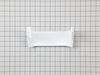
door bin broken
-
ROBERT from WARDENSVILLE, WV
-
Difficulty Level:Really Easy
-
Total Repair Time:Less than 15 mins
7 of 8 people
found this instruction helpful.
Was this instruction helpful to you?
Thank you for voting!
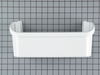
Broken Shelf
-
kevin from erie, PA
-
Difficulty Level:Really Easy
-
Total Repair Time:Less than 15 mins
8 of 11 people
found this instruction helpful.
Was this instruction helpful to you?
Thank you for voting!
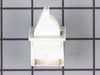
Switch would not allow door to close.
Removed screws holding unit and removed unit. Removed switch from connectors in unit. Replaced unit without switch. On day switch arrived (delivery was prompt) my wife replaced switch by attaching the two connectors and slipping into unit without having to remove entire unit. How easy was that!!!
Parts Used:
-
Charles from Front Royal, VA
-
Difficulty Level:Really Easy
-
Total Repair Time:Less than 15 mins
-
Tools:Nutdriver, Screw drivers
7 of 8 people
found this instruction helpful.
Was this instruction helpful to you?
Thank you for voting!
2 drawer undercounter beverage ref not getting cold enough. Wont get below 48°
Took drawers out by removing 2 screws on top of rail near front, then popped black plastic cover off in lower right inside cabinet...sensor just un plugged and new one plugged in easily...did not fix problem though...display set at 34 but bottom drawer reads about 40 at best and upper drawer reads around 55...dont think the 3 little fans inside on back wall have been running
Parts Used:

-
Tim from SYLVANIA, OH
-
Difficulty Level:Really Easy
-
Total Repair Time:15 - 30 mins
-
Tools:Screw drivers
8 of 11 people
found this instruction helpful.
Was this instruction helpful to you?
Thank you for voting!
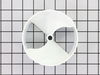
Icemaker not pushing out ice
Consult the exploded view of the Ice Container on this site. A likely cause the end plate (17) is worn. This plate connects the rotating corkscrew to the final plastic worm that pushes the ice into the crusher and thence to your waiting glass. The worm alone will not do the trick. To replace this plate, you need to take out all of the screws you can see, including the one that holds the spring for the crusher select bar.. First, the front cover, then the plate, and finally, locking ring from the worm and the black housing for the crusher. Now you can remove the whole worm assembly. Using a cloth or rubber insulator to protect it, unscrew the end screw and slide off the crusher teeth. Store on the table as a unit to facilitate re-assembly. Slide off the old bar and worm, put them back, and re-assemble. Takes a little dexterity to get the crusher select bar back, but not hard. Easy job.
Parts Used:
-
Andrew from SALEM, MA
-
Difficulty Level:Really Easy
-
Total Repair Time:30 - 60 mins
-
Tools:Nutdriver, Pliers, Screw drivers
7 of 8 people
found this instruction helpful.
Was this instruction helpful to you?
Thank you for voting!
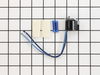
Frost build up on evaporator
Remove the bottom freezer drawer. Remove back metal evaporator panel. Wire in new defrost terminationT-stat. Reassemble evap panel. Good to go.
Parts Used:
-
B J from Dillingham, AK
-
Difficulty Level:Really Easy
-
Total Repair Time:15 - 30 mins
-
Tools:Nutdriver
12 of 24 people
found this instruction helpful.
Was this instruction helpful to you?
Thank you for voting!
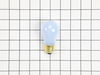
Refrigerator Light bulb went out
I replaced the bulb using my hands to twist the bulb in the socket located at the top of the refrigerator.
Parts Used:
-
ANGELA from MEBANE, NC
-
Difficulty Level:Very Easy
-
Total Repair Time:Less than 15 mins
7 of 10 people
found this instruction helpful.
Was this instruction helpful to you?
Thank you for voting!
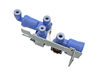
Water dripped from water outlet on door
-
Douglas from Denver, IN
-
Difficulty Level:Easy
-
Total Repair Time:15 - 30 mins
-
Tools:Nutdriver
6 of 7 people
found this instruction helpful.
Was this instruction helpful to you?
Thank you for voting!
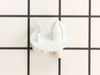
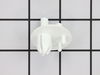
chrisper drawer jammed found supports were broken
Looked at video on how to remove and reinstall support and followed the instruct ions
Parts Used:
-
ROMAN from COLTON, CA
-
Difficulty Level:Really Easy
-
Total Repair Time:15 - 30 mins
-
Tools:Screw drivers
6 of 7 people
found this instruction helpful.
Was this instruction helpful to you?
Thank you for voting!
Support stude for both vegetable crispers broken off
Support studs have an expansion fitting - center post has to be pushed through to allow expansion joint to collapse for removal. After installation, this post can be pushed in or pulled out to secure the stud and be the proper length to hold the bins.
None of this was obvious - an online tip from another member was invaluable.
None of this was obvious - an online tip from another member was invaluable.
Parts Used:
-
RANDY from NORTH CHARLESTON, SC
-
Difficulty Level:A Bit Difficult
-
Total Repair Time:30 - 60 mins
-
Tools:Pliers, Screw drivers
6 of 7 people
found this instruction helpful.
Was this instruction helpful to you?
Thank you for voting!
Freezer not holding temp
The repair could not be completed. I ordered a thermostat defrost kit but received a collar arbor for a saw. They do not answer the phone at customer service and the order took close to two weeks to get in the first place. Beware of shopping at this site!
Parts Used:
-
David from MILTON, DE
-
Difficulty Level:Difficult
-
Total Repair Time:More than 2 hours
5 of 5 people
found this instruction helpful.
Was this instruction helpful to you?
Thank you for voting!
After a power outage my refrigerator went warm & the freezer was cool.
I unplugged the refrigerator and removed the back panel in the freezer. Here the coils were covered in a block of heavy frost. The coils needed to defrost, I allowed this to happen of the course of a few hours. Once this was done I used the wire cutters, cutting the two wires to the thermostat. Doing this I checked the continuity & got no reading. Having ordered the part at a more than reasonable price including 2 day delivery, I was ready to complete the repair. Stripping the thermostat wires connected the the freezer unit, I attached the two wires color to color to the new thermostat. Here I needed to insert both ends into the connector (butt end), crimping both sides. Making sure each end I'd secure. Do this for both sets of wires. Placing the new thermostat back on the the cooper coil (on the same one it was removed from), put the freezer back in place. Here I only screwed in two, in case I need to go back in. I plugged the refrigerator back in turn the settings back to default or factory. Allowed the refrigerator to come back up to temperature for 24-48 hours. I did these and I'm glad to say my 12 year refrigerator is working just like before.
Parts Used:
-
Stephanie from DAYTON, OH
-
Difficulty Level:Really Easy
-
Total Repair Time:30 - 60 mins
-
Tools:Nutdriver, Pliers
5 of 5 people
found this instruction helpful.
Was this instruction helpful to you?
Thank you for voting!
Fridge made a hellacious noise and wasn't cooling well
From discussions with friends, I determined the problem might be easy to fix. The fridge made a lot of noise, but the compressor DID come on, and inside the freezer was cold, but the main fridge was warming.
After unplugging the fridge, I removed the fan assembly in the freezer (there were about 4 nuts and a couple of plugs to uncouple.
I could see right away the fan blades has broken off, but the motor looked good. The new new fan pushed easily onto the shift and fit perfectly in the housing.
I reinstalled the fan assembly, plugged in the fridge, and right away heard the new fan come on - very quietly. What was a roar became a whisper and the fridge was down to 38 degrees with a few hours.
After unplugging the fridge, I removed the fan assembly in the freezer (there were about 4 nuts and a couple of plugs to uncouple.
I could see right away the fan blades has broken off, but the motor looked good. The new new fan pushed easily onto the shift and fit perfectly in the housing.
I reinstalled the fan assembly, plugged in the fridge, and right away heard the new fan come on - very quietly. What was a roar became a whisper and the fridge was down to 38 degrees with a few hours.
Parts Used:

-
Bruce from MARTINEZ, CA
-
Difficulty Level:Really Easy
-
Total Repair Time:Less than 15 mins
-
Tools:Nutdriver
5 of 5 people
found this instruction helpful.
Was this instruction helpful to you?
Thank you for voting!
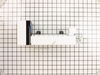
Replace ice maker which was splashing water
Turn off ice maker
Slide wire harness shield off connector
Disconnected harness
Loosened 2 wall screws
Remove old ice maker
Installed new one reversing process
Slide wire harness shield off connector
Disconnected harness
Loosened 2 wall screws
Remove old ice maker
Installed new one reversing process
Parts Used:
-
John from PHOENIX, AZ
-
Difficulty Level:Really Easy
-
Total Repair Time:15 - 30 mins
-
Tools:Screw drivers, Wrench set
5 of 5 people
found this instruction helpful.
Was this instruction helpful to you?
Thank you for voting!