




















CRE8700ADL Maytag Range - Instructions
Keep searches simple. Use keywords, e.g. "leaking", "pump", "broken" or "fit".
Cooling fan runs fault code displayed
Removed the two screws holding the sensor to the rear oven wall. pulled out sensor wire. It was caught on other wires behind the oven. removed the three screws holding the 8" inspection plate in the center of the rear panel. Carefully move the insulation and reach in to grasp the back end of the sensor wire. Once free from the snag it easily pulls out with the sensor just as stated in the video. using the appropriate adaptor it was easy to re-asseble and and attach to the oven wall. Replace the rear panel with the three screws and it was done
Parts Used:

-
FRANK from CLARENCE CTR, NY
-
Difficulty Level:Easy
-
Total Repair Time:30 - 60 mins
-
Tools:Screw drivers
2 of 2 people
found this instruction helpful.
Was this instruction helpful to you?
Thank you for voting!
Replace the oven Sensor
The sensor is mounted in the top right side of the oven.An extra long screw driver helps to avoid damage to the sensor when replacing it.The connectors were the opposite to the old sensor and I did not see that there were adapter cables included. It might help to connect or tie these together as I only expected the sensor and did not look for adapters.I had cut the wires and used wire nuts when I found the adapters.The repairs works fine.
Mike
Mike
Parts Used:
-
Michael from Exeter, NH
-
Difficulty Level:Really Easy
-
Total Repair Time:15 - 30 mins
-
Tools:Nutdriver, Pliers, Screw drivers
3 of 5 people
found this instruction helpful.
Was this instruction helpful to you?
Thank you for voting!
Broil element burst
Drop in range was in excellent condition until element burst and was getting ready to purchase another range and then I was looking to replace the element and found part select and they were great from the order process and shipping was fast and the whole process was 5 STARS. As far as me doing the repair I watched the video and it was simple for even me. I also replaced the bake element at the same time. Once again I highly recommend Part Select and they are second to none.
Parts Used:
-
Ronald from WEST COLUMBIA, SC
-
Difficulty Level:Really Easy
-
Total Repair Time:30 - 60 mins
-
Tools:Pliers, Screw drivers
2 of 2 people
found this instruction helpful.
Was this instruction helpful to you?
Thank you for voting!
Burner control knob/switch shaft had broken off.
Removed front panel of range, removed switch (2 screws), unclipped wires from back of existing switch. Installed new switch - reverse order of above.
Parts Used:

-
Steve from San Luis Obispo, CA
-
Difficulty Level:Easy
-
Total Repair Time:15 - 30 mins
-
Tools:Screw drivers
4 of 8 people
found this instruction helpful.
Was this instruction helpful to you?
Thank you for voting!
No temperature control
Turned off breakers to oven. Removed two screws that held oven in cabinet. Removed oven door by opening slightly and pulling up on door. Pulled oven out 1/3 of way. Took out four screws on top of control panel. Took oven light switch off by unscrewing holding ring. Removed temp knob on right by pulling. Removed start / stop knob same way.Removed glass straight out. Removed four screws that held elecrtonic clock conrtol board. Unpluged three wire plug from right side and the nine wire plug from the left side. Worked board out at and angle. Went backwards to connect and replace board, screws and door.Slid oven back in and tested oven after turning breakers back on, worked like new.
Parts Used:
-
Max from Houston, TX
-
Difficulty Level:Easy
-
Total Repair Time:30 - 60 mins
-
Tools:Screw drivers
2 of 3 people
found this instruction helpful.
Was this instruction helpful to you?
Thank you for voting!
Frayed and exposed receptical wires in cartridge
* Do not lose the supplied CERAMIC electric connecting nuts; they will not fry in the heat.
* Unplug the heating elements from the old receptacles, and remove any rings; unplug the cartridge by lifting up the back side and pulling gently toward the back of the stovetop.
* Unscrew the cartridge top from the cartridge base (about 12 screws) and the recepticals, and cut the old wire close to the old receptacle.
* If you have a spare magnetic thingy around, use it to hold the screws and not lose them.
* Screw in the new receptacles, route the newer wiring from the receptacles (use as much of the new wire as possible), back toward the wiring block on the cartridge plug.
* Recut the old wiring to accomodate the length of the new wiring, but leave at least 2-3" from the wiring block, if possible. Re-connect them using only the supplied CERAMIC electric nuts.
* The CERAMIC nuts allayed my fears about the effect of heat on a plastic nut; ceramic is designed for high-heat environments.
* Reverse the disassembly steps to reassemble and reinstall the cartridge.
* Unplug the heating elements from the old receptacles, and remove any rings; unplug the cartridge by lifting up the back side and pulling gently toward the back of the stovetop.
* Unscrew the cartridge top from the cartridge base (about 12 screws) and the recepticals, and cut the old wire close to the old receptacle.
* If you have a spare magnetic thingy around, use it to hold the screws and not lose them.
* Screw in the new receptacles, route the newer wiring from the receptacles (use as much of the new wire as possible), back toward the wiring block on the cartridge plug.
* Recut the old wiring to accomodate the length of the new wiring, but leave at least 2-3" from the wiring block, if possible. Re-connect them using only the supplied CERAMIC electric nuts.
* The CERAMIC nuts allayed my fears about the effect of heat on a plastic nut; ceramic is designed for high-heat environments.
* Reverse the disassembly steps to reassemble and reinstall the cartridge.
Parts Used:
-
Richard C from San Jose, CA
-
Difficulty Level:Easy
-
Total Repair Time:30 - 60 mins
-
Tools:Nutdriver, Pliers, Screw drivers
2 of 3 people
found this instruction helpful.
Was this instruction helpful to you?
Thank you for voting!
Oven Temperature was 50 degrees low
Took screws out of the back on the side the sensor was on, unplugged it & took out the two screws on the inside of the oven to release the sensor. Put new sensor in place with the two screws & used one of the adapters to plug in the new sensor. Put screws back in the back panel & turned on the oven which unfortunately is still 50 degrees low. Need a new clock with computer which is out of stock & unavailable. I was an electrician for 25 years so didn't experience any problems. It was a cheap thing to try.
Parts Used:
-
Eugene from Clinton, IA
-
Difficulty Level:Really Easy
-
Total Repair Time:15 - 30 mins
-
Tools:Screw drivers
2 of 3 people
found this instruction helpful.
Was this instruction helpful to you?
Thank you for voting!
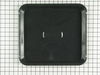
I needed a broiler pan
I took the broiler pan out of the shipping container and put it in the oven.
Parts Used:
-
Rhoda P. from Secaucus, NJ
-
Difficulty Level:Really Easy
-
Total Repair Time:Less than 15 mins
4 of 9 people
found this instruction helpful.
Was this instruction helpful to you?
Thank you for voting!
Previous element burnt up
I let my husband to the work...But it was very easy. I could have done it! He removed the screws, pulled the wires off previous element. Reattached the wires to the new element and screwed the ends back in place.
Parts Used:
-
Betsy from Sun City, AZ
-
Difficulty Level:Really Easy
-
Total Repair Time:Less than 15 mins
-
Tools:Screw drivers
1 person
found this instruction helpful.
Was this instruction helpful to you?
Thank you for voting!
Element burned out.
First I removed the two screws that hold the element in place. I then pulled the element out aobut 3 inches and disconnected the wires.
Parts Used:
-
Raymond from Ottawa, OH
-
Difficulty Level:Really Easy
-
Total Repair Time:Less than 15 mins
-
Tools:Screw drivers
2 of 4 people
found this instruction helpful.
Was this instruction helpful to you?
Thank you for voting!
oven not heating to set temp. 100 degrees too cold
installed part,turned unit on-temp still cold. reset digital control, up 35 degrees, still cold. un-plugged unit,re-connect after 10 min. still cold.
Parts Used:
-
Robert from Funston, GA
-
Difficulty Level:Really Easy
-
Total Repair Time:Less than 15 mins
-
Tools:Screw drivers
2 of 4 people
found this instruction helpful.
Was this instruction helpful to you?
Thank you for voting!
Oven temperature fluctuates
Replaced the thermostat according to existing videos and had to adjust the thermostat using instuctions in the user manual for model CWE4800ACB.
Parts Used:
-
Larry from SOLON, IA
-
Difficulty Level:Easy
-
Total Repair Time:30 - 60 mins
-
Tools:Screw drivers
1 person
found this instruction helpful.
Was this instruction helpful to you?
Thank you for voting!
snapped element
switch off the range. undo the two screws & unplug the two tabs. Replace with new element, connect two tabs, screw back in place. done!
recieved my replacement part the next day after ordering
recieved my replacement part the next day after ordering
Parts Used:
-
Paul from Yukon, OK
-
Difficulty Level:Easy
-
Total Repair Time:Less than 15 mins
-
Tools:Screw drivers
1 person
found this instruction helpful.
Was this instruction helpful to you?
Thank you for voting!
No Bake, only Broil
POWER OFF! Unplugged oven from wall.
(Note: I found it easier to disconnect the wires from the element by removing the rear cover. Fumbling around inside the oven was getting me nowhere.)
Removed rear cover.
Disconnected old element.
Unscrewed the old element from inside the oven, removed, and installed the new element. Screwed the new element in place.
Reconnected wires in back, installed the back cover.
Connected power.
Tested. Good as new.
(Note: I found it easier to disconnect the wires from the element by removing the rear cover. Fumbling around inside the oven was getting me nowhere.)
Removed rear cover.
Disconnected old element.
Unscrewed the old element from inside the oven, removed, and installed the new element. Screwed the new element in place.
Reconnected wires in back, installed the back cover.
Connected power.
Tested. Good as new.
Parts Used:
-
Edward from Adamstown, MD
-
Difficulty Level:Really Easy
-
Total Repair Time:15 - 30 mins
-
Tools:Pliers, Screw drivers
1 person
found this instruction helpful.
Was this instruction helpful to you?
Thank you for voting!
original fixture required bulb - this fixture (all-in-one) was great
Pulled range out from cabinet-wall to get to back side, everthing was clearly exposed tlhen. Just a matter of installing new fixture, putting back on, reconnected power source - put range back in proper place.
Parts Used:

-
wesley from ODENVILLE, AL
-
Difficulty Level:Really Easy
-
Total Repair Time:30 - 60 mins
-
Tools:Pliers, Screw drivers
1 person
found this instruction helpful.
Was this instruction helpful to you?
Thank you for voting!