




















CGLMV168KS001 General Electric Range - Instructions
Keep searches simple. Use keywords, e.g. "leaking", "pump", "broken" or "fit".
Turntable would not turn
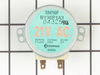
took screws out of bottom of microwave.dropped down bottom cover to get at drive motor I took out one screw droped down cooking tray motor disconnnected 2 wires reconnected put back up and put 1 screw in ,fastened bottom and was fixed very easy ,and parts select is the best place to find what you are looking for if I ever need parts this is where I will order from service is great and only took about 2 days to receive my part .I went to store where I bought my microwave and they wanted to sell me a new one.saved over $200
Parts Used:
-
Barbarba from Tamaqua, PA
-
Difficulty Level:Really Easy
-
Total Repair Time:Less than 15 mins
-
Tools:Screw drivers
1 person
found this instruction helpful.
Was this instruction helpful to you?
Thank you for voting!
turn table would not rotate
As in other postings, remove six screws on the bottom of the microwave, disconnected the the plug,unscrew two screws to remove the old motor...(it took longer to get the new part out its box then it did to make the repair) unpacked the new part, put in the two motor screws, put in the six screws to hold the microwave bottom in place and waalaa...done!
Thanks,
Hank
Thanks,
Hank
Parts Used:
-
Henry from Schoolcraft, MI
-
Difficulty Level:Really Easy
-
Total Repair Time:Less than 15 mins
-
Tools:Screw drivers
1 person
found this instruction helpful.
Was this instruction helpful to you?
Thank you for voting!
turntable did not operate properly
took 6 screws out of the oven bottom
removed 2 screws that held the motor
diconnected the power plug.
plugged in power to new motor, replaced 2 screws that held it in place, replaced 6 screws that held bottom of oven
That was it...
removed 2 screws that held the motor
diconnected the power plug.
plugged in power to new motor, replaced 2 screws that held it in place, replaced 6 screws that held bottom of oven
That was it...
Parts Used:
-
William from Vidalia, GA
-
Difficulty Level:Really Easy
-
Total Repair Time:Less than 15 mins
-
Tools:Screw drivers
1 person
found this instruction helpful.
Was this instruction helpful to you?
Thank you for voting!
Glass turntable stopped turning
Removed five phillips head screws. Dropped metal cover of microwave. The cover is on hinges and will stay up on its own. Removed two screws holding old motor. Replaced with new motor and replaced bottom cover of microwave. Extemely easy repair.
Parts Used:
-
William from Molino, AL
-
Difficulty Level:Really Easy
-
Total Repair Time:Less than 15 mins
-
Tools:Screw drivers
1 person
found this instruction helpful.
Was this instruction helpful to you?
Thank you for voting!
turntable was loud and not turning
I removed the screws for the bottom plate, removed the motor and installed new motor. VERY EASY. I do love that you show pictures for your parts, will definately recommend your site. Thanks for all of your help.
Parts Used:
-
Portofino Island Resort from Pensacola Beach, FL
-
Difficulty Level:Really Easy
-
Total Repair Time:Less than 15 mins
-
Tools:Screw drivers
1 person
found this instruction helpful.
Was this instruction helpful to you?
Thank you for voting!
turntable would not turn
Removed five screws from the underside of the mircowave. Disconnected the two prong plug in. Removed the one screw that held the motor and replaced with new motor. Reconnected the plug and replaced the five screws
Tested the result with a bag of microwave popcorn. Worked perfectly.
Tested the result with a bag of microwave popcorn. Worked perfectly.
Parts Used:
-
Roy from Olathe, KS
-
Difficulty Level:Easy
-
Total Repair Time:Less than 15 mins
-
Tools:Screw drivers
1 person
found this instruction helpful.
Was this instruction helpful to you?
Thank you for voting!
Noisy Glass Cooking tray
The Glass cooking tray was very noisy. This was verified by turning off the tray rotation.
1. Removed the two metal filters.
2. Removed the screws holding the bottom cover of the microwave. 6 or 7 I believe.
3. Removed the two screws holding the drive motor in place.
4. Started the microwave with the motor hanging down to to verify it was defective. I could hear the motor rotating and making noise.
5. Replaced the motor, bottom cover, & filters in reverse order.
6. Tested, Works fine!
1. Removed the two metal filters.
2. Removed the screws holding the bottom cover of the microwave. 6 or 7 I believe.
3. Removed the two screws holding the drive motor in place.
4. Started the microwave with the motor hanging down to to verify it was defective. I could hear the motor rotating and making noise.
5. Replaced the motor, bottom cover, & filters in reverse order.
6. Tested, Works fine!
Parts Used:
-
Mike from Youngsville, NC
-
Difficulty Level:Easy
-
Total Repair Time:15 - 30 mins
-
Tools:Screw drivers
1 person
found this instruction helpful.
Was this instruction helpful to you?
Thank you for voting!
Previoous glass lens was broken
This repair was easy and could be done by anyone. If you undertake to do this replacement, remember to slowly bend the medal tabs back that hold the lens. Handled roughly these tabs could break off.
This repair can be don in under 5 minutes, easily !!
This repair can be don in under 5 minutes, easily !!
Parts Used:

-
Tommy from Santa clarita, CA
-
Difficulty Level:Really Easy
-
Total Repair Time:15 - 30 mins
-
Tools:Screw drivers
1 person
found this instruction helpful.
Was this instruction helpful to you?
Thank you for voting!
cooking tray would not rotate
ha to remove the bottom ,to get at the internal screws that held the drive motor. after disconnecting the power to the moter, i removed the two screws that held it in place. i installed thre new motor , reconnected the wire plug to motor . replaced the outer screws, and the project was done.
Parts Used:
-
robert from franklin, WI
-
Difficulty Level:Easy
-
Total Repair Time:15 - 30 mins
-
Tools:Screw drivers
1 person
found this instruction helpful.
Was this instruction helpful to you?
Thank you for voting!
it broke after 3 days and i was denied a new part or refund
-
GLENN from MANDEVILLE, LA
-
Difficulty Level:Very Difficult
-
Total Repair Time:Less than 15 mins
-
Tools:Screw drivers
1 person
found this instruction helpful.
Was this instruction helpful to you?
Thank you for voting!
the glass cooking tray would no longer move.
We removed the vents from under the bottom and then the 4 screws and pulled the motor out. It was a no brainer to fix and the part came in alot faster than expected.
Thank You
Thank You
Parts Used:
-
Wendy from Sparta, AL
-
Difficulty Level:Really Easy
-
Total Repair Time:Less than 15 mins
-
Tools:Screw drivers
1 person
found this instruction helpful.
Was this instruction helpful to you?
Thank you for voting!
drive tray table failed to turn
unplugged the appliance, removed the glass tray from inside, turned the microwave on its side and removed the 3x3 panel, removed the drive motor by taking out two screws and disconnecting the two electrical wires, compared the new item with the old one, placed new in olds position and screwed in place. replaced the 3x3 cover, turned microwave upright, plugged in the power cord, placed a cup of water on the tray, turned the microwave on for 30 sec. and watched the table turn. Very simple and convenient application.
Parts Used:
-
Steven from Vista, CA
-
Difficulty Level:Really Easy
-
Total Repair Time:Less than 15 mins
-
Tools:Screw drivers
1 person
found this instruction helpful.
Was this instruction helpful to you?
Thank you for voting!
rotary dish tray would not revolve
Dropped the bottom of the microwave,removed the two screws holding the motor in, disconnected the electric wires, reversed the procedure and it worked like new!
Parts Used:
-
william from las vegas, NV
-
Difficulty Level:Really Easy
-
Total Repair Time:15 - 30 mins
-
Tools:Screw drivers
1 person
found this instruction helpful.
Was this instruction helpful to you?
Thank you for voting!
Timer, light and control pad worked. Turn table and heat did not work. Oven would not start up.
I first read where someone had the same problem. Their solution was a burned-out fuse. I ordered a new fuse...installed it and that did not solve my problem. I revisted PartSelect and read how Marla (from Arlington, TX)solved her problem. I purchased a secondary switch and when it arrived, I made a copy of Marla's instructions and followed them to the letter. I installed the new secondary switch into the secondary space, put everything back together and the oven STILL DID NOT WORK. I had to take the latching panel apart again and test each switch to see if there was another bad one. I found that the third switch was burned out. So I took the new switch out of the second slot and installed it into the third slot. I tested the switches before reinstalling the latching panel. This time everything worked. So I put everything back together, reinstalled the microwave on the wall, tested it again, and everything worked perfectly.
Parts Used:

-
Pearlie from Beulaville, NC
-
Difficulty Level:A Bit Difficult
-
Total Repair Time:30 - 60 mins
-
Tools:Screw drivers
1 person
found this instruction helpful.
Was this instruction helpful to you?
Thank you for voting!
Stirrer Motor stopped working
Using a phillips screwdriver, remove 7 screws from the unerpanel of the Spacesaver Microwave. The panel will swing down from the rear edge hinge, exposing the lights and the stirrer motor. Remove the electrical connector and two screws holding the motor in place and remove the motor. The stirrer inside the oven can then be removed if desired. Install the new motor in reverse order. Note rotate the stirrer inside the oven to align the motor shaft to facilitate assembly.
Parts Used:
-
Dik from QUINCY, MA
-
Difficulty Level:Really Easy
-
Total Repair Time:15 - 30 mins
-
Tools:Screw drivers
1 person
found this instruction helpful.
Was this instruction helpful to you?
Thank you for voting!