




















CFEF366EME Frigidaire Range - Instructions
Keep searches simple. Use keywords, e.g. "leaking", "pump", "broken" or "fit".
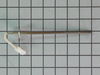
My five-year-old Frigidaire Gas stove was giving an F 10 code.
I looked up the problem on YouTube and it said it was the oven temperature probe was going out. So I ordered the probe and it was shipped out, received within two days. Took out a few screws on the back of the stove installed it, put it all back together and it’s working perfect.
Parts Used:
-
Tracy from Summerville, SC
-
Difficulty Level:Really Easy
-
Total Repair Time:30 - 60 mins
-
Tools:Screw drivers
4 of 7 people
found this instruction helpful.
Was this instruction helpful to you?
Thank you for voting!
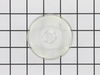
Lens cover for the oven light
-
Larry from COZAD, NE
-
Difficulty Level:Really Easy
-
Total Repair Time:30 - 60 mins
3 of 4 people
found this instruction helpful.
Was this instruction helpful to you?
Thank you for voting!
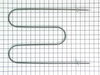
Broiler broke apart in pieces. Also we found an round honeycomb part
in the bottom of the oven when I was looking to see what was going on. My husband did the repair just as the video described. I suspect this part honeycomb round maybe ceramic piece goes over where the heat is vented from the oven. Where do I get another one of these and how does it attach in the oven-under the burner. HELP I tried to look on the schematics and did not see anything. The repair went fine, except when we turned everything back on it did not work. Then my husband remembered he forgot to plug the new part IN. Once plugged in it is working fine. Thanks
Parts Used:
-
Betty from KNIGHTDALE, NC
-
Difficulty Level:Really Easy
-
Total Repair Time:30 - 60 mins
3 of 4 people
found this instruction helpful.
Was this instruction helpful to you?
Thank you for voting!
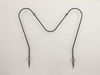
Bake element bad, broiler element OK.
Unplugged the stove first !
Removed bake element ; (2 screws), looked OK,
measured with an Ohm meter, measured "open".
Also, removed rear cover (6-screws), wires not burnt. Ordered new element-rec'd next day! My wife installed it and replaced rear cover. Works great (oven!) and about $10 cheaper and quicker than from a local dealer!
Removed bake element ; (2 screws), looked OK,
measured with an Ohm meter, measured "open".
Also, removed rear cover (6-screws), wires not burnt. Ordered new element-rec'd next day! My wife installed it and replaced rear cover. Works great (oven!) and about $10 cheaper and quicker than from a local dealer!
Parts Used:
-
Gerry W. from Oxford, IA
-
Difficulty Level:Really Easy
-
Total Repair Time:30 - 60 mins
-
Tools:Screw drivers
5 of 10 people
found this instruction helpful.
Was this instruction helpful to you?
Thank you for voting!
Oven was over heating. In bake mode broiler would glow red and didn’t cut off after preheat
Removed 4 screws on back cover removed 1 screw holding probe and unplugged the probe took it out and installed new probe.
Parts Used:
-
James from S CHESTERFLD, VA
-
Difficulty Level:Very Easy
-
Total Repair Time:15 - 30 mins
-
Tools:Nutdriver
3 of 4 people
found this instruction helpful.
Was this instruction helpful to you?
Thank you for voting!
Range not heating properly
The youtube video clearly described how to remove the back panel and how to replace the probe.
The repair took maybe 20 minutes to complete and 1/2 of that time was spent cleaning behind and underneath the range!
Range is working perfectly now!
The repair took maybe 20 minutes to complete and 1/2 of that time was spent cleaning behind and underneath the range!
Range is working perfectly now!
Parts Used:
-
Eloisa from SPOKANE VLY, WA
-
Difficulty Level:Very Easy
-
Total Repair Time:15 - 30 mins
-
Tools:Screw drivers
4 of 7 people
found this instruction helpful.
Was this instruction helpful to you?
Thank you for voting!
Oven bake element failed.
I watched the video of the repair. It was very easy; removed 2 screws; disconnected 2 push-on tabs; removed the element; and then reversed the operation. Be sure to turn off the circuit breaker that powers the oven before you start the repair. Turn it back on when finished and test the oven.
Parts Used:
-
Gerald from PALM COAST, FL
-
Difficulty Level:Easy
-
Total Repair Time:15 - 30 mins
-
Tools:Nutdriver
2 of 2 people
found this instruction helpful.
Was this instruction helpful to you?
Thank you for voting!
Oven would not heat or sometimes hold heat to set temp
I was able to find the most common reason for my oven's symptom by searching online. I searched for the part I needed but was not confident that I would get the correct part until I looked on partselect.com. After verifying the part number with my owners manual and looking at the video on their website, I decided to order. PartSelect shipped the part as expected, and I was able to install it in less than 30 minutes. The only tool needed for installation was a nut driver. My oven is now working like new.
Many thanks to PartSelect for their comprehensive website and fine service.
Many thanks to PartSelect for their comprehensive website and fine service.
Parts Used:
-
TRACY from NEW PHILA, OH
-
Difficulty Level:Easy
-
Total Repair Time:15 - 30 mins
-
Tools:Nutdriver
2 of 2 people
found this instruction helpful.
Was this instruction helpful to you?
Thank you for voting!
Bottom oven element non-functional
Shut off power - throw breaker. Oven access easier with door removed - requires removal of two Phillips head screws. Remove two screws holding element in place using 1/4" socket. Pull element & wires out and pull slide in connectors out (had to hold the wire end with needle nose pliers}. Installed element by reversing the removal procedures. Also good time to clean oven.
Parts Used:
-
Louis from GAINESVILLE, FL
-
Difficulty Level:Really Easy
-
Total Repair Time:15 - 30 mins
-
Tools:Nutdriver, Screw drivers
2 of 2 people
found this instruction helpful.
Was this instruction helpful to you?
Thank you for voting!
bake element burnt out.
removed screws,unplugged terminal leads,installed new one,back in business.
Parts Used:
-
james from WOOTON, KY
-
Difficulty Level:Really Easy
-
Total Repair Time:15 - 30 mins
-
Tools:Screw drivers
2 of 2 people
found this instruction helpful.
Was this instruction helpful to you?
Thank you for voting!
run away temp
I changed the temperature sensor and tried again. The stove again went on temp runaway and it was suggested to replace control board which is out of stock.
I will have to toss out this stove and buy new as you and no else has this part.
I will have to toss out this stove and buy new as you and no else has this part.
Parts Used:
-
James from ELKHORN, WI
-
Difficulty Level:Really Easy
-
Total Repair Time:30 - 60 mins
-
Tools:Nutdriver
3 of 5 people
found this instruction helpful.
Was this instruction helpful to you?
Thank you for voting!
Element burnt out and cracked
I simply followed the instructions in your video. i shut down the power to the oven via the breaker panel, removed the two quarter inch screws with a nut driver, pulled out the old element exposing the two wire leads,disconnected one lead at a time and duct taped each lead to the oven wall,. Then removed the old element and replaced the new one in reverse order. Voila! It works great. This is the second element I replaced in this oven over the years. This site was prompt on shipping the new element (about 3 days since I ordered on a Sunday).. It was well packed and arrived on time and I even got an e-mail letting me know it arrived! How cool is that?! I've been a customer for a few years now and plan to be a "forever" customer. Thanks for saving the day! You ROCK!
Parts Used:
-
Robert from LOUISVILLE, KY
-
Difficulty Level:Very Easy
-
Total Repair Time:15 - 30 mins
-
Tools:Nutdriver
2 of 2 people
found this instruction helpful.
Was this instruction helpful to you?
Thank you for voting!
burners 1 would not do anything burned out 2 when from normal to out of control heat would not keep a constance heat
turned off breaker 3 Phil screws open door and on inside range top I would reconmend a board to hold top up square tip for cross bar and pliers to pull wires off fit perfect works really nice
Parts Used:
-
rick from Delta, OH
-
Difficulty Level:Really Easy
-
Total Repair Time:15 - 30 mins
-
Tools:Pliers, Screw drivers
2 of 2 people
found this instruction helpful.
Was this instruction helpful to you?
Thank you for voting!
Bake element burned out
This is an easy repair, as described in several other replies. One important addition to what has already been described. Very important to turn off the breaker or unplug the range. One terminal of the range is connected to a hot wire and the range housing is grounded. You may not manage to electrocute yourself, but you could cause and arc that damages the housing or connector. Turn off the power. Beyond that, simple. Unscrew two 1/4" screws with a nut driver, slide the element out and disconnect the wire connectors. Reverse procedure to install the new element and turn the power back on. Preheat briefly to burn off any odor. Very easy repair.
Parts Used:
-
Mark from LAUREL, MD
-
Difficulty Level:Very Easy
-
Total Repair Time:Less than 15 mins
-
Tools:Nutdriver
2 of 2 people
found this instruction helpful.
Was this instruction helpful to you?
Thank you for voting!
broke
-
Richard from COFFEYVILLE, KS
-
Difficulty Level:Very Easy
-
Total Repair Time:Less than 15 mins
-
Tools:Socket set
2 of 2 people
found this instruction helpful.
Was this instruction helpful to you?
Thank you for voting!