




















C978-97322411 General Electric Dryer - Instructions
Keep searches simple. Use keywords, e.g. "leaking", "pump", "broken" or "fit".
Drum belt broke
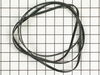
Removed the front Dryer panel. Left drum in place and lifted it up slightly to get access to motor drive. Slipped belt in place and put panel back on.
This was a first attempt ever at fixing an appliance and it was no big deal.
This was a first attempt ever at fixing an appliance and it was no big deal.
Parts Used:
-
Adrian from Middletown, MD
-
Difficulty Level:A Bit Difficult
-
Total Repair Time:30 - 60 mins
-
Tools:Screw drivers
207 of 306 people
found this instruction helpful.
Was this instruction helpful to you?
Thank you for voting!
Dryer would not start
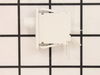
The end repair was very simple and took minimal effort. The time and difficulty was all in the testing. I disassembled the dryer and removed the drum and then hard wired each thermo-fuse to determine where the fault was. After test all of those I was stumped. When I opened the door the light would not come on so I assumed it was a power fault closer to the source. However after all of my testing I couldn't find anything wrong. I then removed the light bulb and realized it was burned out which led me to the door switch being the fault. I removed the switch and soldered the three wire together and the dryer started right up! All I had to do was order a new $15 part, unsolder the wires and plug them in. Would have been so much simpler if that light bulb hadn't of been burned out causing me to over think my diagnosis. This was my first major appliance repair and I did it with only the help of the parts diagram provided on the website.
Parts Used:
-
Joshua from Dallas, TX
-
Difficulty Level:A Bit Difficult
-
Total Repair Time:1- 2 hours
-
Tools:Pliers, Screw drivers, Socket set
92 of 140 people
found this instruction helpful.
Was this instruction helpful to you?
Thank you for voting!
Broken Dryer Belt
I had to take most of the dryer apart because there is no rear access to the motor. It turned out to be easy to dissasembel the dryer. The only problem that I had was that I could not figure out how to route the belt around the motor and the idol pullies. I could not find anywhere that gave instructions on how to properly tension the belt. I finally figured out that the idoler pulley needs to be locked in place on the right side of the engie mount. Then the belt needs to be routed over idoler pulley and under the motor pulley. Finally release the idoler pully from the locked postion to put tension on the belt. It really turned out to be pretty easy.
Parts Used:
-
Richard from Ashton, MD
-
Difficulty Level:Easy
-
Total Repair Time:1- 2 hours
-
Tools:Nutdriver, Screw drivers
80 of 119 people
found this instruction helpful.
Was this instruction helpful to you?
Thank you for voting!
dryer cylinder wouldn't turn
Pryed off the top with a flat head screwdriver and removed the 2 screws holding the front panel to the sides. Then lifted the front panel off of the bottom brackets. Belt fit perfectly and followed the provided instructions to loop it around the motor and pulley. PartSelect got the part to me within a couple of days and the repair was a snap.
Parts Used:
-
Christopher from Miami, FL
-
Difficulty Level:Easy
-
Total Repair Time:15 - 30 mins
-
Tools:Screw drivers, Wrench (Adjustable)
57 of 83 people
found this instruction helpful.
Was this instruction helpful to you?
Thank you for voting!
The Dryer would not start
Doing some simple troubleshooting with the volt-ohm meter I determined that the door switch was failed.
The replacement door switch restored the motor circuit keeping my dryer in action.
The replacement door switch restored the motor circuit keeping my dryer in action.
Parts Used:
-
David from Curtice, OH
-
Difficulty Level:Really Easy
-
Total Repair Time:Less than 15 mins
-
Tools:Pliers
60 of 107 people
found this instruction helpful.
Was this instruction helpful to you?
Thank you for voting!
The belt borke after 10 years of use.
1st - removed the two screws inside the front door panel. They are somewhat hidden up underneath so you may have to look for them. 2nd - I removed the top of the dryer cabinet by lifting it out of the clips holding it in place. 3rd - removed the two screws (one on each side) in the o=uppper corner of where the side panels connect the front panel. These are about 3/4" phillips head screws. Then the front panel could be moved to one side of the dry. 4th - remove the drum by lifting it up and out the open top area. 5th - add the new belt to the dryer tub (rib side towards the drum) and replace dryer tub to its original position. 6th - reaching in underneath the tub you need to pull the ideler pulley toward the center of the cabinet while laying the belt on the "outer side" of the ideler pulley and at the same time fitting the belt over the small pulley located on the motor. Once that is done, you reassemble in reverse order and should be good to go.
Parts Used:
-
Brad from Laguna Niguel, CA
-
Difficulty Level:Really Easy
-
Total Repair Time:15 - 30 mins
-
Tools:Screw drivers
16 of 22 people
found this instruction helpful.
Was this instruction helpful to you?
Thank you for voting!
Dryer was making noise
Took the top and front end of the dryer off. Took the old slider spacers off and installed the new ones. I replaced all four of them even though only two was bad. While I had the dryer open I decided to use my shop vac to clean up the lint that had accumulated there. Replaced the front and the lid plugged it up, hit the start no noise just like new.
Parts Used:

-
Maurice from MINERAL SPGS, AR
-
Difficulty Level:Really Easy
-
Total Repair Time:15 - 30 mins
-
Tools:Screw drivers
12 of 14 people
found this instruction helpful.
Was this instruction helpful to you?
Thank you for voting!
DRYER WOULDN'T START
My dryer knob broke on the timer cycle switch so I ordered a new one along with a new dryer knob which didn't fix the problem, then I ordered the start switch and all I had to do was remove the back of the dryer where all the knobs are located and remove the start switch by turning the start switch to remove it, replace it with the new one by turning it till it clicks in just like when you removed it, put knob back on the front. However that didn't fix my dryer either so I ordered the thermal fuse and switched it out and that was what started the dryer back up. It is located on the back all the way to the bottom where the electrical cord is. Remove the cover and locate the fuse. Use a pair of pliers to pop it out and push the new one back in.
Parts Used:
-
GLENDA from BLNG SPG LKS, NC
-
Difficulty Level:Very Easy
-
Total Repair Time:Less than 15 mins
-
Tools:Screw drivers
12 of 18 people
found this instruction helpful.
Was this instruction helpful to you?
Thank you for voting!
dryer would not stay on so I ordered a button, but wrong part.
First I called to get help with the right part and they told me I needed the pus-to-start-switch. It came in and I called my handyman Ed to install it. I am happy with your service. I dont install but just got the part in.
Parts Used:
-
Linda from FITCHBURG, MA
-
Difficulty Level:Really Easy
-
Total Repair Time:1- 2 hours
17 of 33 people
found this instruction helpful.
Was this instruction helpful to you?
Thank you for voting!
Dryer would not start.
First unplug dryer to prevent electrical shock. To remove the front of the dryer, open the door in top left and top right corners is a machine screw. They can be removed with a Phillips screw driver. Lift the top slightly and let front fall forward about 6 inches, lift slightly. Two wire will be connected to the switch in the door. remove the wires and squeeze the tabs on both sides of the switch and push it out. Push new switch in to replace old switch and reassemble.
Parts Used:
-
Brad from DELAVAN, IL
-
Difficulty Level:Easy
-
Total Repair Time:30 - 60 mins
-
Tools:Pliers, Screw drivers
7 of 8 people
found this instruction helpful.
Was this instruction helpful to you?
Thank you for voting!
Washer would not spin or drain
I went to You tube sight to see how I can remove front of washer so I could inspect inside and see if the problem was visible. A butter knife easily released the tabs that hold the front of washer on. My wife in the mean time found a you tube video that showed the same problem and I ordered the part right away. It showed just two screws and a plug that had to be removed. I always buy my parts from part-select because the quality and speedy delivery and tracking is great! This was an easy fix!
Parts Used:

-
Randy from CANTON, NC
-
Difficulty Level:Easy
-
Total Repair Time:30 - 60 mins
-
Tools:Screw drivers
6 of 6 people
found this instruction helpful.
Was this instruction helpful to you?
Thank you for voting!
Tub seal leaking, grinding noise on spin.
Purchased spanner wrench for tub nut wouldn’t budge, impacted off. Then spin tub took 2days to get loose, lots of WD40 , also heated up center area, used a small sledgehammer head to hit a socket on the large part of the shaft . Had to take out outer tub to replace seal and support bearing unit.
Parts Used:
-
Lee from GRANDVILLE, MI
-
Difficulty Level:Difficult
-
Total Repair Time:More than 2 hours
-
Tools:Pliers, Screw drivers, Socket set
5 of 5 people
found this instruction helpful.
Was this instruction helpful to you?
Thank you for voting!
Dryer only runs when Start button is pressed
Originally I thought that the Start switch was the issue, and ordered one. After taking the machine apart and running some tests, the issue was clearly not this switch, but a different switch that cuts power when the belt tension is no longer being applied to the idler pulley spring. I fixed this by bypassing this switch, which in my opinion, is error prone and serves no purpose. The switch can be accessed by removing the control panel, then top cover, then front cover, then drum. The bogus switch is screwed to the bottom left, near the motor. The idler pulley spring rests against it. Just disconnect the switch wires, then clip, strip and crimp then together to bypass the switch, and voila! Now if the belt breaks or comes off the pulley, the motor will continue to run, but you wont hear the wet clothes flopping around, so that will be the indication that you have a belt problem. Hope that helps!
Parts Used:
-
Tim from Pembroke, NH
-
Difficulty Level:A Bit Difficult
-
Total Repair Time:30 - 60 mins
-
Tools:Nutdriver, Screw drivers
5 of 6 people
found this instruction helpful.
Was this instruction helpful to you?
Thank you for voting!
Dryer's drum doesn't run
-
ruoli from Germantown, MD
-
Difficulty Level:Really Easy
-
Total Repair Time:1- 2 hours
-
Tools:Screw drivers
3 of 3 people
found this instruction helpful.
Was this instruction helpful to you?
Thank you for voting!
Replace dryer front bearing slides
If your dryer is making a grinding or loud plastic rubbing noise, you likely need to replace the slides. Here is how I did it.
TIP: Before beginning, set out a hand towel on the washing machine to set the screws onto, in the order and position you removed them.
IMPORTANT: Before beginning, turn off the gas to the unit and unplug it! This repair is all done from the front side of the machine, so you should only need to slide it out enough to unplug it.
Step 1: Remove the control panel
To do this, you need to pull out on the round silver control knob to remove it. This will expose a long screw. With the long screw removed, grab the panel with both hands and slide it straight up. Be careful, the control board is still connected with a 40-pin ribbon cable. Set the control board on top of the dryer temporarily.
Step 2: Remove the lid
There are three screws to remove the lid. Remove them and set them on the screw holding towel. The lid is attached at the back, so to remove it you need to slide it forward towards the front of the unit. Once the lid is loose, you can have a helper hold the control panel while you set the lid aside, or gently let the control panel dangle.
Step 3: Disconnect the control panel and wiring harnesses
Gently pull on the 40-pin ribbon connector until the control panel ribbon cable is removed. There is a notch to designate which direction the ribbon cable it goes back in. Set the control panel to the side. At the same time, you can disconnect the two wiring harnesses that feed the door light and sensor. These wiring harnesses are secured to a silver plate with a zip tie. Cut the zip tie with your diagonal cutters. (You can trim the old zip tie and replace it by feeding the extra small zip tie through the original opening later.)
Step 4: Remove the steel plate that the wiring harnesses were attached to
There are 6 screws to remove the steel plate. Pay attention to where the extra large head screws go, because these are what the control panel slides onto, when you put things back together. Pull out on each side to release the bottom clips, then slide it upwards. Set this piece aside.
Step 4: Remove the front panel (the door panel)
There are 4 screws to loosen the door panel. Two silver screws at the top, and 2 white screws at the bottom. Loosen the white screws about half way. These do not need to be completely removed because the door can rest on them. Remove the top silver screws. Gently lift the dryer drum off the front bezel while you tilt the front panel towards you. At this point you should be able to see the white and dark green slides. I found it easier to lift the front door off the white screws and set it up against the wall.
Step 5: Replace the slides
The slides have plastic hooks that go through the round holes on one end to hold them in place. You should be able to remove the slides with your fingers (maybe with a little help from a flat-head screwdriver), and replace them. There are dozens of YouTube videos on how to do this if you need help. Be careful not to break the plastic hooks that hold the slide to the front plastic bezel. Replace white slides with the white, and the dark green slides with dark green.
Step 6: Putting it all back together
Do everything in reverse. Set the front panel in the white screws, lift the drum, and slide the door panel back to rest on the slides while you put back the silver screws. Give the drum a few good spins manually to make sure there isn't anything still rubbing. Keep in mind the sliding noise is slightly louder than normal until all the panels are replaced.
It will help the process to only tighten the screws half way while putting them all back in. Once everything aligns, then you can tighten them down. DO NOT over tighten, use hand tightness only or you will strip them out. With the front door panel back on, you can put the steel panel back in place. Once you have the 6 screws done, remember to slide a small zip tie through the previous hole to secure the wiring harnesses. Connect the harnesses, and the front panel ribbon cable before putting the lid back on. Insert the screws to the lid, then slide the control panel back down, and replace the single long screw. Note that the control knob is notched, so align the flat sides as you put it back in.
Plug it back in, and turn back on the gas, you are done!
TIP: Before beginning, set out a hand towel on the washing machine to set the screws onto, in the order and position you removed them.
IMPORTANT: Before beginning, turn off the gas to the unit and unplug it! This repair is all done from the front side of the machine, so you should only need to slide it out enough to unplug it.
Step 1: Remove the control panel
To do this, you need to pull out on the round silver control knob to remove it. This will expose a long screw. With the long screw removed, grab the panel with both hands and slide it straight up. Be careful, the control board is still connected with a 40-pin ribbon cable. Set the control board on top of the dryer temporarily.
Step 2: Remove the lid
There are three screws to remove the lid. Remove them and set them on the screw holding towel. The lid is attached at the back, so to remove it you need to slide it forward towards the front of the unit. Once the lid is loose, you can have a helper hold the control panel while you set the lid aside, or gently let the control panel dangle.
Step 3: Disconnect the control panel and wiring harnesses
Gently pull on the 40-pin ribbon connector until the control panel ribbon cable is removed. There is a notch to designate which direction the ribbon cable it goes back in. Set the control panel to the side. At the same time, you can disconnect the two wiring harnesses that feed the door light and sensor. These wiring harnesses are secured to a silver plate with a zip tie. Cut the zip tie with your diagonal cutters. (You can trim the old zip tie and replace it by feeding the extra small zip tie through the original opening later.)
Step 4: Remove the steel plate that the wiring harnesses were attached to
There are 6 screws to remove the steel plate. Pay attention to where the extra large head screws go, because these are what the control panel slides onto, when you put things back together. Pull out on each side to release the bottom clips, then slide it upwards. Set this piece aside.
Step 4: Remove the front panel (the door panel)
There are 4 screws to loosen the door panel. Two silver screws at the top, and 2 white screws at the bottom. Loosen the white screws about half way. These do not need to be completely removed because the door can rest on them. Remove the top silver screws. Gently lift the dryer drum off the front bezel while you tilt the front panel towards you. At this point you should be able to see the white and dark green slides. I found it easier to lift the front door off the white screws and set it up against the wall.
Step 5: Replace the slides
The slides have plastic hooks that go through the round holes on one end to hold them in place. You should be able to remove the slides with your fingers (maybe with a little help from a flat-head screwdriver), and replace them. There are dozens of YouTube videos on how to do this if you need help. Be careful not to break the plastic hooks that hold the slide to the front plastic bezel. Replace white slides with the white, and the dark green slides with dark green.
Step 6: Putting it all back together
Do everything in reverse. Set the front panel in the white screws, lift the drum, and slide the door panel back to rest on the slides while you put back the silver screws. Give the drum a few good spins manually to make sure there isn't anything still rubbing. Keep in mind the sliding noise is slightly louder than normal until all the panels are replaced.
It will help the process to only tighten the screws half way while putting them all back in. Once everything aligns, then you can tighten them down. DO NOT over tighten, use hand tightness only or you will strip them out. With the front door panel back on, you can put the steel panel back in place. Once you have the 6 screws done, remember to slide a small zip tie through the previous hole to secure the wiring harnesses. Connect the harnesses, and the front panel ribbon cable before putting the lid back on. Insert the screws to the lid, then slide the control panel back down, and replace the single long screw. Note that the control knob is notched, so align the flat sides as you put it back in.
Plug it back in, and turn back on the gas, you are done!
Parts Used:

-
Darin from MEDINA, MN
-
Difficulty Level:Easy
-
Total Repair Time:30 - 60 mins
-
Tools:Screw drivers
3 of 3 people
found this instruction helpful.
Was this instruction helpful to you?
Thank you for voting!