




















AOCS3040C Maytag Wall Oven - Instructions
Keep searches simple. Use keywords, e.g. "leaking", "pump", "broken" or "fit".
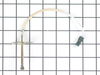
The computer displayed F-2 & F-3 indicating a temp sensor problem.
Removed the old sensor which is held into the upper right of the back of the oven by removing the two screws and pulling the sensor out. Then disconnected the sensor from its connector. Replace the old with the new by simply clicking it into the connector. Then pushed the wire back into the oven wall and screwed the two screws back in. The whole job took about one minute to do after evaluating the process. While it was not necessary to remove the door, I did (which was very easy) and ended up cleaning the glass inside and out. All in all, a complete success. Oven working as new.
Parts Used:
-
James from Spotsylvania, VA
-
Difficulty Level:Really Easy
-
Total Repair Time:Less than 15 mins
-
Tools:Screw drivers
Was this instruction helpful to you?
Thank you for voting!
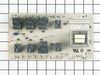
control panel was burnt out
Unscrewed the oven from the opening. Removed the metal housing on the oven. Found the control panel. Hard to remove with the type of plastic anchors holding the panel on. Wasn't bad after that. Just had to keep track of the wires as you disconnected them. Reconnect to new board as you disconnect was the simplest. Worked just fine after that. nice new oven again.
Parts Used:
-
thomas from iron mountain, MI
-
Difficulty Level:A Bit Difficult
-
Total Repair Time:15 - 30 mins
-
Tools:Pliers, Screw drivers
Was this instruction helpful to you?
Thank you for voting!