




















ACO1860AB - Instructions
Keep searches simple. Use keywords, e.g. "leaking", "pump", "broken" or "fit".
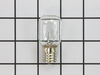
Lights bulbs burned out
Really easy for a 75-year old female; just spent more time reading the online manual than actually installing the light bulbs to find out where to access the light bulbs.
Parts Used:
-
Kat from Hudson, NC
-
Difficulty Level:Really Easy
-
Total Repair Time:15 - 30 mins
-
Tools:Screw drivers
4 of 4 people
found this instruction helpful.
Was this instruction helpful to you?
Thank you for voting!
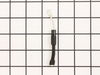
No heat
Removed case,
Discharged HV capacitor and removed cooling fan.
Unscrewed ground end of HV diode and unplugged from HV capacitor.
Installed new diode by reversing the order. In my case, the problem was the magnetron was bad, so I replaced it as well.
Discharged HV capacitor and removed cooling fan.
Unscrewed ground end of HV diode and unplugged from HV capacitor.
Installed new diode by reversing the order. In my case, the problem was the magnetron was bad, so I replaced it as well.
Parts Used:
-
John from SANTA CLARA, CA
-
Difficulty Level:Really Easy
-
Total Repair Time:30 - 60 mins
-
Tools:Screw drivers
4 of 4 people
found this instruction helpful.
Was this instruction helpful to you?
Thank you for voting!
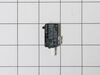
Microwave would not heat food. All other functionality was working as expected
I disconnected the power. Took off the front panel that was held together by two screws. Reviewed the schematic that was inside. Located the switches, saw which lead was burnt. Unscrewed the two screws that held the switch in place, cleaned the connector, and put the switch in and connectors back. Powered the device, tested for cooking/heating functionality. It worked, Closed the front panel
Parts Used:
-
James from Staten Island, NY
-
Difficulty Level:Really Easy
-
Total Repair Time:15 - 30 mins
-
Tools:Screw drivers
6 of 10 people
found this instruction helpful.
Was this instruction helpful to you?
Thank you for voting!
Replace bulb under the microwave
Piece of cake. One screw to release the dropdown light diffuser. Just remember, the you're screwing the new bulb in from a reverse perspective. Also this site sends the correct part the first time.
Parts Used:
-
Verne from HENDERSONVLLE, NC
-
Difficulty Level:Very Easy
-
Total Repair Time:Less than 15 mins
-
Tools:Screw drivers
5 of 8 people
found this instruction helpful.
Was this instruction helpful to you?
Thank you for voting!
Old turntable support wheels kept falling off.
Lifted out old support put new one in. Fixed in less than 30 sec.
Parts Used:

-
Ray from LITHIA, FL
-
Difficulty Level:Very Easy
-
Total Repair Time:Less than 15 mins
3 of 3 people
found this instruction helpful.
Was this instruction helpful to you?
Thank you for voting!
Microwave slowly stopped heating food
Initially we started looking to buy a replacement microwave to replace our 13+ year old built-in microwave. It was a real pain finding a replacement to fit the exact dimensions. So I thought I'd try to find an old KitchenAid microwave. However, I was pleasantly surprised when this site came up on my search. Their website allows me to input the problems and then it showed two possible parts that needed to be replaced. I emailed tech support and asked them which part I needed. They responded very quickly and said I needed to replace the magnetron. I watched a couple YouTube videos and then pulled my microwave apart. It was incredibly easy to pull the outer cover off. The magnetron had 5 screws that needed to be removed and one electrical plug. Took me maybe 10 min to complete the entire repair. It was one of the easiest repairs I've done and so thankful for this site They saved me a ton of money from not buying a new microwave and we now have our microwave working again. In hindsight, I wouldn't hesitate. I'd order the Part now and get it fixed.
Parts Used:

-
Theodore from SPOKANE, WA
-
Difficulty Level:Very Easy
-
Total Repair Time:Less than 15 mins
-
Tools:Screw drivers, Socket set, Wrench set
3 of 3 people
found this instruction helpful.
Was this instruction helpful to you?
Thank you for voting!
light bulb burned-out
-
Pablo from Burlingame, CA
-
Difficulty Level:Really Easy
-
Total Repair Time:Less than 15 mins
13 of 34 people
found this instruction helpful.
Was this instruction helpful to you?
Thank you for voting!
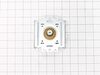
Would not heat and made a buzzing or popping sound
Unplug the microwave. Remove the Philips head and safety Torx head screws along the bottom of the sides and rear of the microwave which hold the black cover on. Lift the cover up at the rear and slide it backwards to disengage the tabs on the front top. Remove the cover. Discharge the capacitor by shorting the terminals to each other and then ground. Do this with a well insulated object and be aware there may be a pop when you do this. Keep hands, etc. on the insulated part of the object (screwdriver handle, etc). There's a lot of stored energy in that capacitor. I'd advise first checking the diode to make sure its not bad. Replace it if it is. The Magnatron is held in with a couple of screws on the top and sides. Unplug the connector and remove the screws. Remove the Magnatron. Installation is the reverse of removal.
Parts Used:
-
Thomas from NEWARK, DE
-
Difficulty Level:Easy
-
Total Repair Time:15 - 30 mins
-
Tools:Screw drivers
4 of 7 people
found this instruction helpful.
Was this instruction helpful to you?
Thank you for voting!
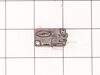
the turn table no turn and no heat the food. but the bottom oven worked
well I unplugged the microwave one day prior to working on it. shock precaution smart way to do this job. very easy pullout the screws behind the unit pull off the outer casing. minor screws inside the unit you have to remove a couple things out of the way. unplug the magnetron and remove first gives you more room to work on the side panel to replace the micro switches. I only replaced one the bottom micro switch. only one bad, but since I was in there I clean the bulb and changed the magnetron any ways. I read other reviews and made my choice to do so. it works perfectly now. Thanks PartSelect for having parts.
Parts Used:
-
mark from SANBORN, NY
-
Difficulty Level:Really Easy
-
Total Repair Time:15 - 30 mins
-
Tools:Screw drivers
3 of 4 people
found this instruction helpful.
Was this instruction helpful to you?
Thank you for voting!
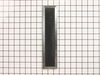
discolored ceiling
Microwave vented up toward the ceiling discoloring it. I positioned the charcoal filter over the vent holding it in place with scotch tape. It keeps the ceiling clean and dose not affect air flow from the exhaust vent. I change the filter every year.
Parts Used:
-
William from REHOBOTH, MA
-
Difficulty Level:Very Easy
-
Total Repair Time:Less than 15 mins
3 of 4 people
found this instruction helpful.
Was this instruction helpful to you?
Thank you for voting!
Exterior light bulb (PS2376034) broken off in socket. No access for pliers after glass cover removed.
Unplug appliance. Remove total of 7 phillips screws from sides and front of bottom panel . Panel front drops down, remove one socket screw and socket. Now have access for lineman' s pliers to unscrew bulb base. Reinstall socket, replace bulb and 7 panel screws. Restore power.
Parts Used:
-
Alvin from HILTON HEAD, SC
-
Difficulty Level:Easy
-
Total Repair Time:30 - 60 mins
-
Tools:Pliers, Screw drivers
3 of 4 people
found this instruction helpful.
Was this instruction helpful to you?
Thank you for voting!
Range light bulbs were burned out
We needed a phillips head screw driver to remove the single screw holding the light bulb cover in place.
Removing the old bulbs was a little work, because they had come loose from the sockets. We unplugged the microwave, so we could grip the sockets with a tool. I think my husband used a needle nose plier for this.
The new bulbs screwed in easily, and then we refastened the light bulb cover with the phillips head screw driver.
Removing the old bulbs was a little work, because they had come loose from the sockets. We unplugged the microwave, so we could grip the sockets with a tool. I think my husband used a needle nose plier for this.
The new bulbs screwed in easily, and then we refastened the light bulb cover with the phillips head screw driver.
Parts Used:
-
Barbara from MERIDIAN, ID
-
Difficulty Level:Very Easy
-
Total Repair Time:Less than 15 mins
-
Tools:Pliers, Screw drivers
3 of 4 people
found this instruction helpful.
Was this instruction helpful to you?
Thank you for voting!
light bulb burnt out .
-
DAN from CARPENTERSVLE, IL
-
Difficulty Level:Really Easy
-
Total Repair Time:30 - 60 mins
3 of 4 people
found this instruction helpful.
Was this instruction helpful to you?
Thank you for voting!
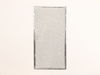
broken lamp cover
removed old covers which were cracked and dirty.
the repair part looked exactly like the original but did not fit correctly. i had to do some changing of the size to make it fit. it does not clip in place as it should but we are living with it as it does cover the light bulb. the grease filter is perfect
the repair part looked exactly like the original but did not fit correctly. i had to do some changing of the size to make it fit. it does not clip in place as it should but we are living with it as it does cover the light bulb. the grease filter is perfect
Parts Used:

-
J MERVIN from STRASBURG, PA
-
Difficulty Level:A Bit Difficult
-
Total Repair Time:1- 2 hours
-
Tools:Screw drivers
4 of 7 people
found this instruction helpful.
Was this instruction helpful to you?
Thank you for voting!
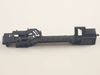
Micro Wave no heat all else fine. Also at times door would not shut properly.
Replace (after testing w/ohm meter) diode and locker holder. My door often would not close properly. Microwave let know by saying not shut properly. When disassembled found the top screw mount was hollowed out resulting in it moving on occasion when you close door. First remove casing (special safety torx head) needed for rear screws. Onc e removed all parts available to view or work on. Diode is on the capacitor so caution is needed when removing. Serious shock hazard if touched. Use insulated pliers to remove from capacitor and a phillips on the ground. Test with ohm meter Should have resistance on way and non the opposite. Replaced mine bad. Next the holder 2 phillips screws and its yours. Unplug each switch and remove. Take note to what wires go to what switch and what switch mounts where. Mine had 3 switches. Removed from old holder and put in new. Screwed holder back in place and left scrws loose till re wired. Once wired set the holder by lightly tighting the screws. Try the door till it seats properly ensuring that all 3 switches are working properly. If so thighten screws. If all seems to work as advertised, safely plug in and test unit if heats up un plug and put cover back on micro. Your all set. Happy heating.
Parts Used:
-
Roy from MILLINGTON, TN
-
Difficulty Level:Really Easy
-
Total Repair Time:1- 2 hours
-
Tools:Pliers, Screw drivers
2 of 2 people
found this instruction helpful.
Was this instruction helpful to you?
Thank you for voting!