




















ACM1420AW - Instructions
Keep searches simple. Use keywords, e.g. "leaking", "pump", "broken" or "fit".
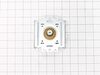
Microwave would not heat. Convection still worked.
I verified I had 120 volts going into transformer when the microwave was supposed to be running. The capacitor and HV diode both tested good. Be sure to discharge the capacitor before working in this area. This isolated trouble to either the transformer or magnetron. The windings of the transformer measured good. So ordered a magnetron. It was very easy to swap. There were 4 screws and one connector. This fixed our microwave.
Parts Used:
-
Stacie from Granbury, TX
-
Difficulty Level:Really Easy
-
Total Repair Time:Less than 15 mins
-
Tools:Screw drivers
1 person
found this instruction helpful.
Was this instruction helpful to you?
Thank you for voting!
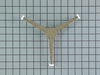
Turntable roller shaft was broken.
-
Juan from Los Angeles, CA
-
Difficulty Level:Really Easy
-
Total Repair Time:Less than 15 mins
2 of 4 people
found this instruction helpful.
Was this instruction helpful to you?
Thank you for voting!
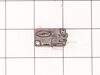
suddenly stopped working while in use
i unplugged the unit,unscrewed the outer shell so that all the wiring and internal components were visible.starting at the first of three micro switches i removed the slip on terminals installed the alligator clips too the wires so the switch would now be bypassed.i made sure the wires and clips were not touching anything plugged unit in and it worked.i then installed the new switch and closed up the outer shell
Parts Used:
-
Kevin from Colonia, NJ
-
Difficulty Level:Easy
-
Total Repair Time:Less than 15 mins
-
Tools:Pliers, Screw drivers
2 of 4 people
found this instruction helpful.
Was this instruction helpful to you?
Thank you for voting!
Microwave light, turntable, and heat were not working
Remove from cabinetry, take cover off and had a very difficult time removing the plastic form that has the switched in. Replace the lowest of all the switches, and then again very difficult time getting the plastic form back in. Some of the plastic even broke during the process but not any that could prevent it from working as it did before. I had ordered a fuse, 2 packs of 2 switches as there are 3 switches but only had to use 1 to get it working again. Tested after switch install, put the cover back on and reinstalled in the cabinet.
Parts Used:

-
John from PEORIA, AZ
-
Difficulty Level:Difficult
-
Total Repair Time:30 - 60 mins
-
Tools:Pliers, Screw drivers
1 person
found this instruction helpful.
Was this instruction helpful to you?
Thank you for voting!
Microwave failed to head and light, fan, and turntable failed to come on.
Problem was due to a faulty door switch. Replaced with a new switch and the microwave now works fine! Only thing that was tricky was that LG uses the hex screws with a peg in the middle to keep the microwave cover on. Had to use a small screwdriver and pliers (on the screwdriver) to unscrew the screws.
Parts Used:
-
Robert from Cedar Park, TX
-
Difficulty Level:A Bit Difficult
-
Total Repair Time:30 - 60 mins
-
Tools:Nutdriver, Screw drivers
1 of 2 people
found this instruction helpful.
Was this instruction helpful to you?
Thank you for voting!
broken glass tray

-
James from Beaumont, CA
-
Difficulty Level:Really Easy
-
Total Repair Time:Less than 15 mins
1 of 2 people
found this instruction helpful.
Was this instruction helpful to you?
Thank you for voting!
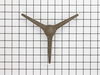
plate in microwave would not turn
took out plastic piece under plate (that was broken) and placed new one in the hole. No tools req'd. Works like new.
Parts Used:
-
Julie from Madison, MS
-
Difficulty Level:Really Easy
-
Total Repair Time:Less than 15 mins
1 of 2 people
found this instruction helpful.
Was this instruction helpful to you?
Thank you for voting!
Broken Glass Carousel Tray
Our microwave is 10 years old. I did not think I would be able to replace the glass tray which had a chip in it, but was able to find you on line. Placed the order for replacement glass tray. It was on my doorstep within 48 hours. Thank you so much.
Parts Used:
-
Judy from Huntsville, AL
-
Difficulty Level:Really Easy
-
Total Repair Time:Less than 15 mins
1 of 2 people
found this instruction helpful.
Was this instruction helpful to you?
Thank you for voting!
Turntable Stop Moving
-
Debbie from Franklin Park, IL
-
Difficulty Level:Really Easy
-
Total Repair Time:Less than 15 mins
1 of 2 people
found this instruction helpful.
Was this instruction helpful to you?
Thank you for voting!
Replacement of Magnetron
I UNPLUGGED the microwave and removed the cover, using a phillips and a Torx screwdriver for the machine screws. I set these screws aside, so as not to confuse them with the later encountered screws. I photographed the magnetron to assure proper placement of the 6 phillips machine screws involved in reassembly (marking the the locations on the old magnetron would do as well. I marked the old magnetron "old", to avoid later confusion. I removed the two screws holding the shields to the magnetron. I removed 3 of the 4 screws holding the magnetron to the microwave, leaving one of the top screws. I held the magnetron securely and removed the last screw, pulling out a the part of the magnetron that penetrated the microwave. I installed the new magnetron in reverse order. One problem I encountered was locating one of the six screws, which had been pulled into the old magnetron by magnetism.
Parts Used:
-
Benjamin from Anchorage, AK
-
Difficulty Level:Really Easy
-
Total Repair Time:15 - 30 mins
-
Tools:Screw drivers
0 of 1 people
found this instruction helpful.
Was this instruction helpful to you?
Thank you for voting!
Microwave operated but did not heat
Initial failure of over range microwave Aug 3rd. Control Panel worked but no heat. Took to local LG authoriaed local repair place. They fixed it quickly and we re-installed it. Worked fine for 2 months then had similar failure again. Agaim took to same authorized repairer. They kept unit for 3 months but finally concluded theu could not fix it and suggested we contact LG for a partial refund. When they tested the unit during re-assembly in my presence, there was a blue flash and the fuse blew. Since we had built a custom tile mural back splash around this unit, I brought it home, ordered a number of time delay fuses new capacitor and two new high voltage diodes. However, using my Fluke DMM, I checked the existing capacitor and high voltage diode and they checked OK so I just replaced the time delay fuse. The high voltage transformer leads had 2 possible ways to connect to capacitor and diode. Tried one way, plugged unit in and turned it on, and immediatly blew the fuse. Replaced the fuse and reversed the high voltage transformer connections,amd turned unit pn, and it worked perfectly. Since we had experienced several power failures during the time of the original failure, the repairer concluded that power spikes might be at fault, so I also purchased a TrippLite ISOBAR4ULTRA 3300 Joule surge protector between wall outlet and microwave, and re-installed over range. It has worked perfectly since.
Parts Used:

-
Donald from Oak Ridge, TN
-
Difficulty Level:Easy
-
Total Repair Time:1- 2 hours
-
Tools:Screw drivers
3 of 10 people
found this instruction helpful.
Was this instruction helpful to you?
Thank you for voting!
no heat
unplug the unit then pull down , lot of screws are on top. open the cover . you could see the parts that need to replace on the right hand side (heavy side). disconnect wires then test the parts that need to replace by a tester to make sure that it's really broke .then unscrew part and replace .
Parts Used:
-
Nelia from Streamwood, IL
-
Difficulty Level:Really Easy
-
Total Repair Time:30 - 60 mins
-
Tools:Nutdriver, Screw drivers
0 of 1 people
found this instruction helpful.
Was this instruction helpful to you?
Thank you for voting!
Fridge Not Cooling, Freezer Ok.
Ice covered the top back of the freezer compartment. This did not allow the cold air to move up to the fridge. Complete defrosting (36hrs) fixed the problem. There was a lot of water, from ice inside, that was not visible. We realized the freezer drawer must have been left cracked open. Thanks so much.
Parts Used:
-
Elizabeth from Horseshoe Bay, TX
-
Difficulty Level:Easy
-
Total Repair Time:More than 2 hours
0 of 6 people
found this instruction helpful.
Was this instruction helpful to you?
Thank you for voting!
Had to lift on the door for the microwave to run, suspected the door switches.
Ordered the switches from Partselect, arrive in two days. Had trouble removing the plastic connectors from the old switch terminals, one of the plastic protectors broke, but was able to reuse it. It took a little figuring out how to remove the existing switches. Must push in a tab and rotate the switch on a little pin, then remove. Must be careful not to break the plastic tabs holding the switches in place. Replaced all (3) switches at the same time. All in all it was pretty easy.
Parts Used:

-
Arthur from Windham, NH
-
Difficulty Level:Easy
-
Total Repair Time:30 - 60 mins
-
Tools:Pliers, Screw drivers
Was this instruction helpful to you?
Thank you for voting!
microwave would not heat.
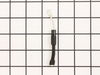
hardest part was taking the microwave down off of the wall to gain access to the diode. Thought if was the transformer but ended up being just a blown diode. remove and replace and bench test. that part took 15 minutes . moral of the story don't boil water under the side of the microwave that holds the electric components.
Parts Used:
-
outstanding from Galena, MD
-
Difficulty Level:A Bit Difficult
-
Total Repair Time:1- 2 hours
-
Tools:Pliers, Screw drivers
Was this instruction helpful to you?
Thank you for voting!