




















ACM0860AB - Instructions
Keep searches simple. Use keywords, e.g. "leaking", "pump", "broken" or "fit".
Microwave Had all functions , no heat
Had to remove unit from above stove, this step will take the longest. With unit on table cushioned with a throw rug under it . I removed the case and located the magnetron removed 3 screws, unplugged unit with a needle nose pliers, installed new unit plugged it in and checked the microwave with a cold coffee cup of water . Worked great! Heated great!
Parts Used:

-
Clifford from YORK, PA
-
Difficulty Level:Really Easy
-
Total Repair Time:1- 2 hours
-
Tools:Pliers, Screw drivers
2 of 2 people
found this instruction helpful.
Was this instruction helpful to you?
Thank you for voting!
Would not start
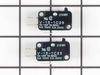
Watched a you tube video prior to installing new switch. Followed the video which gave me confidence i was up to the task. After removing the touch pad I found my design was not exactly like the you tube model but I found the defective switch, replaced it and put the microwave back together. Works great. Again watch the videos
Parts Used:
-
LENNARD from BURNSVILLE, MN
-
Difficulty Level:Easy
-
Total Repair Time:30 - 60 mins
-
Tools:Pliers, Screw drivers
2 of 3 people
found this instruction helpful.
Was this instruction helpful to you?
Thank you for voting!
The light bulb went out
Remove the rear casing of the microwave using both a Phillips head screw driver. The lower rear screws require a star shaped bit with a hole in the middle (security bit). Once the rear casing is removed, it is very easy to access and replace the bulb. But the bulb sent was NOT identical to the original which has a straight fitting into the receptacle. The one sent had a fitting with a 90 degree. The bulb did not quite fit in place, but I secured it with some black electrical tape.
Parts Used:

-
HOLLY from ALBUQUERQUE, NM
-
Difficulty Level:Easy
-
Total Repair Time:30 - 60 mins
-
Tools:Screw drivers
1 person
found this instruction helpful.
Was this instruction helpful to you?
Thank you for voting!
Turntable not turning.
Take off cover then the bottom. Transformer is on the bottom plate and wires won't let it come all the way off, too many wires to pull off so will have to position the bottom plate so you can get to the motor. Remove 1 screw on motor and remove motor. Install new motor connect wires replace bottom plate, replace cover. All done (hope & pray it works ok) mine worked perfect. Hope this helps.
Parts Used:

-
Virgil from Bowling Green, MO
-
Difficulty Level:Really Easy
-
Total Repair Time:15 - 30 mins
-
Tools:Screw drivers
0 of 1 people
found this instruction helpful.
Was this instruction helpful to you?
Thank you for voting!
Replace turntable motor
Unplug.Take off the external cowling from the back of the unit by removing the torx security screws. Tip: instead use a thin screwdriver blade to unscrew the torx screws, or knock out the center pins of these screws. Remove the bottom panel. The replacement motor is attached with one phillips screw, re-attach wires to motor - polarity doesn't matter. Re-assemble and you're finished.
Parts Used:
-
William from Houston, TX
-
Difficulty Level:A Bit Difficult
-
Total Repair Time:1- 2 hours
0 of 1 people
found this instruction helpful.
Was this instruction helpful to you?
Thank you for voting!
Microwave worked intermittently
The door was not engaging the micro switches properly no doubt from 10+ years of wear. The upper switch removed fairly easily but take care not to tweak the plastic brace too much or it will snap. The lower one was the tricky one. After much examination I noticed that the trick to remove it was underneath the brace. Take a butter knife (no joke) and insert it just under the old micro switch and gently press down twisting the micro switch every so slightly til it releases. The replacements snap back in with no trouble. The microwave is working much better now, though not perfect.
Parts Used:
-
Robert from Palmer Lake, CO
-
Difficulty Level:A Bit Difficult
-
Total Repair Time:30 - 60 mins
-
Tools:Pliers, Screw drivers
Was this instruction helpful to you?
Thank you for voting!
motor would start by itself when door closed
remove 4 screws from top, front louvered panel snaps out. remove 1 screw from top of keypad, keypad pivot's forward and can be removed. There is a white mounting bracket inside left. Remove two screws, one top and one bottom, bracket lifts up and out. 3 sets wires are attached, mark them with masking tape, top, center, bottom and pull out plugs. They can only attach one way. Using a very small screw tip, lift plastic latch from switch, it rotates out and is removed from the pivot pin. reassemble in reverse order after switches are replaced
Parts Used:
-
Lewis from Loveland, CO
-
Difficulty Level:Really Easy
-
Total Repair Time:15 - 30 mins
-
Tools:Screw drivers
Was this instruction helpful to you?
Thank you for voting!
the turntable on the microwave quit turning even though the microwave would heat up
I removed the outer cover of the microwave and removed the bottom palte to access the small motor. i unplugged the old motor from teh wiring connector, removed (1) screw and motor came out. I reversed the proceedure with the new motor and it was finished.It was a piece of cake.
Parts Used:
-
kent from wichita, KS
-
Difficulty Level:Easy
-
Total Repair Time:30 - 60 mins
-
Tools:Pliers, Screw drivers
Was this instruction helpful to you?
Thank you for voting!
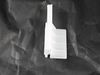
The inside latch for the microwave door broke, preventing the push button from working and the door from opening.
The built-in microwave was removed by taking off the front plate that was secured by 3 screws at the bottom. The unit was moved to the side slightly so that the power cord could be disconnected. Then the entire unit was withdrawn. The outer shell of the unit was taken off by removing the six screws holding it in place. The shell may need to be shifted slightly to separate it from the unit. Once removed, the bracket latch and opening mechanism for the door was revealed. The latch is inserted simply by aligning the two nipples with the correponding holes in the opening mechanism and gently pushing it into place. The latch is plastic and appears to be vulnerable to breakage over time through constant use, so I have ordered a spare should the problem reoccur.
Parts Used:
-
Edward from Spring Branch, TX
-
Difficulty Level:Easy
-
Total Repair Time:30 - 60 mins
-
Tools:Screw drivers
Was this instruction helpful to you?
Thank you for voting!
Motor quit working but light and timer still worked.
Since others reported similar problems and it was just the fuse we tried that first. That wasn't the problem so we ordered the Door Interlock Switch Kit. Shipping was very fast! Our microwave had 3 switches. My husband asked how to know which one to switch. I read that one person just did process of elimination. Luckily ours worked on the first change out! So happy to have stumbled across this site and not have to buy a whole new microwave.
Parts Used:
-
Thais from La Grange, TX
-
Difficulty Level:Easy
-
Total Repair Time:30 - 60 mins
-
Tools:Nutdriver, Screw drivers
Was this instruction helpful to you?
Thank you for voting!
Turntable quit turning
Overall repair quite simple. Removed screws from the sides and rear of the microwave, then removed cover. Next, removed only the screws to separate the bottom cover. Removed the one screw in the AC Synchronous motor to remove the motor (had to use small screwdriver through a vent slot in the bottom to remove the screw). Unplugged and removed motor. Installation is the reverse of removal. Note: on the back of my appliance were 4 torx screws with a tamperproof pin in the center. I used the rotary tool to grind out the pins so I could use a regular torx bit instead of ordering specialty bits.
Parts Used:
-
Brian from Monticello, IL
-
Difficulty Level:Easy
-
Total Repair Time:15 - 30 mins
-
Tools:Screw drivers
Was this instruction helpful to you?
Thank you for voting!
turn table rotary motor stopped
removed microwave cover screws, unplugged motor, screwed on new one
Parts Used:

-
R. Doyle from La Grande, OR
-
Difficulty Level:Easy
-
Total Repair Time:15 - 30 mins
-
Tools:Screw drivers
Was this instruction helpful to you?
Thank you for voting!
Carousel would not turn. Small plastic drive shaft broken.
Pried cover off bottom-center of microwave. It seems to be either glued or lightly tack welded. Removed 2 small Phillips screws to remove motor. Disconnected electric feed by hand. Don't let go of electric wire or small screws. They will be hard to retrieve from behind the rest of the metal base. Reverse process to install new motor. Didn't try to put small cover back on.
Parts Used:
-
Stan from New Bedford, MA
-
Difficulty Level:Easy
-
Total Repair Time:15 - 30 mins
-
Tools:Pliers, Screw drivers
Was this instruction helpful to you?
Thank you for voting!
synchronized motor died a terrible death and stopped turning.
Eight screws off the bottom exposed the cover plate. Easily found the motor location the looked up the item number and verified data and ordered the part. Replaced the motor, tightened the screws and flipped it upright. Plugged it in and the lights came on. Set a time pushed start and smiled! The eagle had landed!!!!
Parts Used:
-
mark from crown point, IN
-
Difficulty Level:Really Easy
-
Total Repair Time:15 - 30 mins
-
Tools:Screw drivers
Was this instruction helpful to you?
Thank you for voting!
Turntable stopped revolving
1. Remove the trim frame off of the front of the cabinet (4 Phillips screws). At this point, take glass plate and turntable frame out of unit. 2. Slightly lift the unit off the cabinet frame (which is attached to the cabinet) so the feet on the microwave allow the unit to clear the frame and then remove microwave from the cabinet. 3. Once slightly removed from the cabinet, unplug the unit before completely removing it from cabinet. 4. Take 2 Phillips screws out of the side panels. 5. Take about 6-7 T20 Star Pin screws out of the back of the panel. (This may require you to purchase this special tip if you don't have it in your toolbox). 6. Slide the microwave cabinet toward the rear of the unit (the front portion clips into the frame ... don't try prying it off because you'll damage the unit). 7. Completely remove the microwave cabinet housing. 8. Be careful not to damage or catch any internal wiring inside the unit while the cover is off. 9. Turn unit on it's back and remove 4-5 Phillips screws holding the bottom cover in place. Remove bottom cover. 10. Now notice that the turntable motor is completely exposed. 11. Remove the wiring harness from the motor (notice which connection clip has the black wire). 12. Remove the one Phillips screw holding the motor to the frame. 13. Clean around the area in case food spills may have gotten into the area. 14. Insert new motor, put Phillips screw back in and attach power connection. 15. From this point on, just reverse steps to re-assemble microwave and put back in cabinet. 16. Test new turntable motor. 17. Enjoy the smile from your wife because she can now use the microwave!
Parts Used:
-
Dan from Madera, CA
-
Difficulty Level:Easy
-
Total Repair Time:15 - 30 mins
-
Tools:Screw drivers
Was this instruction helpful to you?
Thank you for voting!