




















721805 Kenmore - Instructions
Keep searches simple. Use keywords, e.g. "leaking", "pump", "broken" or "fit".
Door Handle was broken
Removed the inside door cover by taking a putty knife and inserting it by the door levers all around the door while pulling forward to seperate the cover so the screws that held the handle on could be reached. However, the part did not fit and had to be returned. Replaced cover by pinching it back in place.
Parts Used:
-
Carol from Shreveport, LA
-
Difficulty Level:Really Easy
-
Total Repair Time:15 - 30 mins
8 of 10 people
found this instruction helpful.
Was this instruction helpful to you?
Thank you for voting!
One of the "night" lights burned out
Unscrewed one screw that held the bulb cover over the bulb. Removed the cover, removed the bulb, inserted new bulb, replaced cover, replaced the retaining screw.
Parts Used:
-
Ben from Chambersburg, PA
-
Difficulty Level:Really Easy
-
Total Repair Time:Less than 15 mins
-
Tools:Screw drivers
7 of 8 people
found this instruction helpful.
Was this instruction helpful to you?
Thank you for voting!
The glass was cracked and the turntable burned
Just removed and replaced by putting the new turntable and glass in, 1, 2, 3; that's it. I'm so thankful for this site because I would have had to buy a whole new microwave. Thanks a million!
Parts Used:
-
Doris from BRONX, NY
-
Difficulty Level:Very Easy
-
Total Repair Time:Less than 15 mins
7 of 8 people
found this instruction helpful.
Was this instruction helpful to you?
Thank you for voting!
everything worked except it wouldnt cook
tested all 3 of the door switche for continuity, the top switch was faulty, replaced it,for approx $4.00 and saved a $350 dollar microwave.
Parts Used:

-
Joseph from N VERSAILLES, PA
-
Difficulty Level:Very Easy
-
Total Repair Time:30 - 60 mins
-
Tools:Screw drivers
11 of 21 people
found this instruction helpful.
Was this instruction helpful to you?
Thank you for voting!
Microwave would not heat anything and turntable no longer turned.
I decided the door switch was the problem because 2 problems happened at the same time. I removed the 4 screws for the top outside cover and the 1 screw that held the control board. After removing the control board screw, I lifted it up and removed it. This gave me access to the 3 door switches. I then removed the 2 screws that held the plastic piece that holds the switches. This made it easier then to replace the switches.
Parts Used:

-
Jon from DANA, IN
-
Difficulty Level:A Bit Difficult
-
Total Repair Time:30 - 60 mins
-
Tools:Pliers, Screw drivers
7 of 9 people
found this instruction helpful.
Was this instruction helpful to you?
Thank you for voting!
Magnitron failed
Over the stove microwave installed in top cabinet row.
1. Unplug device.
2. Two people to remove from wall/cabinet (remove two, large, top mounting screws and rotate entire microwave down and off the wall mount). Should be some wood spacers between top of device and bottom of cabinet.
3. Remove screws from sheet metal cover.
4. Remove one screw holding blowers in place and rotate out of the way, in order to gain access to 2 of 5 screws that hold the magnetron in place.
5. Unplug magnetron and remove the 5 screws.
6. Drop in new magnetron and re-assemble microwave in reverse order (steps 5-3).
7. Two people restore micro to wall/cabinet. Replace wood spacers, re-install two, large mounting screws (finger-tight). Test device. Secure the two large screws.
1. Unplug device.
2. Two people to remove from wall/cabinet (remove two, large, top mounting screws and rotate entire microwave down and off the wall mount). Should be some wood spacers between top of device and bottom of cabinet.
3. Remove screws from sheet metal cover.
4. Remove one screw holding blowers in place and rotate out of the way, in order to gain access to 2 of 5 screws that hold the magnetron in place.
5. Unplug magnetron and remove the 5 screws.
6. Drop in new magnetron and re-assemble microwave in reverse order (steps 5-3).
7. Two people restore micro to wall/cabinet. Replace wood spacers, re-install two, large mounting screws (finger-tight). Test device. Secure the two large screws.
Parts Used:
-
Joseph from WILTON, NH
-
Difficulty Level:A Bit Difficult
-
Total Repair Time:1- 2 hours
-
Tools:Screw drivers
8 of 13 people
found this instruction helpful.
Was this instruction helpful to you?
Thank you for voting!
The over the stove microwave door would not close.
I unplugged the microwave. I did watch a YouTube video to see how the plastic frame around the door could be removed. I used a putty knife to pry it off. The spring was still in good shape, so I hooked it up to the new latch/locker part and onto the microwave. This was just a little time consuming because I was trying to be careful so I wouldn't break anything on the new part. The plastic frame clicked right back on. I plugged the microwave in and it worked right away. If I can do it, you can do it. Sure beat buying a new microwave. Great experience.
Parts Used:

-
Christine from LUXEMBURG, WI
-
Difficulty Level:Really Easy
-
Total Repair Time:30 - 60 mins
5 of 5 people
found this instruction helpful.
Was this instruction helpful to you?
Thank you for voting!
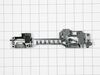
Microwave not heating, everything else works
Not knowing which of the switches to replace I ordered all three in the assembly. Replacing the full assembly was easy, first unplug the microwave. Then remove the top cover to access the screws that hold the control panel in place and let the control panel hang. There are two screws that hold the assembly in place - remove those. I used needle nose pliers to pull the wires off of the switches and immediately put the wires on to the new assembly so there was no confusion on what wire went where. Place the assembly back in position, replace the two screws to hold it in, put control panel in place and secure screws. Replace top cover and plug in.
Parts Used:
-
Barbara from Philadelphia, PA
-
Difficulty Level:Really Easy
-
Total Repair Time:15 - 30 mins
-
Tools:Screw drivers
5 of 5 people
found this instruction helpful.
Was this instruction helpful to you?
Thank you for voting!
Door locker snapped off
Unplugged the microwave. I opened the door. I used a butter knife to pop the bezel off the inside of the door. I pushed the locker up and to the left and used the butter knife to pry it loose. Disconnected the locker from the spring, and reversed for the installation.
Parts Used:

-
Dave from FOREST, VA
-
Difficulty Level:Easy
-
Total Repair Time:15 - 30 mins
4 of 4 people
found this instruction helpful.
Was this instruction helpful to you?
Thank you for voting!
The old ones broken

-
DIANE from PORT ORANGE, FL
-
Difficulty Level:Really Easy
-
Total Repair Time:30 - 60 mins
5 of 7 people
found this instruction helpful.
Was this instruction helpful to you?
Thank you for voting!
handle broke
Separated the two elements on the front door. Then inserted the new handle and reconnected the front door. It was an easy installation.
Parts Used:
-
Sandra from Wantagh, NY
-
Difficulty Level:Really Easy
-
Total Repair Time:Less than 15 mins
-
Tools:Screw drivers
6 of 10 people
found this instruction helpful.
Was this instruction helpful to you?
Thank you for voting!
Under-counter microwave light burnout
All I needed to do was replace the bulb in our microwave. But, the bulb for this unit (Kenmore Elite, which I traced to being manufactured by LG) was one I had replaced before, several times, with the closest thing I could find at the local big box stores. That bulb type matched (pin size) but wattage was a little lower which I didn't think would be a problem. However, those bulbs burned out in a month or two. So, I ordered bulbs from PartSelect that were OEMs that exactly matched the original specs. So far so good. Be aware if you are replacing a microwave bulb & are not finding an exact match at your local hardware store.
Parts Used:
-
Terrance from Titusville, FL
-
Difficulty Level:Really Easy
-
Total Repair Time:Less than 15 mins
5 of 7 people
found this instruction helpful.
Was this instruction helpful to you?
Thank you for voting!
microwave dish would not move back and forth
unscrewed the bottom of the microwave and unplugged old part then took the screw out and put new one in. Super easy!
Parts Used:

-
Susan from HENDERSON, NV
-
Difficulty Level:Really Easy
-
Total Repair Time:15 - 30 mins
-
Tools:Screw drivers
7 of 14 people
found this instruction helpful.
Was this instruction helpful to you?
Thank you for voting!
Door handle broke on the unit. Nothing but two screws showing
Open the microwave door.
On the interior of the door, there is a plastic molding around the locks and most outer part of the door. Pop that with a flathead screwdriver or butter knife. You’ll immediately see two screw heads. Screw counterclockwise to release the fragments of the old handle. DO NOT THROW THOSE SCREWS AWAY. Reattach new handle using the same screws. Pop the piece of plastic molding back in and you’re done.
On the interior of the door, there is a plastic molding around the locks and most outer part of the door. Pop that with a flathead screwdriver or butter knife. You’ll immediately see two screw heads. Screw counterclockwise to release the fragments of the old handle. DO NOT THROW THOSE SCREWS AWAY. Reattach new handle using the same screws. Pop the piece of plastic molding back in and you’re done.
Parts Used:
-
Jamie from SELLERSBURG, IN
-
Difficulty Level:Very Easy
-
Total Repair Time:Less than 15 mins
-
Tools:Screw drivers
3 of 3 people
found this instruction helpful.
Was this instruction helpful to you?
Thank you for voting!
When the MW door was opened a fan would start running. Close the door the fan would go off.
Removed the MW from the wall. Took the top screws off the air vent. Then removed the two screws holding on the display. I then moved the display to its side and it revealed the micro switches. I removed the plug in leads from the micro switch one at a time. I did this with all three micro switches only one at a time. I reinstalled everything and plugged it in. No more fans starting when the door is opened.
Parts Used:
-
vic from Allen, TX
-
Difficulty Level:Easy
-
Total Repair Time:15 - 30 mins
-
Tools:Screw drivers
4 of 6 people
found this instruction helpful.
Was this instruction helpful to you?
Thank you for voting!