




















72169 Kenmore - Instructions
Keep searches simple. Use keywords, e.g. "leaking", "pump", "broken" or "fit".
suddenly stopped working while in use
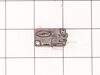
i unplugged the unit,unscrewed the outer shell so that all the wiring and internal components were visible.starting at the first of three micro switches i removed the slip on terminals installed the alligator clips too the wires so the switch would now be bypassed.i made sure the wires and clips were not touching anything plugged unit in and it worked.i then installed the new switch and closed up the outer shell
Parts Used:
-
Kevin from Colonia, NJ
-
Difficulty Level:Easy
-
Total Repair Time:Less than 15 mins
-
Tools:Pliers, Screw drivers
2 of 4 people
found this instruction helpful.
Was this instruction helpful to you?
Thank you for voting!
Items were not getting heated up in the microwave,

-
Kenneth from CRYSTAL LAKE, IL
-
Difficulty Level:Really Easy
-
Total Repair Time:15 - 30 mins
-
Tools:Screw drivers
1 of 2 people
found this instruction helpful.
Was this instruction helpful to you?
Thank you for voting!
Microwave failed to head and light, fan, and turntable failed to come on.
Problem was due to a faulty door switch. Replaced with a new switch and the microwave now works fine! Only thing that was tricky was that LG uses the hex screws with a peg in the middle to keep the microwave cover on. Had to use a small screwdriver and pliers (on the screwdriver) to unscrew the screws.
Parts Used:
-
Robert from Cedar Park, TX
-
Difficulty Level:A Bit Difficult
-
Total Repair Time:30 - 60 mins
-
Tools:Nutdriver, Screw drivers
1 of 2 people
found this instruction helpful.
Was this instruction helpful to you?
Thank you for voting!
Microwave operated but did not heat
Initial failure of over range microwave Aug 3rd. Control Panel worked but no heat. Took to local LG authoriaed local repair place. They fixed it quickly and we re-installed it. Worked fine for 2 months then had similar failure again. Agaim took to same authorized repairer. They kept unit for 3 months but finally concluded theu could not fix it and suggested we contact LG for a partial refund. When they tested the unit during re-assembly in my presence, there was a blue flash and the fuse blew. Since we had built a custom tile mural back splash around this unit, I brought it home, ordered a number of time delay fuses new capacitor and two new high voltage diodes. However, using my Fluke DMM, I checked the existing capacitor and high voltage diode and they checked OK so I just replaced the time delay fuse. The high voltage transformer leads had 2 possible ways to connect to capacitor and diode. Tried one way, plugged unit in and turned it on, and immediatly blew the fuse. Replaced the fuse and reversed the high voltage transformer connections,amd turned unit pn, and it worked perfectly. Since we had experienced several power failures during the time of the original failure, the repairer concluded that power spikes might be at fault, so I also purchased a TrippLite ISOBAR4ULTRA 3300 Joule surge protector between wall outlet and microwave, and re-installed over range. It has worked perfectly since.
Parts Used:

-
Donald from Oak Ridge, TN
-
Difficulty Level:Easy
-
Total Repair Time:1- 2 hours
-
Tools:Screw drivers
3 of 10 people
found this instruction helpful.
Was this instruction helpful to you?
Thank you for voting!
no heat
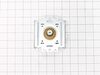
unplug the unit then pull down , lot of screws are on top. open the cover . you could see the parts that need to replace on the right hand side (heavy side). disconnect wires then test the parts that need to replace by a tester to make sure that it's really broke .then unscrew part and replace .
Parts Used:
-
Nelia from Streamwood, IL
-
Difficulty Level:Really Easy
-
Total Repair Time:30 - 60 mins
-
Tools:Nutdriver, Screw drivers
0 of 1 people
found this instruction helpful.
Was this instruction helpful to you?
Thank you for voting!
Turntable not turning.
Take off cover then the bottom. Transformer is on the bottom plate and wires won't let it come all the way off, too many wires to pull off so will have to position the bottom plate so you can get to the motor. Remove 1 screw on motor and remove motor. Install new motor connect wires replace bottom plate, replace cover. All done (hope & pray it works ok) mine worked perfect. Hope this helps.
Parts Used:

-
Virgil from Bowling Green, MO
-
Difficulty Level:Really Easy
-
Total Repair Time:15 - 30 mins
-
Tools:Screw drivers
0 of 1 people
found this instruction helpful.
Was this instruction helpful to you?
Thank you for voting!
Replacement of Magnetron
I UNPLUGGED the microwave and removed the cover, using a phillips and a Torx screwdriver for the machine screws. I set these screws aside, so as not to confuse them with the later encountered screws. I photographed the magnetron to assure proper placement of the 6 phillips machine screws involved in reassembly (marking the the locations on the old magnetron would do as well. I marked the old magnetron "old", to avoid later confusion. I removed the two screws holding the shields to the magnetron. I removed 3 of the 4 screws holding the magnetron to the microwave, leaving one of the top screws. I held the magnetron securely and removed the last screw, pulling out a the part of the magnetron that penetrated the microwave. I installed the new magnetron in reverse order. One problem I encountered was locating one of the six screws, which had been pulled into the old magnetron by magnetism.
Parts Used:
-
Benjamin from Anchorage, AK
-
Difficulty Level:Really Easy
-
Total Repair Time:15 - 30 mins
-
Tools:Screw drivers
0 of 1 people
found this instruction helpful.
Was this instruction helpful to you?
Thank you for voting!
Thermostat needed to be replaced
We had made this determination with the help of a repairman on the phone. I ordered the part and waited for it. It was stuck in West Virginia. After several days after it was expected a repairman fixed my range to the tune of $168. It should have cost $30 (the cost of the part and shipping).
Unfortunately I probably won't order from PartSelect again.
Unfortunately I probably won't order from PartSelect again.
Parts Used:

-
Denise from NORTH BEACH, MD
-
Difficulty Level:Really Easy
-
Total Repair Time:Less than 15 mins
-
Tools:Screw drivers
8 of 25 people
found this instruction helpful.
Was this instruction helpful to you?
Thank you for voting!
Replace turntable motor
Unplug.Take off the external cowling from the back of the unit by removing the torx security screws. Tip: instead use a thin screwdriver blade to unscrew the torx screws, or knock out the center pins of these screws. Remove the bottom panel. The replacement motor is attached with one phillips screw, re-attach wires to motor - polarity doesn't matter. Re-assemble and you're finished.
Parts Used:
-
William from Houston, TX
-
Difficulty Level:A Bit Difficult
-
Total Repair Time:1- 2 hours
0 of 1 people
found this instruction helpful.
Was this instruction helpful to you?
Thank you for voting!
AC Syncro motor went in microwave
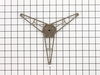
I tested the motor with an OHM meter, saw it was shot. Broke the turntable off when I tried to take it out from inside where it's attatched to the drive motor.( The plastic was like glued or welded onto the shaft of the original motor ) Had to open up the removable trap door on the bottom to pull the one screw that holds the motor in. Swapped it out, pushed the new turntable back in, and turned it on. Works like new! great parts, fast shipping, great deal !
Parts Used:
-
fred from northfield, VT
-
Difficulty Level:Really Easy
-
Total Repair Time:Less than 15 mins
-
Tools:Screw drivers
Was this instruction helpful to you?
Thank you for voting!
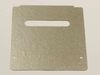
Insulator cover was eroded and sparking
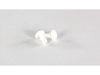
Insulator cover was eroded and sparking. Found on web that problem is insulator becomes water/vapor logged and sparks/erodes. Fix: Plastic pin connectors pulled out w/ fingernails. Old insulator required gentle prying to loosen. New one fit right in. new connectors pressed in w/ finger pressure. Good as new! First shipped part was in flimsy enveloped and arrived bent. Had to RMA and get new one shipped. New one arrived in box, just fine.
Parts Used:
-
Bill from Seattle, WA
-
Difficulty Level:Really Easy
-
Total Repair Time:Less than 15 mins
Was this instruction helpful to you?
Thank you for voting!
broke glass turntable
replaced it.....very pleased with the availability and promptness of shipment...thank you....
Parts Used:

-
joyce from Baltimore, MD
-
Difficulty Level:Really Easy
-
Total Repair Time:Less than 15 mins
Was this instruction helpful to you?
Thank you for voting!
replacement microwave turntable
thank you for a followup you are definitely unique in companies. A quick delivery.
Parts Used:

-
Kathleen from Windermere, FL
-
Difficulty Level:Really Easy
-
Total Repair Time:Less than 15 mins
Was this instruction helpful to you?
Thank you for voting!
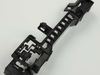
Intermittent loss of power in open and closing door.
Make sure 110v at the transformer. Activate switch controlled by the push button to open and close door. Push in the small metal arm on the switch with none metallic probe. If power is restored to microwave the switch is faulty and need replacement. One switch is not available, the whole 3 switch assemble has to be purchased.
Parts Used:
-
David from San Francisco, CA
-
Difficulty Level:Really Easy
-
Total Repair Time:15 - 30 mins
-
Tools:Screw drivers
Was this instruction helpful to you?
Thank you for voting!
synchronized motor died a terrible death and stopped turning.
Eight screws off the bottom exposed the cover plate. Easily found the motor location the looked up the item number and verified data and ordered the part. Replaced the motor, tightened the screws and flipped it upright. Plugged it in and the lights came on. Set a time pushed start and smiled! The eagle had landed!!!!
Parts Used:
-
mark from crown point, IN
-
Difficulty Level:Really Easy
-
Total Repair Time:15 - 30 mins
-
Tools:Screw drivers
Was this instruction helpful to you?
Thank you for voting!