




















5TX62G9ST0WS General Electric Dryer - Instructions
Keep searches simple. Use keywords, e.g. "leaking", "pump", "broken" or "fit".
belt was broken.
remove top of cabinet and front panel. placed belt around drum and replaced idler pully placed new belt around pully and was done. not a hard job at all. replced front panel and top. thanks to a speedy delivery of my parts dryer was only down two days.
Parts Used:
-
robert from phenix city, AL
-
Difficulty Level:Really Easy
-
Total Repair Time:30 - 60 mins
-
Tools:Nutdriver, Wrench (Adjustable)
6 of 7 people
found this instruction helpful.
Was this instruction helpful to you?
Thank you for voting!
Dishwasher would not start
Removed panel to access the interlock switches. There were two. The button on one switch was fine and the button on the other would not depress. Ran a continuity test and it failed. The switch also had a burnt smell
Parts Used:
-
Dameon from SMYRNA, DE
-
Difficulty Level:Easy
-
Total Repair Time:1- 2 hours
-
Tools:Pliers, Screw drivers, Socket set
6 of 7 people
found this instruction helpful.
Was this instruction helpful to you?
Thank you for voting!
Dishwasher wouldn’t start
Took the screws out of the back of the doorl located the switch and replaced it put screws back in and it was fixed
Parts Used:
-
Stephen from MARENGO, OH
-
Difficulty Level:Really Easy
-
Total Repair Time:30 - 60 mins
-
Tools:Screw drivers
7 of 10 people
found this instruction helpful.
Was this instruction helpful to you?
Thank you for voting!
Needed a shoe rack
Lift the lint filter and slide the 2 hooked ends into the 2 holes provided . Front end is locked in as other end is suspended .
Parts Used:

-
Scott from NOVATO, CA
-
Difficulty Level:Very Easy
-
Total Repair Time:Less than 15 mins
5 of 5 people
found this instruction helpful.
Was this instruction helpful to you?
Thank you for voting!
Dryer only runs when Start button is pressed
Originally I thought that the Start switch was the issue, and ordered one. After taking the machine apart and running some tests, the issue was clearly not this switch, but a different switch that cuts power when the belt tension is no longer being applied to the idler pulley spring. I fixed this by bypassing this switch, which in my opinion, is error prone and serves no purpose. The switch can be accessed by removing the control panel, then top cover, then front cover, then drum. The bogus switch is screwed to the bottom left, near the motor. The idler pulley spring rests against it. Just disconnect the switch wires, then clip, strip and crimp then together to bypass the switch, and voila! Now if the belt breaks or comes off the pulley, the motor will continue to run, but you wont hear the wet clothes flopping around, so that will be the indication that you have a belt problem. Hope that helps!
Parts Used:
-
Tim from Pembroke, NH
-
Difficulty Level:A Bit Difficult
-
Total Repair Time:30 - 60 mins
-
Tools:Nutdriver, Screw drivers
5 of 6 people
found this instruction helpful.
Was this instruction helpful to you?
Thank you for voting!
Not drying
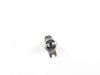
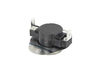
Removing top of the dryer removing the back side panels of the dryer pulling back the back of the dryer to access to the thermostats left in the drum up to put it in the place secure all the screws and put everything together.
Parts Used:

-
Rafal from FSTRVL TRVOSE, PA
-
Difficulty Level:A Bit Difficult
-
Total Repair Time:30 - 60 mins
-
Tools:Nutdriver, Pliers, Screw drivers
6 of 9 people
found this instruction helpful.
Was this instruction helpful to you?
Thank you for voting!
dishwasher did not start
Took out interlock switch (two leads) and replaced with new one. As simple as that.
Parts Used:
-
Lawrence from ROLESVILLE, NC
-
Difficulty Level:Very Easy
-
Total Repair Time:Less than 15 mins
7 of 13 people
found this instruction helpful.
Was this instruction helpful to you?
Thank you for voting!
Dryer drum started making a grinding noise and started to smell like something was burning
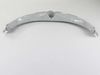
Took the front panel off. 2 screws on top of the front panel when you open the door, 2 right next to the door opening. Next gently pry up the top panel in the front of the dryer to remove 2 black screws in the front corners. Now the front panel can gently be pulled back and then lift up and the frpnt panel can be put to side. Now you have acces to remove and replace the drum bearing glides. They just clip in. Also a good time to inspect the belt and clean out the dryer.
Parts Used:
-
Armando from WESTMINSTER, CO
-
Difficulty Level:Easy
-
Total Repair Time:15 - 30 mins
-
Tools:Screw drivers, Socket set
4 of 5 people
found this instruction helpful.
Was this instruction helpful to you?
Thank you for voting!
WOULD NOT START/ stopped in the middle of cycle
Ordered parts and installed with YOUTUBE video.
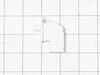
Model A little different than showed online, There was a Metal protector over the Door switch that need to be taken off before switch could be located.
After detachment of dryer door, easily pushed the seal to one side to dislocate the metal protector.
Would of took 30 minutes to complete if had not been for the Metal protector they added to cover the switch.
Model A little different than showed online, There was a Metal protector over the Door switch that need to be taken off before switch could be located.
After detachment of dryer door, easily pushed the seal to one side to dislocate the metal protector.
Would of took 30 minutes to complete if had not been for the Metal protector they added to cover the switch.
Parts Used:
-
Lisa from YOAKUM, TX
-
Difficulty Level:Really Easy
-
Total Repair Time:15 - 30 mins
-
Tools:Screw drivers, Socket set
4 of 5 people
found this instruction helpful.
Was this instruction helpful to you?
Thank you for voting!
the bracket around the net was cracked
removed old lint trap cleaned excess lint that fell inside from the broken lint trap made it easier for new lint trap to slide in.
Parts Used:
-
Sydrell from CHICAGO, IL
-
Difficulty Level:Very Easy
-
Total Repair Time:Less than 15 mins
4 of 5 people
found this instruction helpful.
Was this instruction helpful to you?
Thank you for voting!
the felt in front door worn out
i follow your video and all went well except now the dryer will not heat. i went back on your site an tried the no heat option an still no heat
Parts Used:
-
gerard from goldsboro, NC
-
Difficulty Level:Easy
-
Total Repair Time:30 - 60 mins
-
Tools:Nutdriver, Screw drivers
5 of 8 people
found this instruction helpful.
Was this instruction helpful to you?
Thank you for voting!
Dryer bulb burned out
Son found out where the bulb was by using YouTube. I googled lamp for model number and your website came up. I ordered the part, it arrived promptly, and my son installed it.
Parts Used:
-
Mary from NEW BRITAIN, CT
-
Difficulty Level:Very Easy
-
Total Repair Time:Less than 15 mins
3 of 3 people
found this instruction helpful.
Was this instruction helpful to you?
Thank you for voting!
Replace dryer front bearing slides
If your dryer is making a grinding or loud plastic rubbing noise, you likely need to replace the slides. Here is how I did it.
TIP: Before beginning, set out a hand towel on the washing machine to set the screws onto, in the order and position you removed them.
IMPORTANT: Before beginning, turn off the gas to the unit and unplug it! This repair is all done from the front side of the machine, so you should only need to slide it out enough to unplug it.
Step 1: Remove the control panel
To do this, you need to pull out on the round silver control knob to remove it. This will expose a long screw. With the long screw removed, grab the panel with both hands and slide it straight up. Be careful, the control board is still connected with a 40-pin ribbon cable. Set the control board on top of the dryer temporarily.
Step 2: Remove the lid
There are three screws to remove the lid. Remove them and set them on the screw holding towel. The lid is attached at the back, so to remove it you need to slide it forward towards the front of the unit. Once the lid is loose, you can have a helper hold the control panel while you set the lid aside, or gently let the control panel dangle.
Step 3: Disconnect the control panel and wiring harnesses
Gently pull on the 40-pin ribbon connector until the control panel ribbon cable is removed. There is a notch to designate which direction the ribbon cable it goes back in. Set the control panel to the side. At the same time, you can disconnect the two wiring harnesses that feed the door light and sensor. These wiring harnesses are secured to a silver plate with a zip tie. Cut the zip tie with your diagonal cutters. (You can trim the old zip tie and replace it by feeding the extra small zip tie through the original opening later.)
Step 4: Remove the steel plate that the wiring harnesses were attached to
There are 6 screws to remove the steel plate. Pay attention to where the extra large head screws go, because these are what the control panel slides onto, when you put things back together. Pull out on each side to release the bottom clips, then slide it upwards. Set this piece aside.
Step 4: Remove the front panel (the door panel)
There are 4 screws to loosen the door panel. Two silver screws at the top, and 2 white screws at the bottom. Loosen the white screws about half way. These do not need to be completely removed because the door can rest on them. Remove the top silver screws. Gently lift the dryer drum off the front bezel while you tilt the front panel towards you. At this point you should be able to see the white and dark green slides. I found it easier to lift the front door off the white screws and set it up against the wall.
Step 5: Replace the slides
The slides have plastic hooks that go through the round holes on one end to hold them in place. You should be able to remove the slides with your fingers (maybe with a little help from a flat-head screwdriver), and replace them. There are dozens of YouTube videos on how to do this if you need help. Be careful not to break the plastic hooks that hold the slide to the front plastic bezel. Replace white slides with the white, and the dark green slides with dark green.
Step 6: Putting it all back together
Do everything in reverse. Set the front panel in the white screws, lift the drum, and slide the door panel back to rest on the slides while you put back the silver screws. Give the drum a few good spins manually to make sure there isn't anything still rubbing. Keep in mind the sliding noise is slightly louder than normal until all the panels are replaced.
It will help the process to only tighten the screws half way while putting them all back in. Once everything aligns, then you can tighten them down. DO NOT over tighten, use hand tightness only or you will strip them out. With the front door panel back on, you can put the steel panel back in place. Once you have the 6 screws done, remember to slide a small zip tie through the previous hole to secure the wiring harnesses. Connect the harnesses, and the front panel ribbon cable before putting the lid back on. Insert the screws to the lid, then slide the control panel back down, and replace the single long screw. Note that the control knob is notched, so align the flat sides as you put it back in.
Plug it back in, and turn back on the gas, you are done!
TIP: Before beginning, set out a hand towel on the washing machine to set the screws onto, in the order and position you removed them.
IMPORTANT: Before beginning, turn off the gas to the unit and unplug it! This repair is all done from the front side of the machine, so you should only need to slide it out enough to unplug it.
Step 1: Remove the control panel
To do this, you need to pull out on the round silver control knob to remove it. This will expose a long screw. With the long screw removed, grab the panel with both hands and slide it straight up. Be careful, the control board is still connected with a 40-pin ribbon cable. Set the control board on top of the dryer temporarily.
Step 2: Remove the lid
There are three screws to remove the lid. Remove them and set them on the screw holding towel. The lid is attached at the back, so to remove it you need to slide it forward towards the front of the unit. Once the lid is loose, you can have a helper hold the control panel while you set the lid aside, or gently let the control panel dangle.
Step 3: Disconnect the control panel and wiring harnesses
Gently pull on the 40-pin ribbon connector until the control panel ribbon cable is removed. There is a notch to designate which direction the ribbon cable it goes back in. Set the control panel to the side. At the same time, you can disconnect the two wiring harnesses that feed the door light and sensor. These wiring harnesses are secured to a silver plate with a zip tie. Cut the zip tie with your diagonal cutters. (You can trim the old zip tie and replace it by feeding the extra small zip tie through the original opening later.)
Step 4: Remove the steel plate that the wiring harnesses were attached to
There are 6 screws to remove the steel plate. Pay attention to where the extra large head screws go, because these are what the control panel slides onto, when you put things back together. Pull out on each side to release the bottom clips, then slide it upwards. Set this piece aside.
Step 4: Remove the front panel (the door panel)
There are 4 screws to loosen the door panel. Two silver screws at the top, and 2 white screws at the bottom. Loosen the white screws about half way. These do not need to be completely removed because the door can rest on them. Remove the top silver screws. Gently lift the dryer drum off the front bezel while you tilt the front panel towards you. At this point you should be able to see the white and dark green slides. I found it easier to lift the front door off the white screws and set it up against the wall.
Step 5: Replace the slides
The slides have plastic hooks that go through the round holes on one end to hold them in place. You should be able to remove the slides with your fingers (maybe with a little help from a flat-head screwdriver), and replace them. There are dozens of YouTube videos on how to do this if you need help. Be careful not to break the plastic hooks that hold the slide to the front plastic bezel. Replace white slides with the white, and the dark green slides with dark green.
Step 6: Putting it all back together
Do everything in reverse. Set the front panel in the white screws, lift the drum, and slide the door panel back to rest on the slides while you put back the silver screws. Give the drum a few good spins manually to make sure there isn't anything still rubbing. Keep in mind the sliding noise is slightly louder than normal until all the panels are replaced.
It will help the process to only tighten the screws half way while putting them all back in. Once everything aligns, then you can tighten them down. DO NOT over tighten, use hand tightness only or you will strip them out. With the front door panel back on, you can put the steel panel back in place. Once you have the 6 screws done, remember to slide a small zip tie through the previous hole to secure the wiring harnesses. Connect the harnesses, and the front panel ribbon cable before putting the lid back on. Insert the screws to the lid, then slide the control panel back down, and replace the single long screw. Note that the control knob is notched, so align the flat sides as you put it back in.
Plug it back in, and turn back on the gas, you are done!
Parts Used:


-
Darin from MEDINA, MN
-
Difficulty Level:Easy
-
Total Repair Time:30 - 60 mins
-
Tools:Screw drivers
3 of 3 people
found this instruction helpful.
Was this instruction helpful to you?
Thank you for voting!
The dryer drum wasn't spinning, but I could hear the motor and feel the heat from the heating element.
UNPLUG the dryer. I removed the top panel by removing the two screws at the top of the dryer door. There are some hooks toward the back of the top panel, so you'll need to slide it to the left to get it off. The front panel needs to be removed by removing two screws just inside the top left and right corners. Lift and set it aside. I didn't disconnect the door wiring, but you can if you need to do so. I just spun the front panel to the left and out of the way. With the drum exposed, I confirmed the belt was broken. I replaced the belt, then the front panel and top panel. While I was inside the dryer, I did a through cleaning with the vacuum to get all the lint.
The video on the site is easy to understand and a snap to follow.
The video on the site is easy to understand and a snap to follow.
Parts Used:
-
David from LAWRENCEVILLE, GA
-
Difficulty Level:Really Easy
-
Total Repair Time:30 - 60 mins
-
Tools:Screw drivers
3 of 3 people
found this instruction helpful.
Was this instruction helpful to you?
Thank you for voting!
Noisey squeaking noise.
Replaced the rear drum bearing, Front drum bearing,front bearing tabs and belt. I replaced the belt from the front of dryer. Better to go thru the back. Much easier.
Parts Used:
-
Lewis from WESTFIELD, NJ
-
Difficulty Level:Really Easy
-
Total Repair Time:1- 2 hours
-
Tools:Screw drivers, Socket set
3 of 3 people
found this instruction helpful.
Was this instruction helpful to you?
Thank you for voting!