




















20872B Admiral Refrigerator - Instructions
Keep searches simple. Use keywords, e.g. "leaking", "pump", "broken" or "fit".
Ice maker did not make ice
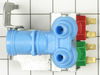
This review would not be helpful if limited to this part. So I will describe the whole repair. The ice maker was first receiving too much water. This resulted in huge cubes and water dripping out of the ice maker compartment. I tried reducing the amount of water using the valve to the supply line. But then the ice maker stopped making ice. I jumped to the conclusion that the solenoid water valve needed to be replaced. The new valve was easily replaced, but no water was delivered to the ice maker. I then went to the web site and saw that 87% of the time it was the ice maker itself that needed to be replaced. I ordered one and it arrived quickly. Installing it was easy although I might never had figured out how to remove the electrical supply line to the old unit if I hadn’t watched the video. After installation no water went to the ice maker tray.
I had read a review saying that the supply line had frozen where it went into the ice maker. To check out that possibility I removed the line from the solenoid valve and tried to blow air through it. No air would pass. So I removed the ice maker so I could get at the possible ice obstruction. I repeatedly inserted a knife honing steel which I heated and reheated in hot water. Finally I heard water dripping to the floor from the supply line which I had left detached from the solenoid valve. Then I hooked everything up and ice making proceeded nicely. If the solenoid valve ever needs replacing, I have a extra one.
I had read a review saying that the supply line had frozen where it went into the ice maker. To check out that possibility I removed the line from the solenoid valve and tried to blow air through it. No air would pass. So I removed the ice maker so I could get at the possible ice obstruction. I repeatedly inserted a knife honing steel which I heated and reheated in hot water. Finally I heard water dripping to the floor from the supply line which I had left detached from the solenoid valve. Then I hooked everything up and ice making proceeded nicely. If the solenoid valve ever needs replacing, I have a extra one.
Parts Used:
-
Bruce from Kewadin, MI
-
Difficulty Level:Really Easy
-
Total Repair Time:Less than 15 mins
-
Tools:Nutdriver, Wrench (Adjustable)
Was this instruction helpful to you?
Thank you for voting!
Ice maker would stop dispensing ice,shaft would stall.
Checked the ice tray and could only find the drive ring had some breaks in the plastic. Actually did not see why this would stop the auger from turning and dispensing ice. However this was the only thing I could find wrong with the unit. I pulled the tray, removed 6 screws (star tip heads) pulled the auger forward and replaced the drive wheel, put the unit back together and its been working fine ever since.
Parts Used:

-
David from Antelope, CA
-
Difficulty Level:Really Easy
-
Total Repair Time:15 - 30 mins
-
Tools:Screw drivers
Was this instruction helpful to you?
Thank you for voting!
refridgerator was not cooling to the proper temps and finally would not cool at all
Pulled refridgerator forward away from the wall. Remove the cardboard back behind the appliance.I saw that the condenser fan motor was not working. Unplugged the appliance from the electrical outlet. Removed a 3 wire plug from the condenser fan motor. Remove 3 screws (with a nut driver) which held the condenser fan motor in place. Remove the condenser fan motor from the appliance. Looked up the part needed for repair using the appliance model number. Found which part was applicable for the appliance. Placed the order from Price Select on a Monday morning and recieved the part 2 days later on Wednesday via FedEx. The item shipped was a 2 wire condenser fan motor. Read the instructions that came with the part. Using wire cutters, cut the old 3 wire plug. The center wire is a green and yellow striped wire. Use the same colored wire that is also shipped in the box and has connectors on both ends. Cut one of the connectors off and use the wire strippers to remove plastic wire coating. Connect both ends from the appliance and the green and yellow wire that was shipped. Use a wire nut (also shipped in the box) to connect the wires. You will have 2 black wires left on the new condenser fan motor that need to be connected to the appliance. You should have an orange colored wire and another wire that is black with a white stripe. Connect one wire from the new fan motor to the orange wire and use a wire nut to attach both wires together. Use the other black wire from the new fan motor to the black/white striped wire from the appliance. Use the wire nut to attach both those wires. Place the new condenser fan motor back in the appliance using the screws that come with the motor. Attach the green and white wire with the connector on the end to one of the 3 screws that hold the motor in place and secure the screws. Use the electical tape to hold the wires all together and away from the fan motor. Plug the appliance into the outlet. You can see the condenser fan motor working properly. Note that when connecting the 2 black wires from the new condenser fan motor to the orange and the black/white wire from the appliance, for my appliance, it did not matter which wires were connected as the fan motor was a clockwise motor. Place the cardboard appliance backing, back on to the appliance and push the refridgerator back in place. Allow about 5-6 hours to get the freezer to between 0-5 degrees. The refidgerator should be between 34-38 degrees and will take a little longer to get to that projected temp.
Parts Used:

-
John from LAS CRUCES, NM
-
Difficulty Level:Easy
-
Total Repair Time:15 - 30 mins
-
Tools:Nutdriver, Screw drivers
Was this instruction helpful to you?
Thank you for voting!
condenser motor broke
opened box,read directions,took out bad motor,installed new one.PRESTO CHANGO way to go.
Parts Used:
-
patrick from livonia, MI
-
Difficulty Level:Easy
-
Total Repair Time:15 - 30 mins
-
Tools:Nutdriver, Pliers, Screw drivers
Was this instruction helpful to you?
Thank you for voting!
Condensor fan motor quit working
Pulled the fridge out, Took bottom panel off. Removed 3 screws holding motor. Unplugged connector, cut wires, attached old connector on new motor. put blade on new motor.installed in fridge, put cover back on.
Parts Used:
-
David from New Albany, IN
-
Difficulty Level:Easy
-
Total Repair Time:15 - 30 mins
-
Tools:Nutdriver, Screw drivers
Was this instruction helpful to you?
Thank you for voting!
excessive water in condensate pan
just as video instructions said, very easy just following them ,part arrived in very short time and was exact fit completely satisfied, saved repair man service charges and wait time
Parts Used:
-
michael from woodstock, MD
-
Difficulty Level:Really Easy
-
Total Repair Time:15 - 30 mins
-
Tools:Pliers, Socket set
Was this instruction helpful to you?
Thank you for voting!
Two problems- auger motor and ice bucket rack
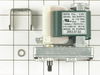
Had to replace ice bucket rack because auger motor broke the plastic backing and also the auger motor because shaft was bent on old auger motor. Just followed directions on web site to do repair.
Parts Used:
-
John from Greenville, SC
-
Difficulty Level:Easy
-
Total Repair Time:15 - 30 mins
-
Tools:Nutdriver, Screw drivers
Was this instruction helpful to you?
Thank you for voting!
Condensor Fan going bad
I knew the repair wasn't difficult. It was a matter of finding the replacement part. Luckily, I found the part via the internet on your site. Lucky for me, there was an installation video!! These videos are worth 1000 bucks!! Never have encountered a site with installation videos before. It gave me complete insight as to how the job was sequenced. I'm a very visual person, so videos are the perfect helper for me. With fewer and fewer affordable local service companies around to fix problems like mine, your site gave me the complete confidence to easily switch out the condensor fan. I completed the repair for about $63.00. Your site ROCKS! Keep up the repair videos because they are awesome and extremely helpful. I felt like your pricing was competitive for this item. Thanks again!!
Parts Used:
-
George from Hickory, NC
-
Difficulty Level:Really Easy
-
Total Repair Time:15 - 30 mins
-
Tools:Nutdriver, Pliers
Was this instruction helpful to you?
Thank you for voting!
Condensor motor was frozen
pull unit away from the wall, and unplug it. remove the grill, and cardboard guard on the lower back of the unit. remove Three screws for the motor bracket. Remove the bracket legs from the old motor and assemble them to the new motor. take the fan blade off the old motor, place it on the new. Cut the wires at the old motor, strip the insulation back, use supplied wire nuts to connect the new motor. Reverse order to reassemble. Plug in unit to test function.
Parts Used:
-
john from thibodaux, LA
-
Difficulty Level:Really Easy
-
Total Repair Time:15 - 30 mins
-
Tools:Nutdriver, Pliers
Was this instruction helpful to you?
Thank you for voting!
Freezer was not getting cold enough
Mine was alittle different than the online instructions. 1. I removed the motor. 2. I took the fan off the old motor and cut the wires about 3" back from old motor. 3. Mounted the new fan on bracket and put the fan on the new motor. 4.connected wires that were cut and used wire nuts to connect. 5. Mounted bracket and motor/fan to unit and it works like its brand new. Thank you PartSelect!
Parts Used:
-
David from Salem, WI
-
Difficulty Level:Easy
-
Total Repair Time:15 - 30 mins
-
Tools:Nutdriver, Pliers
Was this instruction helpful to you?
Thank you for voting!
Broken ice bin drive ring
Easy disassemble removing screws to separate front of ice bin.Be sure to note how metal rod is attached to rear of ice bin. Installed drive ring and reattached face (front) of ice bin in about 15 minutes.
Parts Used:
-
James from Lincoln, NE
-
Difficulty Level:Really Easy
-
Total Repair Time:Less than 15 mins
Was this instruction helpful to you?
Thank you for voting!
Ice Dispenser drive ring was broken
I pulled the dispenser bin and emptied the existing ice (the maker worked, the dispenser would not dispense). Though there appears to be more, there are about 4 (reciting from memory)very small tap screws holding the front of the dispenser unit to the bin. The dispenser activation screw mounts over protruding items at each end. The item at the back (away from the dispenser gear package) is the drive ring that was broken. The drive ring is a small plastic cup that inserts into an opening at the back of the bin (female side to the rear) and slides into the distal end of the activation screw on the same end. One must line up the small slot on the inside of the drive ring with the end of the screw. Slide the assembly together (make sure that the cube/crush switch rod is properly clipped in place with the return spring hooked to the clip), GENTLY install the 4 or so screws and return he assembly to the freezer. It should work flawlessly. Elapsed time: 15 - 20 minutes.
Parts Used:
-
Donald from Highland, CA
-
Difficulty Level:Really Easy
-
Total Repair Time:15 - 30 mins
-
Tools:Screw drivers
Was this instruction helpful to you?
Thank you for voting!
Ice Bin Drive Ring replacement
Easy repair - Don't over complicate it. 1) Flip up ice bar to stop making new ice. 2) Pull out the complete ice bin/tray. 3) shut freezer door while you work on the ice bin. 4) All you need to do is remove the 4 screws holding the ice bin holding tray to the front of the Ice cutting section in the front. 5) Screw drive can then be pulled forward to remove the old/broken white drive cap. Just replace the White Drive ring, put the drive screw back into the ice bin tray and re-install the 4 screws. 6) When re-inserting the bin, you may have to twist the screw drive slightly to re-align with the motor bracket in the back of the freezer. Suggestion: throw out old ice because if it is wet or slightly melted, when you put it back in the freezer the ice will freeze/clump together into a large ice clump; not cubes. Also dry out the ice bin so there is no water to freeze up or create a new jam when the ice bin now re-freezes.
Parts Used:
-
George from Pleasaton, CA
-
Difficulty Level:Easy
-
Total Repair Time:15 - 30 mins
-
Tools:Screw drivers
Was this instruction helpful to you?
Thank you for voting!
ice bin drive ring was cracked
-
Jesus from Santa Maria, CA
-
Difficulty Level:Really Easy
-
Total Repair Time:15 - 30 mins
Was this instruction helpful to you?
Thank you for voting!
Refrigerator stopped cooling compressor did not cycle
unplug power! Remove the screws from lower panel on back of refrigerator. Lift wire mount out of back panel. Capacitor is mounted directly to the relay and overload switch located on the left side of the compressor. Remove the spring clip holding the capacitor in place and pull the old capacitor out. Plug in new capacitor and replace spring clip. Use vacuum to remove dust from drip pan and wipe fan blades clean. Replace wire into slot on back panel and replace screws. Remove front coil cover below freezer door. vacuum dust off coils and replace cover. Plug refrigerator in and enjoy cold beverages. Relay and overload kit were not required for this repair.
Parts Used:

-
james from indian springs, AL
-
Difficulty Level:Really Easy
-
Total Repair Time:Less than 15 mins
-
Tools:Nutdriver
Was this instruction helpful to you?
Thank you for voting!