
















1067381520 Kenmore Freezer - Instructions
Keep searches simple. Use keywords, e.g. "leaking", "pump", "broken" or "fit".
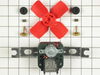
fan motor did not run all the time
unpluged refrigerator. removed panel in front of fan. Removed the fan motor. Installed the new fan kit. Replaced the panel in front of fan. Pluged the refrigerator back in. The refrigerator runs a 100 percent better
Parts Used:
-
Charles from Marion, IN
-
Difficulty Level:Really Easy
-
Total Repair Time:Less than 15 mins
-
Tools:Nutdriver, Pliers, Screw drivers
Was this instruction helpful to you?
Thank you for voting!
Condensor fan motor quit working
Pulled the fridge out, Took bottom panel off. Removed 3 screws holding motor. Unplugged connector, cut wires, attached old connector on new motor. put blade on new motor.installed in fridge, put cover back on.
Parts Used:

-
David from New Albany, IN
-
Difficulty Level:Easy
-
Total Repair Time:15 - 30 mins
-
Tools:Nutdriver, Screw drivers
Was this instruction helpful to you?
Thank you for voting!
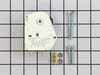
Evaporator Would Freeze Up And The Food Section Could'nt Cool
-
michael from buchanan, TN
-
Difficulty Level:Really Easy
-
Total Repair Time:Less than 15 mins
-
Tools:Nutdriver, Screw drivers
Was this instruction helpful to you?
Thank you for voting!
Refrigerator not cooling
Exactly how the part select video described it. Threw a little curve ball figuring out which timer setting to set it to. But the instructions provided with defrost timer walked me right through it. No problem. After installing part nothing happened for about ten minutes, which had me second guessing each and every step. Then, like magic, cold air began blowing. What a relief. Thanks so much, love this site. Refrigerator works like new!
Parts Used:
-
Bryan from Midland, NC
-
Difficulty Level:Easy
-
Total Repair Time:15 - 30 mins
-
Tools:Nutdriver, Pliers, Screw drivers
Was this instruction helpful to you?
Thank you for voting!
Noisy fan
Unplug the refrigerator. Remove the rear shelf supports by lifting them straight up. No tools required. Remove the screws holding the rear cover of the freezer. Use a nut driver to remove the 4 screws holding the fan housing. Unplug the wiring harness, then remove the fan and install the new one. Remount the housing, plug in the harness replace the rear cover, install the shelf supports and plug in the refrigerator. It was 30 minutes start to finish, which includes the time to gather the tools, unload and reload the freezer, and putting the tolls away!
Parts Used:
-
Harry from Cincinnati, OH
-
Difficulty Level:Really Easy
-
Total Repair Time:15 - 30 mins
-
Tools:Nutdriver, Screw drivers
Was this instruction helpful to you?
Thank you for voting!
refridgerator was not cooling to the proper temps and finally would not cool at all
Pulled refridgerator forward away from the wall. Remove the cardboard back behind the appliance.I saw that the condenser fan motor was not working. Unplugged the appliance from the electrical outlet. Removed a 3 wire plug from the condenser fan motor. Remove 3 screws (with a nut driver) which held the condenser fan motor in place. Remove the condenser fan motor from the appliance. Looked up the part needed for repair using the appliance model number. Found which part was applicable for the appliance. Placed the order from Price Select on a Monday morning and recieved the part 2 days later on Wednesday via FedEx. The item shipped was a 2 wire condenser fan motor. Read the instructions that came with the part. Using wire cutters, cut the old 3 wire plug. The center wire is a green and yellow striped wire. Use the same colored wire that is also shipped in the box and has connectors on both ends. Cut one of the connectors off and use the wire strippers to remove plastic wire coating. Connect both ends from the appliance and the green and yellow wire that was shipped. Use a wire nut (also shipped in the box) to connect the wires. You will have 2 black wires left on the new condenser fan motor that need to be connected to the appliance. You should have an orange colored wire and another wire that is black with a white stripe. Connect one wire from the new fan motor to the orange wire and use a wire nut to attach both wires together. Use the other black wire from the new fan motor to the black/white striped wire from the appliance. Use the wire nut to attach both those wires. Place the new condenser fan motor back in the appliance using the screws that come with the motor. Attach the green and white wire with the connector on the end to one of the 3 screws that hold the motor in place and secure the screws. Use the electical tape to hold the wires all together and away from the fan motor. Plug the appliance into the outlet. You can see the condenser fan motor working properly. Note that when connecting the 2 black wires from the new condenser fan motor to the orange and the black/white wire from the appliance, for my appliance, it did not matter which wires were connected as the fan motor was a clockwise motor. Place the cardboard appliance backing, back on to the appliance and push the refridgerator back in place. Allow about 5-6 hours to get the freezer to between 0-5 degrees. The refidgerator should be between 34-38 degrees and will take a little longer to get to that projected temp.
Parts Used:
-
John from LAS CRUCES, NM
-
Difficulty Level:Easy
-
Total Repair Time:15 - 30 mins
-
Tools:Nutdriver, Screw drivers
Was this instruction helpful to you?
Thank you for voting!