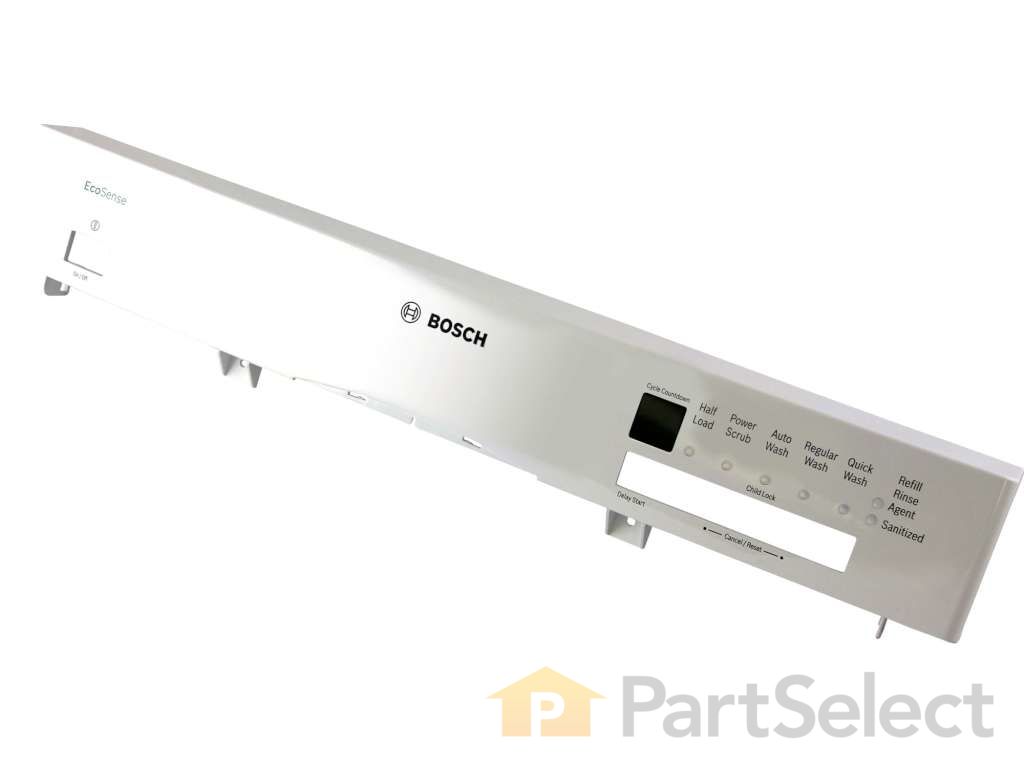
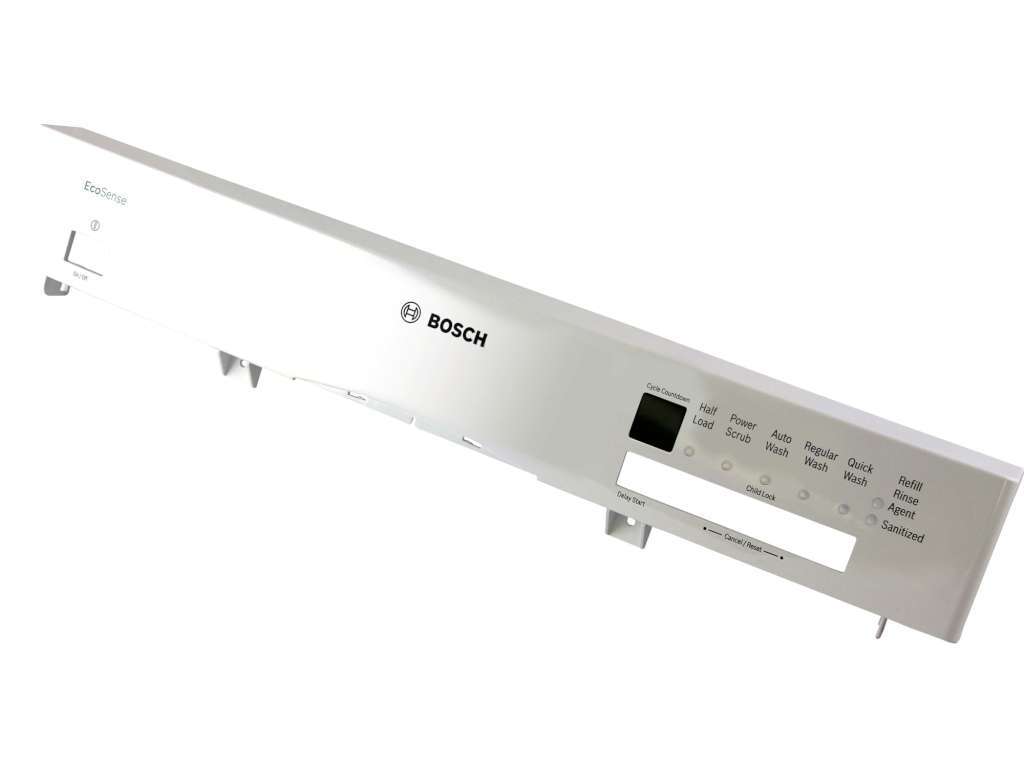
This white panel is where you choose your dishwasher settings and see the cycle progress. It’s built to last and keeps the buttons and display protected from everyday use. If your current panel is cracked or worn, replacing it can refresh the look of your dishwasher and keep it working smoothly. It’s a simple way to restore both style and function.
How Buying OEM Parts Can Save You Time and Money
Troubleshooting
This part fixes the following symptoms:
Door latch failure
This part works with the following products:
Dishwasher.
This part works with the following products:
Bosch.
Part# 00683956 replaces these:
AP4483915, 683956
Customer Reviews
Average Rating:
★★★★★
★★★★★
33 Reviews
4.7
Filter By Rating:
5 Stars
26
4 Stars
5
3 Stars
1
2 Stars
1
1 Star
0
< Prev
1
2
3
Next >
Sort by:
Search filter:
Clear Filter
Your search term must have 3 or more characters.
Keep searches simple. Use keywords, e.g. "leaking", "pump", "broken" or "fit".
Sorry, we couldn't find any existing reviews that matched. Try using some different or simpler keywords.
★★★★★
★★★★★
Clifford N - April 14, 2022
Verified Purchase
Perfect
Arrived quickly, easy to replace and our dishwasher door now looks and functions like new again.
★★★★★
★★★★★
Michael C - March 18, 2020
Verified Purchase
FAIRLY EASY REPAIR..ABOUT 1 HOUR START TO FINISH
PART RECEIVED IN ABOUT TWO DAYS..IMPRESSIVE...NO DAMAGE AND WAS AN EXACT COPY OF ORIGINAL PART. REQUIRED TRANSFER OF SOME BUTTONS FROM OLD UNIT TO THE NEW ONE, BUT WAS QUITE SIMPLE. VERY PLEASED
★★★★★
★★★★★
Les B - February 14, 2026
Verified Purchase
Perfect replacement
This item was the exact same item as the part that broke, very easy to replace and arrived within 3 business days of placing our order online. We are very impressed with your service and the quality of the part. Thank you
★★★★★
★★★★★
Marie Michelle F - September 20, 2018
Verified Purchase
Quick
I received the perfect parts. Very quickly
★★★★★
★★★★★
Jim S - March 9, 2021
Verified Purchase
Great service
Part for my dishwasher arrived promptly, took 30 minutes to install and works perfectly
★★★★★
★★★★★
Johnathan W - September 19, 2018
Verified Purchase
Perfect. Exactly what we needed.
The part came super fast and was exactly what we needed. It was quick and easy to find. I was nervous that their was no photo of the part but it was the one we needed.
★★★★★
★★★★★
Ted D - January 19, 2020
Verified Purchase
Excellent Service!!
The part was perfect as was expected and the replacement of the control panel fascia was straightforward. The shipping speed was amazing. I selected standard shipping and the part was at my front door about 25 hours later. I’m very impressed.
★★★★★
★★★★★
Marie H - May 27, 2024
Verified Purchase
great company to deal with
The part arrived in excellent condition. Super fast delivery. i was able to repair and have appliance working again very quickly. I would highly recommend them to anyone. Great customer service.
★★★★★
★★★★★
Larry S - October 22, 2019
Verified Purchase
Works great
Part works great. It was easy to install
★★★★★
★★★★★
Martial G - July 22, 2023
Verified Purchase
Perfect fit
The part came in excellent condition as the original. Easy to install and fast delivery. I am very please with the service . Thanks you
< Prev
1
2
3
Next >
Questions and Answers
We're sorry, but our Q&A experts are temporarily unavailable.
Please check back later if you still haven't found the answer you need.
4 questions answered by our experts.
< Prev
1
Next >
Sort by:
Search filter:
Clear Filter
Your search term must have 3 or more characters.
Keep searches simple. Use keywords, e.g. "leaking", "pump", "broken" or "fit".
Sorry, we couldn't find any existing answers that matched.Try using some different or simpler keywords, or submit your new question by using the "Ask a Question" button above!
Robert
October 1, 2023
Facia tabs on right side broken. How do I remove the facia piece? I have a replacement. All controls work normally. Door latches normally.
For model number SHE43PO2UC/61
Hello Robert, thank you for the question. We are providing you some instructions that will help you replace panel facia. Use the following instructions:
1. Turn off the dishwasher.
2. Open the dishwasher door and remove the screws securing the outer door to the inner door.
3. Close the door and pull the outer panel down and out to remove it.
4. Now open the door again and remove the screws at the top and side that attach the control panel.
5. Remove the screws under the control panel.
6. Press the side mounting bracket and remove the housing.
7. Remove the control panel.
8. Remove the buttons from the old panel and attach to the new one.
9. Follow the procedure in reverse to assemble.
We hope this information helps!
1 person found this helpful.
Was this helpful?
Thank you for voting!
Lisa
July 28, 2025
Is the colour of this replacement white or silver?
For model number SHE43P05UC
Hi Lisa, thank you for reaching out. The color of the panel you mentioned is silver. We hope this information is useful!
Was this helpful?
Thank you for voting!
Andrew
December 22, 2023
I ordered facia part#PS8734593 for my Bosch dishwasher. Arrived and I find that I need the chromed plastic handle - do you have this part? part#?
For model number SHE43P02UC/59
Hi Andrew,
Thank you for your question. The part number for the handle is PS8722221. We hope this helps!
I just ordered the panel-facia part PS8734593 from you. Does the part come with instructions on how to replace? If not, please send any instructions that you may have to my email. Thanks.
For model number SHE43P02UC/56
Hello Dean, Thank you for contacting us. While we do not show if this part comes with instructions, we have found the following installation information for you: First remove the screws holding the inner door panel to the outer door panel using a Torx screwdriver. Then lift the door back up into place and then remove the outer door panel by lifting it upward and out from the bottom and pulling it off. Remove the screws from the inner door panel that holds the facia panel to the inner door, and then remove the panel from the inner door. Remove the screws on the lower edge of the panel, and then press the side locking tabs to remove the panel from the mounting bracket. Transfer each button assembly carefully to the new panel (the on/off button is held on with a hinge and you need to remove it from the slot and lift it out), and then using two thumbs lift both tabs that hold the handle to the panel and push it out. Now replace the on/off button by lowering it down into the hinge until it locks and push it back into place. Slide the handle into the control panel by matching the tabs and cutouts and press the handle in. Now replace each of the smaller buttons by snapping each one into the hinges and pushing them in place. Line up the panel on the mounting bracket, lock it into place with the side tabs and replace the screws at the front. Last, attach the screws holding it to the inner panel, and attach the screws that hold the outer panel to the inner panel. We hope this helps you.
Fresh Flow Produce Preserver is made for your refrigerator to help keep produce fresh for longer by absorbing the chemical, ethylene, that causes your fruits and vegetables to ripen quicker. Your produce could be fresh f...
Having a problem with a funky-smelling washing machine, or one that just doesnt seem to clean your clothes as well as it used to? Say hello to the Affresh Washing Machine Cleaner by Whirlpool. This powerful washing helpe...
Affresh dishwasher Cleaner is specially formulated to help remove limescale and mineral build-up that can be unsightly and could affect your dishwasher's performance. Each tablet is designed to clean inside your machine ...
Make your cooktop shine with Frigidaire ReadyClean Glass and Ceramic Cleaner. Our scratch-free, streak-free formula removes smudges, grease, burnt-on food, dirt and oil, while protecting and polishing to repel dust and d...