




















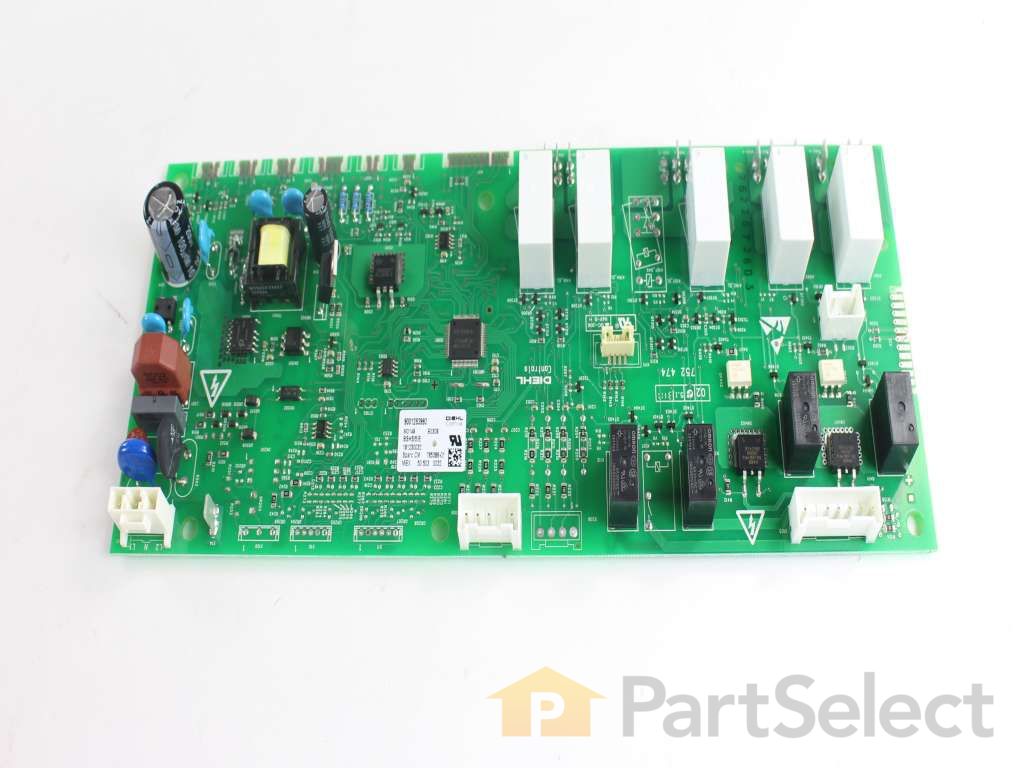

See part 204 in the diagram
( Grid squares measure 1x1 inch )



Get in touch, we're here to help!
1-866-883-8386
Monday to Saturday
8am - 8pm EST
Troubleshooting
This part works with the following products:
Wall Oven, Microwave Oven Combo.
This part works with the following products:
Bosch.
Part# 11020741 replaces these:
00758977, 12004193, 12006844, 12007637, 758977
Customer Reviews
Filter By Rating:
- < Prev
- 1
- Next >
Sort by:
Search filter:
Clear Filter
Your search term must have 3 or more characters.
Keep searches simple. Use keywords, e.g. "leaking", "pump", "broken" or "fit".
Sorry, we couldn't find any existing reviews that matched. Try using some different or simpler keywords.
Ben M - January 27, 2023
Verified Purchase
Worked like a charm
The part was exactly what I needed and with some help from a video on YouTube, I was able to make the repair to my Bosch oven without hiring a professional.
- < Prev
- 1
- Next >
Customer Repair Stories
Average Repair Rating: 3.3 / 5.0, 1 reviews.
What's this?
- < Prev
- 1
- Next >
Sort by:
Search filter:
Clear Filter
Your search term must have 3 or more characters.
Keep searches simple. Use keywords, e.g. "leaking", "pump", "broken" or "fit".
Sorry, we couldn't find any existing installation instruction that matched.
Tree fell on power line and had a power surge. Oven would not power on after..
I figured it was the control module but ordered the display module also in case they were both fried.
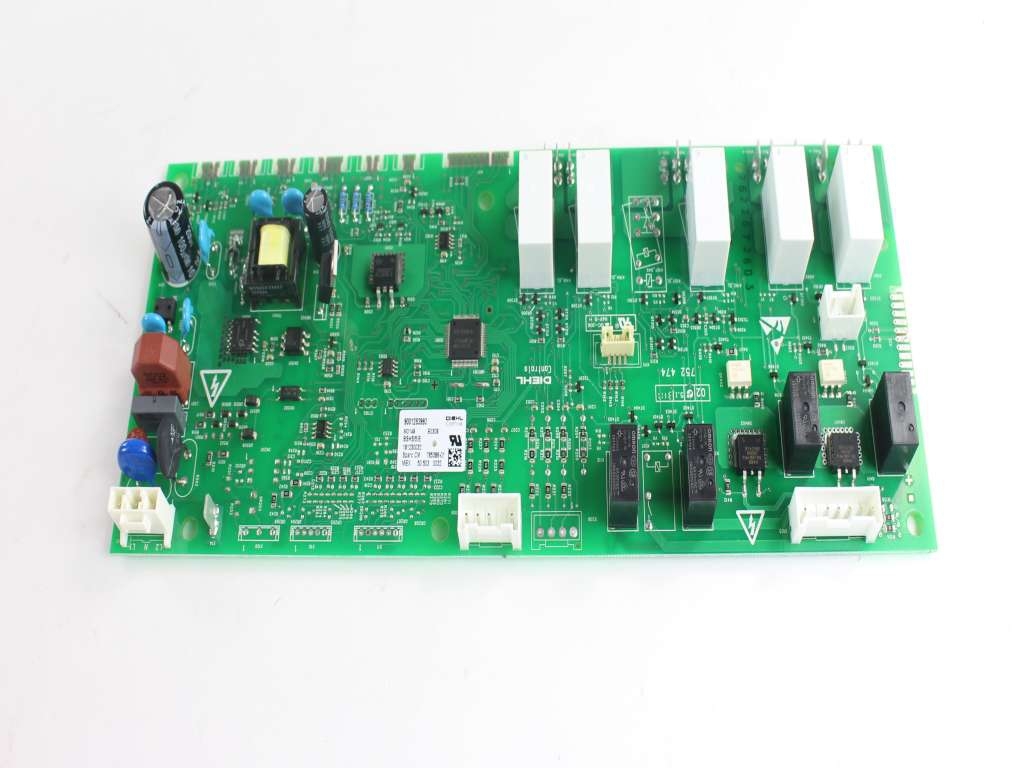
Installation is fairly straight forward. Turn off power at breaker. Pull oven out enough to access the top. There are six to eight Torx screws that hold the metal top cover in place. Once the cover was removed the control module is easily accessible. Just remove all the connectors on the board, (Note the Position of the connectors so you can replace on the new board.).
On my control board there were plastic standoffs would not come off without breaking them at the control board level. I used a pair of pliers and carefully broke the plastic ring that held them on the board. Ithen put the screws through the board and screwed into the standoffs until the end of the screw reached the end of the standoff. I did this to all the standoffs. Then I slid the new module in place and aligned the standoffs and tightened board down. After that I reinserted all the connectors, replaced metal cover, turned the breaker on and voila, a working oven again.
Installation is fairly straight forward. Turn off power at breaker. Pull oven out enough to access the top. There are six to eight Torx screws that hold the metal top cover in place. Once the cover was removed the control module is easily accessible. Just remove all the connectors on the board, (Note the Position of the connectors so you can replace on the new board.).
On my control board there were plastic standoffs would not come off without breaking them at the control board level. I used a pair of pliers and carefully broke the plastic ring that held them on the board. Ithen put the screws through the board and screwed into the standoffs until the end of the screw reached the end of the standoff. I did this to all the standoffs. Then I slid the new module in place and aligned the standoffs and tightened board down. After that I reinserted all the connectors, replaced metal cover, turned the breaker on and voila, a working oven again.
Other Parts Used:
-
John from JEFFERSONVLLE, IN
-
Difficulty Level:Easy
-
Total Repair Time:30 - 60 mins
-
Tools:Pliers, Screw drivers
1 person
found this instruction helpful.
Was this instruction helpful to you?
Thank you for voting!
- < Prev
- 1
- Next >
Questions and Answers
We're sorry, but our Q&A experts are temporarily unavailable.
Please check back later if you still haven't found the answer you need.
Related Parts

$73.91
In Stock
SENSOR
$73.91
PartSelect Number: PS10057828
This genuine temperature sensor ensures precise heat regulation inside your oven for consistent cooking results and improved safety. Designed to measure the oven cavity temperature, it communicates with the control board... 
$27.28
In Stock
Produce Preserver Filter
$27.28
PartSelect Number: PS3503014
Fresh Flow Produce Preserver is made for your refrigerator to help keep produce fresh for longer by absorbing the chemical, ethylene, that causes your fruits and vegetables to ripen quicker. Your produce could be fresh f... 
$25.31
In Stock
Affresh Washing Machine Cleaner - 3 pack
$25.31
PartSelect Number: PS1960673
Having a problem with a funky-smelling washing machine, or one that just doesnt seem to clean your clothes as well as it used to? Say hello to the Affresh Washing Machine Cleaner by Whirlpool. This powerful washing helpe... 
$21.95
In Stock
Affresh Dishwasher Cleaner Tablets - 6
$21.95
PartSelect Number: PS12345667
Affresh dishwasher Cleaner is specially formulated to help remove limescale and mineral build-up that can be unsightly and could affect your dishwasher's performance. Each tablet is designed to clean inside your machine ... 
$37.89
In Stock
Refrigerator Deodorizer
$37.89
PartSelect Number: PS12739141
Refrigerator deodorizers help to reduce bacteria growth and therefore reduce smells and extend the life of food. 
$32.93
In Stock
Cooktop Cleaning Cream
$32.93
PartSelect Number: PS12717774
Make your cooktop shine with Frigidaire ReadyClean Glass and Ceramic Cleaner. Our scratch-free, streak-free formula removes smudges, grease, burnt-on food, dirt and oil, while protecting and polishing to repel dust and d... 
$35.68
In Stock
Model Cross Reference
This part works with the following models:
PartSelect Number: PS12367425
Manufacturer Part Number: 11020741
Manufacturer Part Number: 11020741
Brand
Model Number
Description
Get in touch, we're here to help!
1-866-883-8386
Monday to Saturday
8am - 8pm EST