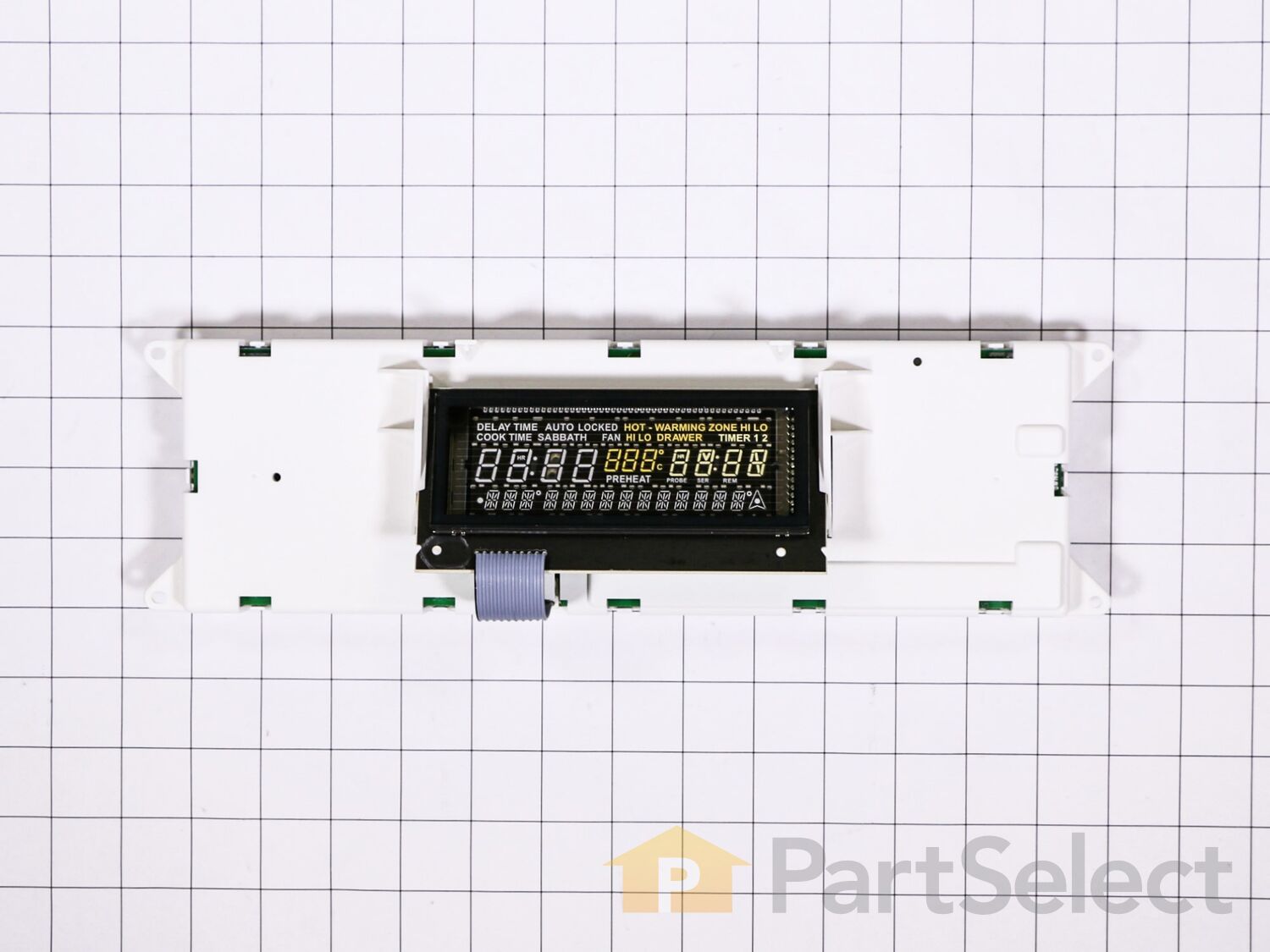
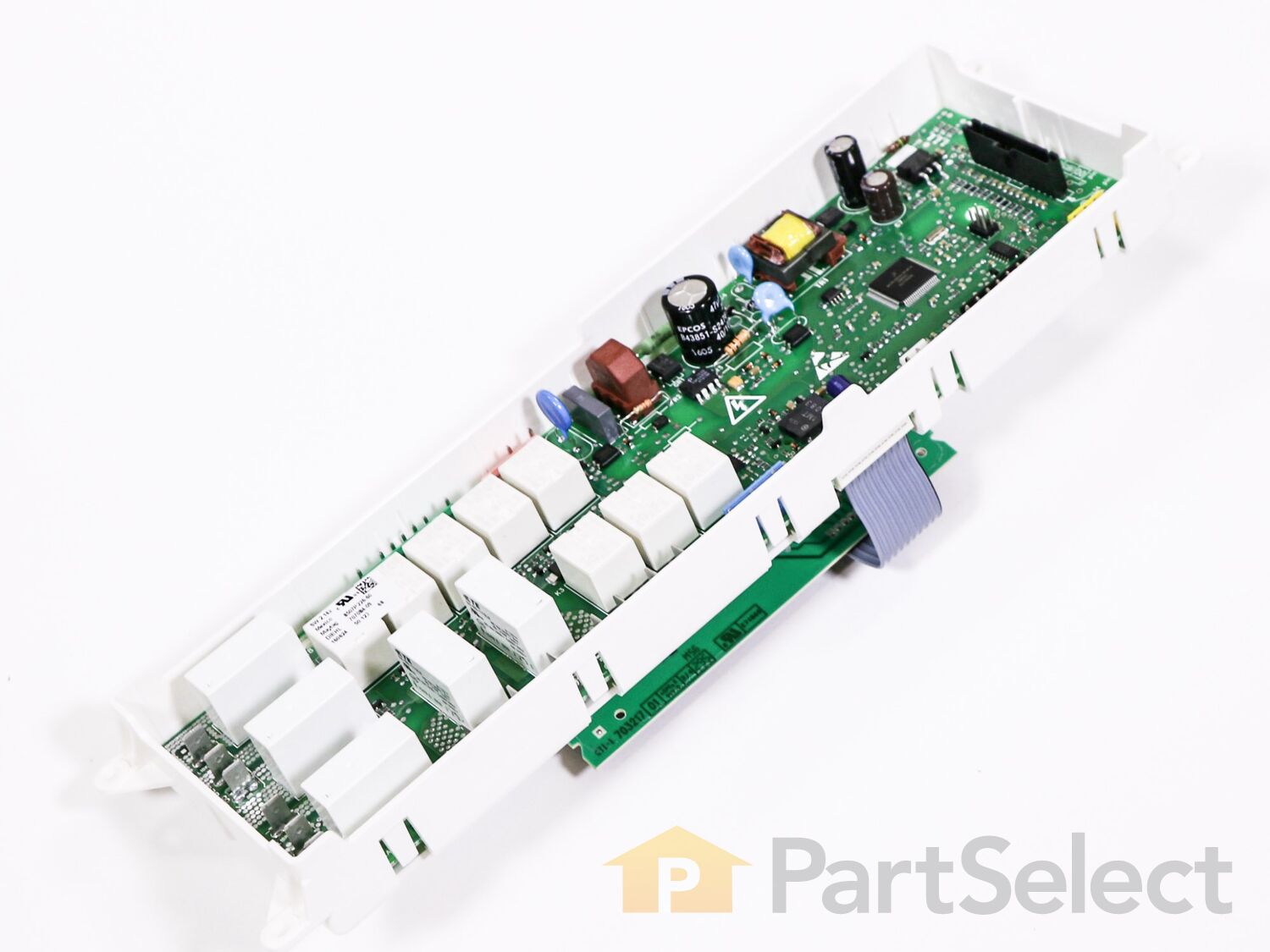
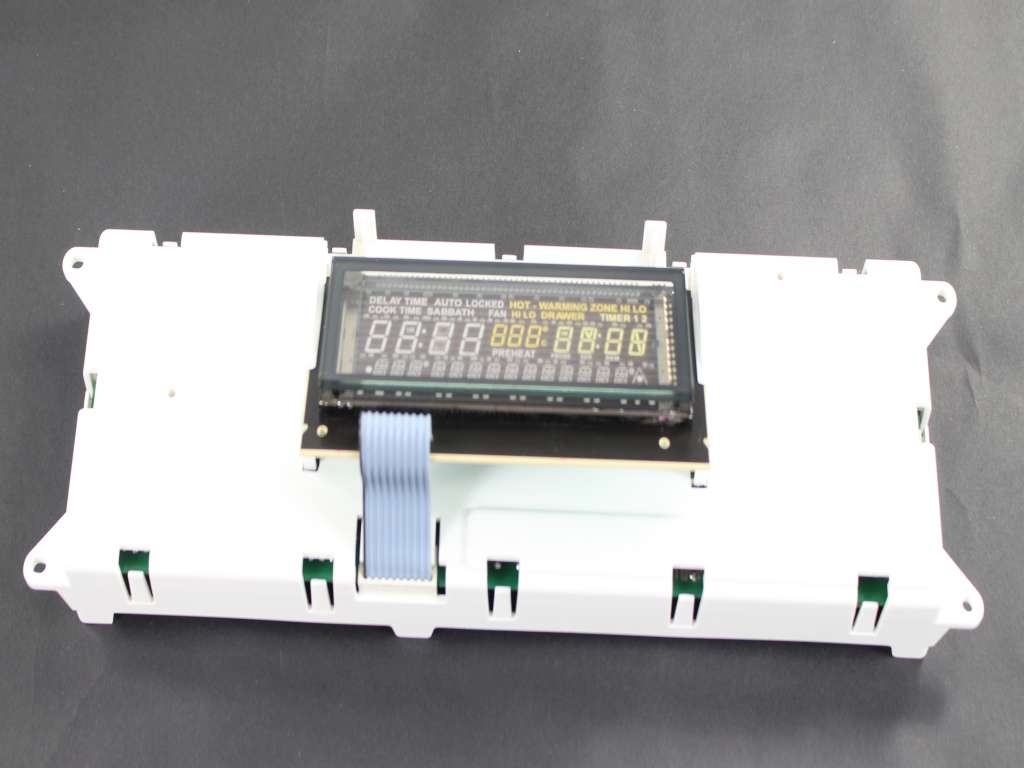
Does your stove, oven, or range need a fix? Our Whirlpool Electronic Clock Control Board might just be the solution you're looking for. This genuine, high-quality part is crafted to withstand regular use and perform optimally for your daily cooking needs. It's a vital component of your appliance that helps ensure everything runs like clockwork'quite literally. This part has been meticulously engineered by Whirlpool to fit a wide range of cooking appliances, showcasing its immense versatility. However, to enjoy the best results, do make sure it's the right fit for your specific model. Some appliances might require a slight tweak in size or shape, so it's worth checking before making the purchase. When you choose our Electronic Clock Control Board, you're choosing not just a replacement part but a promise. A promise of reliability, performance, and a trouble-free cooking experience. Thanks to Whirlpool's commitment to excellence, you'll have your appliance working like new in no time. Remember, keeping your appliance in peak condition is essential to enjoying your culinary journey'an efficient kitchen is a happy kitchen. Trust in Whirlpool and let's get your kitchen back in tip-top shape!
Average Repair Rating: 2.8 / 5.0, 1 reviews.
What's this?
< Prev
1
Next >
Sort by:
Search filter:
Clear Filter
Your search term must have 3 or more characters.
Keep searches simple. Use keywords, e.g. "leaking", "pump", "broken" or "fit".
Sorry, we couldn't find any existing installation instruction that matched.
While preheating the oven would often shut off. After manually restarting preheat again, the temperature would slowly rise until it shut off again. After several restarts the oven came to the desired temperature. It would hold that temperature. Other functions seemed to work fine. I could either fix
Shut off power to the range at the circuit breaker. Remove 2 Phillips screws at either end of the front panel on the L and R side. Open the oven door and remove 4 hex head screws under the panel. Lift up the panel and pull it forward gently. It slips out and hangs on all the wires connecting it to the stove. Unscrew the 4 Phillips screws holding the control panel frame in place. Take pictures of the back of the control board that show clearly the position of the 11 plugs inserted in the board. Gently remove each of the plugs either by pinching open the connector or simply wiggling it out. Insert each plug into the new control panel. This is relatively easy, since the plugs are color coded, differently shaped, and held in the correct position by their wires. Nevertheless after finishing check compliance with the pictures you took. Screw the new panel in place with the 4 Phillips screws. Reinstall the panel, turn on the power, and reset the clock.
Other Parts Used:
Dennis from DURHAM, NH
Difficulty Level:
A Bit Difficult
Total Repair Time:
30 - 60 mins
Tools:
Screw drivers, Socket set
1 personfound this instruction helpful.
Was this instruction helpful to you?
Thank you for voting!
< Prev
1
Next >
Questions and Answers
We're sorry, but our Q&A experts are temporarily unavailable.
Please check back later if you still haven't found the answer you need.
5 questions answered by our experts.
< Prev
1
Next >
Sort by:
Search filter:
Clear Filter
Your search term must have 3 or more characters.
Keep searches simple. Use keywords, e.g. "leaking", "pump", "broken" or "fit".
Sorry, we couldn't find any existing answers that matched.Try using some different or simpler keywords, or submit your new question by using the "Ask a Question" button above!
Daniela
September 24, 2019
The clock works but the control buttons for the over are not functioning
For model number JES8850BCS
Hello Daniela, Thank you for the question. If none of the buttons work, normally this means the board PartSelect Number PS11745977 is defective and will need to be replaced. You can check to make sure the harness from the touch pad to the board is not damaged and securely attached. Hope this helps!
3 people found this helpful.
Was this helpful?
Thank you for voting!
Dean
January 16, 2024
My Jenn Air range bake and broil features does not pre-heat anymore. However, the cooktop does and if I set the oven to rapid pre-heat it does slowly rise in temperature. The elements are fine and the touchpad reponds well. I have been told that I need to replace the control board. I want to confirm that I don't need any other part required to replace and any additional advice that you may have.
For model number JES8860CCS02
Hello Dean, thank you for reaching out. Based on our understanding of the issue, we would suggest checking the temperature sensor, part number PS1570174, before replacing the control board. We hope that helps!
Control panel says power loss. What part or parts do i need to fix?
For model number JES8850BAS
Good Day Bill. Thank you for your question in regards to your unit (Model Number JES8850BAS). Based on our research the part you may need to replace is PartSelect Number PS1570174. You can order this part either online at our website www.PartSelect.com or by calling us by phone at 888-260-4310. Best Regards.
1 person found this helpful.
Was this helpful?
Thank you for voting!
Sean
January 23, 2019
Oven does not heat in bake mode. Ohmed out both coils both are good. Got 220v to top coil when tested. Got 64v to lower coil when tested. Getting mixed info on websites. Some say control board. Some say control panel. Can you help? Thank you. Sean.
For model number JES8850CAS01
Hello Sean, Thank you for the question. It would be the control board,Part Number: PS11745977. The panel is just the front plastic panel that sits in front of the controls. Thank you for your inquiry, good luck with this repair!
Was this helpful?
Thank you for voting!
Jim
February 2, 2025
When I turn the oven on it preheats and then shuts off by itself. I reset the breaker and it will start to heat again only to shutoff by itself again. I can leave the power on and the clock display comes on and off by itself all day. I think it may be the circuit board. Any ideas?
For model number JES8850CAS01
Hello Jim, thank you for your question. Yes, it is an issue with the Electronic Clock Control Board PS11745977. Shut off power to the range at the circuit breaker. Remove 2 Phillips screws at either end of the front panel on the L and R side. Open the oven door and remove 4 hex head screws under the panel. Lift up the panel and pull it forward gently. It slips out and hangs on all the wires connecting it to the stove. Unscrew the 4 Phillips screws holding the control panel frame in place. Take pictures of the back of the control board that show clearly the position of the 11 plugs inserted in the board. Gently remove each of the plugs either by pinching open the connector or simply wiggling it out. Insert each plug into the new control panel. This is relatively easy, since the plugs are color coded, differently shaped, and held in the correct position by their wires. Nevertheless after finishing check compliance with the pictures you took. Screw the new panel in place with the 4 Phillips screws. Reinstall the panel, turn on the power, and reset the clock. We hope this helps.
Fresh Flow Produce Preserver is made for your refrigerator to help keep produce fresh for longer by absorbing the chemical, ethylene, that causes your fruits and vegetables to ripen quicker. Your produce could be fresh f...
Having a problem with a funky-smelling washing machine, or one that just doesnt seem to clean your clothes as well as it used to? Say hello to the Affresh Washing Machine Cleaner by Whirlpool. This powerful washing helpe...
Affresh dishwasher Cleaner is specially formulated to help remove limescale and mineral build-up that can be unsightly and could affect your dishwasher's performance. Each tablet is designed to clean inside your machine ...
Make your cooktop shine with Frigidaire ReadyClean Glass and Ceramic Cleaner. Our scratch-free, streak-free formula removes smudges, grease, burnt-on food, dirt and oil, while protecting and polishing to repel dust and d...
[{"position":0,"name":"Home","title":"Home","url":"/"},{"position":1,"name":"Circuit Board or Touch Pad","title":"Circuit Board or Touch Pad","url":"/Range-Circuit-Boards-and-Touch-Pads.htm"},{"position":2,"name":"WP8507P226-60","title":"WP8507P226-60","url":""}]