
























Get in touch, we're here to help!
1-866-883-8386
Monday to Saturday
8am - 8pm EST
Product Description
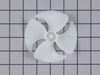
Evaporator Fan Motor - 115V 60Hz - Blade NOT Included Specifications
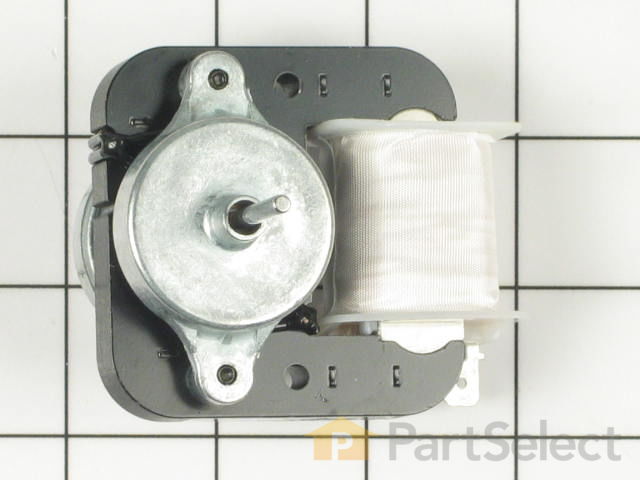
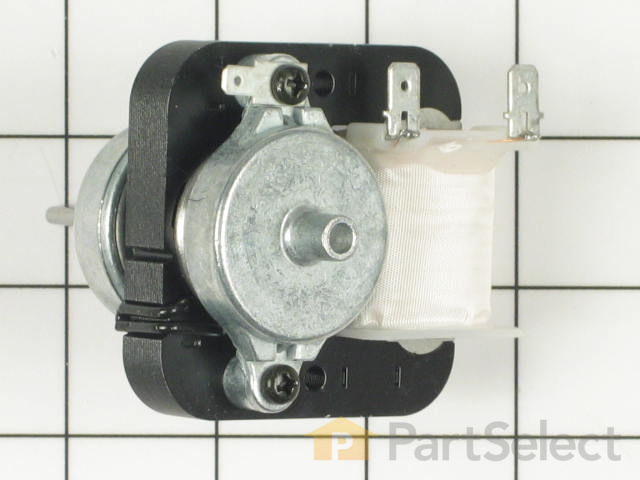
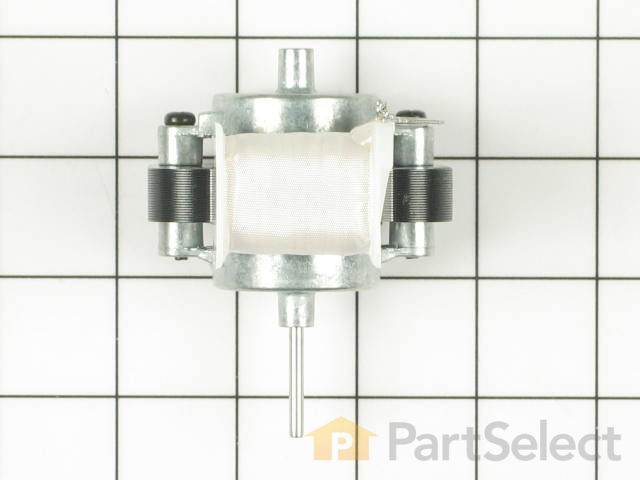
This evaporator fan motor assembly is just over three inches long. It is made of both metal and plastic, and is made up of black, white, and metalllic pieces.

How Buying OEM Parts Can Save You Time and Money
Part Videos
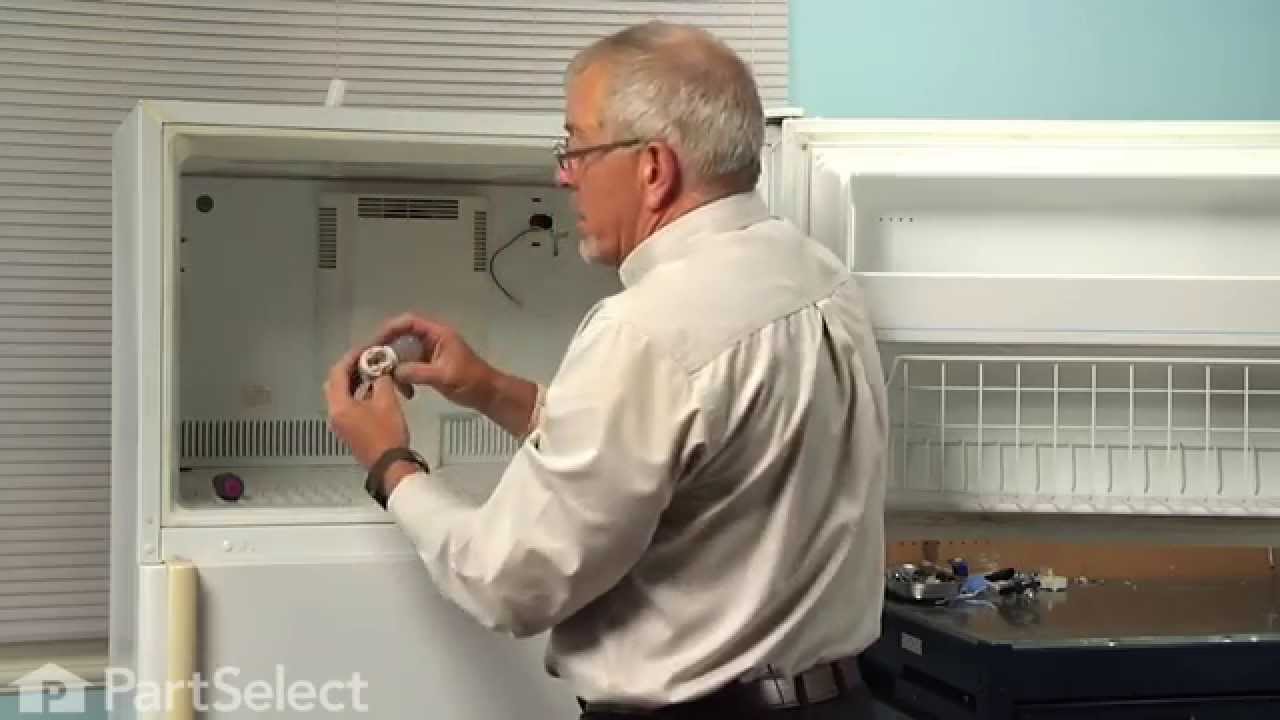
Replacing your Admiral Refrigerator Evaporator Fan Motor - 115V 60Hz - Blade NOT Included
Troubleshooting
This part fixes the following symptoms:
Fridge too warm | Noisy | Freezer section too warm
This part works with the following products:
Refrigerator, Freezer.
This part works with the following products:
Admiral, Magic Chef, Maytag, Crosley.
Part# WP61004888 replaces these:
AP6010038, 045563-01, 29708, 29708-1, 53706-1, 53706-2, 54482-1, 54482-10, 54482-2, 54482-3, 54482-4, 54482-5, 54482-8, 54482-9, 61001939, 61004888, 69106-1, 69106-4, 69298-1, 69503-1
...
Show more
, RA43990-1, Y04556301
Show less
Customer Reviews
Filter By Rating:
- < Prev
- 1
- Next >
Sort by:
Search filter:
Clear Filter
Your search term must have 3 or more characters.
Keep searches simple. Use keywords, e.g. "leaking", "pump", "broken" or "fit".
Sorry, we couldn't find any existing reviews that matched. Try using some different or simpler keywords.
Garry L - July 17, 2019
Verified Purchase
Easiest repair I ever performed
So easy to identify the part I needed and how to install it. It arrived the next day and I had it installed within half an hour.
- < Prev
- 1
- Next >
Customer Repair Stories
Average Repair Rating: 3.4 / 5.0, 5 reviews.
What's this?
- < Prev
- 1
- Next >
Sort by:
Search filter:
Clear Filter
Your search term must have 3 or more characters.
Keep searches simple. Use keywords, e.g. "leaking", "pump", "broken" or "fit".
Sorry, we couldn't find any existing installation instruction that matched.
Side by side refer. Refer side not cooling enough
Fan motor was blowing air and was confusing but replaced motor and found that it was not blowing enough. It took two screws in the freezer side to expose the evaporator and it's fan. The fan slides out after disconnecting three wire plug ins and then the motor can be swapped.
Other Parts Used:

-
Robert from Brunswick, GA
-
Difficulty Level:Easy
-
Total Repair Time:15 - 30 mins
-
Tools:Nutdriver, Screw drivers
28 of 42 people
found this instruction helpful.
Was this instruction helpful to you?
Thank you for voting!
Fan Motor making screaming noise
First I unplugged the refrigerator, then next I removed the (4) screws holding in the inside back panel section of the freezer covering the cooling coils, the fan motor is attached to the removable panel.
I then unplugged the wiring harness to the fan motor which allows you to completely remove the freezer inside panel in order to replace the fan motor on a counter top or benchtop.
I removed the (3) spade terminal wiring from the fan motor and the nuts holding the motor on the frame. I then replaced the fan motor and blade the same way I had removed the old one, and then reattached the wiring terminals on the same terminals as the existing motor, making sure that black, red, and green do not get mixed up. I placed the rear panel back inside freezer and plugged in the wiring harness, fit panel back to original position and reinstalled the (4) panel screws. I once again plugged in the refrigerator and restored power. Everything is working fine.
I then unplugged the wiring harness to the fan motor which allows you to completely remove the freezer inside panel in order to replace the fan motor on a counter top or benchtop.
I removed the (3) spade terminal wiring from the fan motor and the nuts holding the motor on the frame. I then replaced the fan motor and blade the same way I had removed the old one, and then reattached the wiring terminals on the same terminals as the existing motor, making sure that black, red, and green do not get mixed up. I placed the rear panel back inside freezer and plugged in the wiring harness, fit panel back to original position and reinstalled the (4) panel screws. I once again plugged in the refrigerator and restored power. Everything is working fine.
Other Parts Used:
-
Daniel from Auburn, CA
-
Difficulty Level:Easy
-
Total Repair Time:15 - 30 mins
-
Tools:Nutdriver, Screw drivers, Wrench (Adjustable)
17 of 25 people
found this instruction helpful.
Was this instruction helpful to you?
Thank you for voting!
noisy fan motor, fridge & freezer not holding temp
I took off the ice maker, disconected the wiring, took out the back of the freezer and took out the fan motor. Harder than I thought because of all the wiring back there, light, fan assembly etc. After that it was easy, took out the old motor & installed the new one. Runs much quieter now, and the fridge & freezer are much colder.
I did this for less than the price of a service call by a repair shop.
I did this for less than the price of a service call by a repair shop.
Other Parts Used:
-
Paul from Joshua Tree, CA
-
Difficulty Level:Difficult
-
Total Repair Time:30 - 60 mins
-
Tools:Nutdriver, Pliers, Screw drivers
13 of 18 people
found this instruction helpful.
Was this instruction helpful to you?
Thank you for voting!
evaporator fan was noisy
First I unplugged the refrigerator. Next item was the ice-maker; remove (3) screws and unplug it from the back wall. Third task is remove the (4) screws that attach the back wall of the freezer compartment. Lift the wall up enough to dislodge the center cooling shaft that the fan rides in and remove the rear wall. The last item is the fan motor which is attached to the freezer wall by (2) screws and (3) wires which are easily removed. Change out the motor and reassemble freezer compartment .
Other Parts Used:
-
Dwayne from Gastonia, NC
-
Difficulty Level:Easy
-
Total Repair Time:15 - 30 mins
-
Tools:Nutdriver
6 of 11 people
found this instruction helpful.
Was this instruction helpful to you?
Thank you for voting!
motor wore out making loud noise
unplug the refrigator, remove everything from
frezer compartment. remove ice maker three screws and un plug. remove rear panel 4 screws
remove motor bracket from rear panel 4 screws
unplug motor . replace motor and reasemble in
reverse order. the new motor is very quiet.
frezer compartment. remove ice maker three screws and un plug. remove rear panel 4 screws
remove motor bracket from rear panel 4 screws
unplug motor . replace motor and reasemble in
reverse order. the new motor is very quiet.
Other Parts Used:
-
James from Bel Air, MD
-
Difficulty Level:Easy
-
Total Repair Time:30 - 60 mins
-
Tools:Nutdriver, Pliers, Screw drivers
5 of 14 people
found this instruction helpful.
Was this instruction helpful to you?
Thank you for voting!
- < Prev
- 1
- Next >
Questions and Answers
We're sorry, but our Q&A experts are temporarily unavailable.
Please check back later if you still haven't found the answer you need.
Related Parts

$27.28
In Stock
Produce Preserver Filter
$27.28
PartSelect Number: PS3503014
Fresh Flow Produce Preserver is made for your refrigerator to help keep produce fresh for longer by absorbing the chemical, ethylene, that causes your fruits and vegetables to ripen quicker. Your produce could be fresh f... 
$25.31
In Stock
Affresh Washing Machine Cleaner - 3 pack
$25.31
PartSelect Number: PS1960673
Having a problem with a funky-smelling washing machine, or one that just doesnt seem to clean your clothes as well as it used to? Say hello to the Affresh Washing Machine Cleaner by Whirlpool. This powerful washing helpe... 
$21.95
In Stock
Affresh Dishwasher Cleaner Tablets - 6
$21.95
PartSelect Number: PS12345667
Affresh dishwasher Cleaner is specially formulated to help remove limescale and mineral build-up that can be unsightly and could affect your dishwasher's performance. Each tablet is designed to clean inside your machine ... 
$37.89
In Stock
Refrigerator Deodorizer
$37.89
PartSelect Number: PS12739141
Refrigerator deodorizers help to reduce bacteria growth and therefore reduce smells and extend the life of food. 
$32.93
In Stock
Cooktop Cleaning Cream
$32.93
PartSelect Number: PS12717774
Make your cooktop shine with Frigidaire ReadyClean Glass and Ceramic Cleaner. Our scratch-free, streak-free formula removes smudges, grease, burnt-on food, dirt and oil, while protecting and polishing to repel dust and d... 
$35.68
In Stock
Model Cross Reference
This part works with the following models:
PartSelect Number: PS11743214
Manufacturer Part Number: WP61004888
Manufacturer Part Number: WP61004888
Brand
Model Number
Description
Get in touch, we're here to help!
1-866-883-8386
Monday to Saturday
8am - 8pm EST