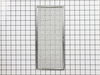
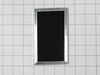
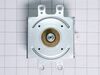
This Grease Filter is constructed of Acrylonitrile Butadiene Styrene and is used to trap grease and help eliminate odors from the exhaust air while cooking. It attaches onto the exhaust and is rated ...
$44.92
In Stock
Order within the next 8 hrs and your part ships today!
This charcoal odor filter is used in recirculating over-the-range microwave hoods to help reduce cooking odors and capture grease. Replacing the filter regularly helps maintain effective airflow and k...
$29.19
In Stock
Order within the next 8 hrs and your part ships today!
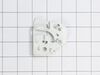
If your microwave won’t start or seems to run with the door slightly open, this top interlock support might be the issue. It helps make sure the door is fully closed before the microwave turns on, whi...
$30.13
In Stock
Order within the next 8 hrs and your part ships today!
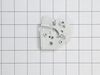
Got a broken microwave? Let's get it back to working order with this Interlock Cam Plate. It's a solid, reliable piece from the respected Whirlpool brand. This Cam Plate, specifically designed for cer...
$23.89
In Stock
Order within the next 8 hrs and your part ships today!
Questions And Answers for YWMH31017HS09
Be the first to ask our experts a question about this model!
✖
Ask a Question
Ask our experts a question on this model and we'll respond as soon as we can.
This was an over-the-range microwave/hood, so the replacement parts were significantly cheaper than buying a new unit.
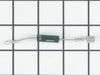
Take microwave down (really a two-person job). Remove microwave cover (about 20 philips screws), discharge HV capacitor by shorting terminals to microwave case. Take photos before pulling anything apart. Remove plastic ducting covering part of the magnetron (3 philips screws). Remove old magnetron (4 Torx screws), need to disconnect small thermostat on side (2 philips screws) and replace with new magnetron. Replace HV diode (screw on one end, other end simply plugged into capacitor terminal). Put everything back together and it works fine.
Unless you have a very comfortable background with electronics and electricity, I don't necessarily recommend taking apart a microwave. If you are very handy and are going to be VERY cautious to follow the rules of discharging caps and testing voltages before moving forward, then go for it. That said, I took the microwave off and apart. Not knowing where to find the parts, I was fortunate that the installer put the instruction book for the microwave inside the front vent slot above the touchpad for reference. it details the location of every part and it tells you very clearly what each part you test should show specific to this microwave on your multimeter. Find this guide online if you don't have it. Turn on the microwave for 20 seconds with a glass of water to make sure it's not heating - that with the noise means it's eeither the magnetron, cap, or diode. Read the notes on this site for all of the basic things to look for with the magnetron, diode, and capacitor. Once comfortable with the guide, locations of those devices, and how to test, then take it down and apart. Unfortunately, I didn't do all those things in that order, and it only wasted a lot of time trying to find the parts. Once I found the parts and put all the screws and covers back for all the areas that didn't need to be accessed for the repair, testing went quickly. The diode was bad. Ordered a new one and had it in 3 days or so. That means your microwave will be apart and sitting somewhere for a little while until you get the part and have time to repair it. Putting the diode back isn't too bad. Reassemble the microwave and put it back up again. If i had to do it again, it would take me 20 to 30 minutes once the microwave was down and on a table. Also, I used some bricks with towels over them or you could use some sawhorses to keep the microwave elevated so you can plug it in and run it after installing the new component. Again, make sure you discharge the cap before touching anything again even if you didn't run it, but just plugged it in.
I turn off the income electricity by shutting down the corresponding circuit breaker. Then, I removed the control panel from the microwave which gave me access to the capacitor and adjacent diode. After that i unscrewed the defective diode and replaced it with the new one and BINGO!