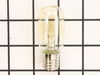
This ceramic microwave fuse is just over an inch in length. It is white in the center, and metal on both ends. This is a 20-amp fuse, and is used to power your microwave. If the touch pad on the micro...
If your microwave won’t start even though the door is shut, this switch might be the reason. It helps your microwave know the door is closed so it can run safely. This genuine part is easy to install ...
Looking for a reliable solution to ensure your microwave works safely and efficiently again? The GE Microwave Thermostat is what you need. It plays a crucial role in preventing any overheating, which ...
This diode cable is a replacement electrical component designed to regulate current flow within an appliance circuit. It helps protect sensitive components and is commonly replaced when electrical fau...
This capacitor delivers the electrical boost required for motors to start and operate efficiently. Proper capacitance reduces strain on motor components and helps prevent startup failures or inconsist...
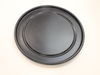
Here's a reliable solution when you need to get your microwave working as good as new ? the GE Advantium Metal Tray. At the heart of your microwave, this tray works tirelessly to rotate your food, del...
This range ceramic light lens covers and protects the interior light bulb, allowing clear illumination of the cooking area while shielding the bulb from heat and debris. Made from durable, heat-resist...
No Longer Available
Questions And Answers for SCB2001KSS02
Ask our experts a question about this model and we'll get back to you as soon as possible!
2 questions answered by our experts.
< Prev
1
Next >
Sort by:
Search filter:
Clear Filter
Your search term must have 3 or more characters.
Keep searches simple. Use keywords, e.g. "leaking", "pump", "broken" or "fit".
Sorry, we couldn't find any existing answers that matched.Try using some different or simpler keywords, or submit your new question by using the "Ask a Question" button above!
Greg
December 17, 2019
How does one access the display circuit board for replacement? I found 2 screws behind the top of the control panel but it seems to be attached on the bottom also, behind or above the black vent, but it isn't obvious how the vent panel is attached.
For model number SCB2001KSS02
Hello Greg and thanks for writing.
use a Phillips head screwdriver to
unthread the two mounting screws
securing the grill with the screws
unthreaded open the oven door then slide
the grill to the left and lift it up to
remove next remove the control panel
mounting screw lift the control panel up
to detach note the orientation of the
wires connect it to the control board
then depress the locking tabs if
necessary to disconnect the wires
remove the screws securing the grounding
wire and set the control panel on a
sturdy surface release the ribbon
connector now and thread the mounting
screws securing the main control board
to the housing with the screws removed
lift out the board prepare the new
control panel for installation by
removing all of the protective coverings
make sure the new switch cable is
inserted through the hole in the control
board housing then position the board in
the housing thread the screws to secure
the ribbon connector secured the
grounding wire to the control board
housing reconnect the remaining wires to
the appropriate terminals on the board
now insert the control panel tabs into
the slots in the frame and push the
panel down replace the mounting screw to
secure insert the tabs on the grille
into the slots in the frame and slide
the grille to the right rethread the
mounting screws with the repair
completed plug the power cord back in
and your microwave oven should be ready
for use, We hope this helps. Please contact us anytime.
Was this helpful?
Thank you for voting!
Terri
January 14, 2020
What tool do i need to remove the screw holding the existing wave guide mica cover in place?
For model number SCB2001KSS02
Hi Terri, thank you for your question. You would need a screw driver to remove the screw holding the wave guide in place. Good luck with your repair.
Was this helpful?
Thank you for voting!
< Prev
1
Next >
✖
Ask a Question
Ask our experts a question on this model and we'll respond as soon as we can.
Turned out the issue was easily solved by replacing a single, inexpensive fuse.
First off, UNPLUG THE MICROWAVE.
The fuse is located under the plastic grill at the top of the microwave. It's held on by two screws. Once you've removed the screws and taken off the plastic grill, you go to the right side of the microwave and remove another screw that holds a small metal grill in place. Removing the small metal grill is probably the toughest part of this repair. You kind of have to rock it back and forth a bit to get it to release. Once that's off, you can get to the fuse. I removed the burnt out one with a pair of needle nose pliers. I also put a small piece of cardboard under the fuse when I did this so I didn't accidentally drop it into the innards of the microwave. I did the same thing when I replaced the new fuse. I then plugged the appliance back in and made sure it worked. Once that was confirmed, I replaced both grills.
First I disconnected the power and opened the door. Then I removed the top screws holding the top vent louvers, then removed the screw at the top of the touch pad. The touch pad removes by sliding up slightly then tilting top out. I unscrewed two screws holding the door latch assembly. Press the tab to remove and replace switch. Reconnect wires, reseat latch mount by placing top bracket tab in place first, allign and secure with screws. Reseat touch pad by placing bottom tabs in first, tilt forward and press up to seat top tabs, secure with top screw. Secure vent louver screws, plug in and watch your microwave work again.