




















SCB2000FCC01 General Electric Microwave Oven Combo - Overview
Sections of the SCB2000FCC01
[Viewing 7 of 7]


Manuals & Care Guides for SCB2000FCC01
Click to downloadKeep searches simple, eg. "belt" or "pump".

Microwave Fuse
PartSelect #: PS1481237
Manufacturer #: WB27X10928
This ceramic microwave fuse is just over an inch in length. It is white in the center, and metal on both ends. This is a 20-amp fuse, and is used to power your microwave. If the touch pad on the micro...
$25.31
Special Order
Primary Door Interlock Switch
PartSelect #: PS237015
Manufacturer #: WB24X10047
This interlock switch is located in the door latch.
$54.49
Special Order

Monitor Interlock Switch
PartSelect #: PS11766871
Manufacturer #: WB24X25397
If your microwave won’t start even though the door is shut, this switch might be the reason. It helps your microwave know the door is closed so it can run safely. This genuine part is easy to install ...
No Longer Available
THERMOSTAT
PartSelect #: PS3491479
Manufacturer #: WB20X10048
Looking for a reliable solution to ensure your microwave works safely and efficiently again? The GE Microwave Thermostat is what you need. It plays a crucial role in preventing any overheating, which ...
No Longer Available
Diode Cable
PartSelect #: PS239148
Manufacturer #: WB27X10037
This diode cable is a replacement electrical component designed to regulate current flow within an appliance circuit. It helps protect sensitive components and is commonly replaced when electrical fau...
$50.15
Special Order
Turntable
PartSelect #: PS227932
Manufacturer #: WB06X10219
Also known as rotating ring assembly.
$127.54
Special Order
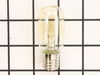
Light Bulb
PartSelect #: PS1481517
Manufacturer #: WB36X10328
Sold individually. Appliance may take 2.
$28.95
Special Order
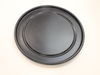
Non-Stick Metal Tray/Pan
PartSelect #: PS5573506
Manufacturer #: WB49X10240
Here's a reliable solution when you need to get your microwave working as good as new ? the GE Advantium Metal Tray. At the heart of your microwave, this tray works tirelessly to rotate your food, del...
No Longer Available

Light Lens Cover
PartSelect #: PS247332
Manufacturer #: WB36X10129
This range ceramic light lens covers and protects the interior light bulb, allowing clear illumination of the cooking area while shielding the bulb from heat and debris. Made from durable, heat-resist...
No Longer Available
Questions And Answers for SCB2000FCC01
We're sorry, but our Q&A experts are temporarily unavailable.
Please check back later if you still haven't found the answer you need.
Common Symptoms of the SCB2000FCC01
[Viewing 5 of 5]Won’t turn on
Fixed by
these parts
these parts


Show All
No heat
Fixed by
these parts
these parts

Show All
Touchpad does not respond
Fixed by
these parts
these parts
Show All
Doesn’t shut off
Fixed by
these parts
these parts

Show All
Tray won’t turn
Fixed by
these parts
these parts


Show All


Keep searches simple. Use keywords, e.g. "leaking", "pump", "broken" or "fit".
Microwave completely stopped working
Turned out the issue was easily solved by replacing a single, inexpensive fuse.
First off, UNPLUG THE MICROWAVE.
The fuse is located under the plastic grill at the top of the microwave. It's held on by two screws. Once you've removed the screws and taken off the plastic grill, you go to the right side of the microwave and remove another screw that holds a small metal grill in place. Removing the small metal grill is probably the toughest part of this repair. You kind of have to rock it back and forth a bit to get it to release. Once that's off, you can get to the fuse. I removed the burnt out one with a pair of needle nose pliers. I also put a small piece of cardboard under the fuse when I did this so I didn't accidentally drop it into the innards of the microwave. I did the same thing when I replaced the new fuse. I then plugged the appliance back in and made sure it worked. Once that was confirmed, I replaced both grills.
First off, UNPLUG THE MICROWAVE.
The fuse is located under the plastic grill at the top of the microwave. It's held on by two screws. Once you've removed the screws and taken off the plastic grill, you go to the right side of the microwave and remove another screw that holds a small metal grill in place. Removing the small metal grill is probably the toughest part of this repair. You kind of have to rock it back and forth a bit to get it to release. Once that's off, you can get to the fuse. I removed the burnt out one with a pair of needle nose pliers. I also put a small piece of cardboard under the fuse when I did this so I didn't accidentally drop it into the innards of the microwave. I did the same thing when I replaced the new fuse. I then plugged the appliance back in and made sure it worked. Once that was confirmed, I replaced both grills.
Parts Used:
-
Kim from Cliffside Park, NJ
-
Difficulty Level:Really Easy
-
Total Repair Time:15 - 30 mins
-
Tools:Screw drivers
965 of 1259 people
found this instruction helpful.
Was this instruction helpful to you?
Thank you for voting!
I diagnosed the problem incorrectly: based on a previous repair.
-
Ralph from Brandon, FL
-
Difficulty Level:Easy
-
Total Repair Time:Less than 15 mins
-
Tools:Pliers, Screw drivers
66 of 139 people
found this instruction helpful.
Was this instruction helpful to you?
Thank you for voting!
Microwave would turn on and count down, but not heating and not rotate turntable. Pressing door up would occasionally start heat.
First I disconnected the power and opened the door. Then I removed the top screws holding the top vent louvers, then removed the screw at the top of the touch pad. The touch pad removes by sliding up slightly then tilting top out. I unscrewed two screws holding the door latch assembly. Press the tab to remove and replace switch. Reconnect wires, reseat latch mount by placing top bracket tab in place first, allign and secure with screws. Reseat touch pad by placing bottom tabs in first, tilt forward and press up to seat top tabs, secure with top screw. Secure vent louver screws, plug in and watch your microwave work again.
Parts Used:
-
Michael from Ridgefield, CT
-
Difficulty Level:Really Easy
-
Total Repair Time:Less than 15 mins
-
Tools:Screw drivers
40 of 67 people
found this instruction helpful.
Was this instruction helpful to you?
Thank you for voting!