




















RA824DD1WW Hotpoint Range - Overview
Sections of the RA824DD1WW
[Viewing 3 of 3]


Manuals & Care Guides for RA824DD1WW
Click to downloadInstall
Installation Instructions
(1.65MB)
Install
Installation Instructions
(0.52MB)
Manual
Owner's Manuals
(0.46MB)
Manual
Owner's Manuals
(6.88MB)
Keep searches simple, eg. "belt" or "pump".
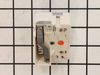
Surface Burner Switch - 8 Inch - 2500W
PartSelect #: PS236750
Manufacturer #: WB24T10025
The 8-inch surface element switch is also known as an infinite heat switch, and is a part for your range. It controls the large surface element. It will turn the element on and off, and allow you to c...
$74.43
Special Order
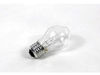
Light Bulb - 40W
PartSelect #: PS217532
Manufacturer #: 40A15
This 40-Watt light bulb is sold individually.
It is specially designed to withstand extreme temperatures, so this bulb is compatible with a variety of appliance types including refrigerators, ranges,...
$19.10
Special Order
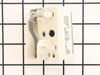
Range Surface Element Control Switch - 6 Inch - 1560 W
PartSelect #: PS236754
Manufacturer #: WB24T10029
If your stove’s burner isn’t heating right—maybe it’s stuck on high or won’t turn on at all—this control switch could be the fix. It’s made for 6-inch burners and lets you adjust the heat smoothly, no...
$69.15
Special Order
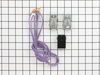
Surface Burner Terminal Block Kit
PartSelect #: PS783534
Manufacturer #: WB17T10006
This kit includes the female contact with wires, terminal block and mounting clip.
$87.90
Special Order
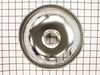
Drip Bowl - 8 Inch
PartSelect #: PS244696
Manufacturer #: WB32X106
This 8-inch chrome drip pan is designed to sit beneath the heating element on electric ranges, serving as a protective barrier that catches spills, drips, and food particles during cooking. Measuring ...
$70.92
Special Order
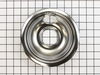
Drip Bowl - 6 Inch
PartSelect #: PS244697
Manufacturer #: WB32X107
This six inch chrome drip bowl is intended for use with rolled terminal style plug in surface element units.
$19.95
Special Order
Indicator Light
PartSelect #: PS237433
Manufacturer #: WB25K10002
Having trouble knowing when your range or oven is on or still hot? The GE OEM Indicator Light is here to restore your kitchen's safety and functionality. Recognized for superb quality, GE brings you t...
$23.95
Special Order
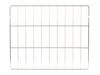
Oven Rack
PartSelect #: PS1155004
Manufacturer #: WB48K10012
This oven rack provides stable support for cookware during baking or roasting. Its heat-resistant construction supports everyday cooking tasks. Replacing a bent or missing rack restores usable oven space.
$133.64
Special Order

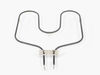
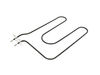
Bake Element
PartSelect #: PS1021507
Manufacturer #: WB44K10019
Need a hand to get your GE range oven up and running again? Look no further than our GE Baking Element. Located at the heart of your oven, this essential part produces the heat for all your favorite b...
$242.72
Special Order

Heater Thermostat
PartSelect #: PS1017923
Manufacturer #: WB20K10019
Ready to get your oven back to top-notch performance? We present to you the GE Thermostat Top Heat, a vital part for your oven range. Here's why it's a game-changer. This oven control thermostat exp...
$236.25
Special Order
Questions And Answers for RA824DD1WW
We're sorry, but our Q&A experts are temporarily unavailable.
Please check back later if you still haven't found the answer you need.
Common Symptoms of the RA824DD1WW
[Viewing 3 of 3]Element will not heat
Fixed by
these parts
these parts


Show All
Will Not Start
Fixed by
these parts
these parts
Show All
Oven is too hot
Fixed by
these parts
these parts
Show All

Keep searches simple. Use keywords, e.g. "leaking", "pump", "broken" or "fit".
The switches failed on both front burners.
Remove nobs from both switches.
Pull out the range (the hardest part).
REMOVE THE POWER PLUG FROM THE WALL
Remove 7 screws with nut driver and take off upper back panel.
Remove 2 phillips screws from front, they hold the switch brackets.
The new switches don't fit in the bracket so discard the bracket keeping the screws.
Removing 1 wire at a time from the old switch transfer to the new noting the letter/number ie "H1 P1" combos they are all there just not in the same places on the new switch.
When wiring is complete, using the bracket ,screws from the front screw on the switches.
Replace the back panel with 7 screws.
In my case the old nobs did not fit the shafts of the new switches. I found some at the local hardware store. I bought 4 for $0.29 each! I expect to be replacing the other burner switches shortly.
Pull out the range (the hardest part).
REMOVE THE POWER PLUG FROM THE WALL
Remove 7 screws with nut driver and take off upper back panel.
Remove 2 phillips screws from front, they hold the switch brackets.
The new switches don't fit in the bracket so discard the bracket keeping the screws.
Removing 1 wire at a time from the old switch transfer to the new noting the letter/number ie "H1 P1" combos they are all there just not in the same places on the new switch.
When wiring is complete, using the bracket ,screws from the front screw on the switches.
Replace the back panel with 7 screws.
In my case the old nobs did not fit the shafts of the new switches. I found some at the local hardware store. I bought 4 for $0.29 each! I expect to be replacing the other burner switches shortly.
Parts Used:
-
Marc from Columbia, NJ
-
Difficulty Level:Easy
-
Total Repair Time:15 - 30 mins
-
Tools:Nutdriver, Screw drivers
97 of 107 people
found this instruction helpful.
Was this instruction helpful to you?
Thank you for voting!
burner was shorting out
unplugged unit pulled it away from wall took off the backplates traced wire to plug replaced with part ordered very smooth operation. the most impressive thing to me was i ordered part on computer and it was at my door in 30 hours awesome.
Parts Used:
-
douglas from louisville, KY
-
Difficulty Level:Really Easy
-
Total Repair Time:30 - 60 mins
-
Tools:Nutdriver
47 of 49 people
found this instruction helpful.
Was this instruction helpful to you?
Thank you for voting!
Burner was constantly at high heat
I removed the rear cover from the stove then removed the knob and two screws on the front panel that hold the control in place. I then took the wires off the old control one at a time and placed them on the new control. Then I placed the control in position and tightened the two screws on the front panel, replaced the knob and screwed the back panel in place.
Parts Used:
-
Rick from Avon Park, FL
-
Difficulty Level:Really Easy
-
Total Repair Time:Less than 15 mins
-
Tools:Pliers, Screw drivers
45 of 50 people
found this instruction helpful.
Was this instruction helpful to you?
Thank you for voting!