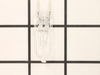
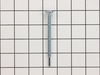
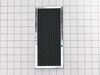
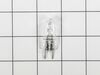
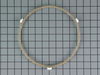
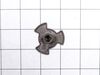
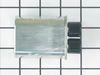
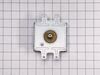
This part is the replacement flat cab mounting bolt for your microwave. The bolt is approximately 4 inches long. It is designed to hold the microwave in place in your cabinet. The main reason to repla...
Struggling with uneven cooking or a stationary microwave tray? It may be time to replace your Turntable Motor Coupler. This is where our GE Turntable Motor Coupler comes in. This handy little componen...
$58.36
Special Order
Questions And Answers for PVM9195BVC01
Ask our experts a question about this model and we'll get back to you as soon as possible!
1 question answered by our experts.
< Prev
1
Next >
Sort by:
Search filter:
Clear Filter
Your search term must have 3 or more characters.
Keep searches simple. Use keywords, e.g. "leaking", "pump", "broken" or "fit".
Sorry, we couldn't find any existing answers that matched.Try using some different or simpler keywords, or submit your new question by using the "Ask a Question" button above!
Dave
March 26, 2025
It just started humming when I close the door, and quits when door is opened
What do you suggest
For model number PVM9195BVC01
Hi Dave,
Thank you for your question. If the microwave makes a humming sound when you close the door, we recommend checking the door switches, the diode, and the magnetron for continuity with a multimeter on the Rx1 setting to see which part is causing the noise. Before removing and checking these parts, unplug the microwave from the electrical outlet. Before checking these parts, you will need to release the charge on the capacitor. We have included a link with information on how to remove the charge. When testing the door switches, depress the actuator button and touch the probes to the switch’s terminals. This test should produce a reading of 0, which indicates there is continuity. When testing the magnetron, touch the probes to the terminals, this should produce a reading of two to three ohms. Next, move one probe to touch the metal housing of the magnetron. This test shouldn’t indicate that continuity is present. When testing the diode, touch the probes to the terminals. Next, reverse the probes to check for continuity in the other direction. You should receive a reading that shows continuity in one direction, but not the other direction. If you get any other readings for these parts, they will need to be replaced. We hope this helps!
First I removed the single screw holding the lens assembly in place. Then I lowered the assembly and tilted it until it came out. To remove the existing cracked glass lens there were four tabs bent down on it. By hand I lifted each tab just enough to remove the broken lens. I then replaced the broken lens with the new one and re-bent the tabs down by hand to secure them to the new lens.
The lens assembly, now removed, revealed the cavity that contained the two halogen bulbs. Since they were both burned out for days, they weren't hot so I could pull each one out by hand. The bulbs are secured by two straight heavy gauge wire leads and provided a little resistance but come out fairly easily. Make a mental note of the angle they came out so it will be easier to replace them with new ones.
You're not supposed to touch halogen bulbs with your bare hands, so I used the bubble wrap they came in as a means to hold the bulb while installing it.
Be sure to insert the bulbs at the same angle they came out so the pins do not get bent.
Once both bulbs are in place, replace the lens cover assembly by putting the end opposite where the screw hole goes in first on the right, then swing it up until flush and screw it down.
Turned of f the circuit breaker to the microwave. Unscrewed the cover (1 screw!) popped out the old bulbs and plugged in the new ones, using the bubblewrap as a handle to be sure my skin didn't touch the light bulbs so the oil from my hands didn't damage or shorten the life of the new bulbs. Turned the circuit back on. That's it!
This is the second time that this lamp hase gone out. It is located in a small space in the top of the microwave and you need to remove the top front pannel, then take a screw or two out of a metal shield and bend the shield up to get your hand into the compartment where, if you know how, you can reach in and lift out the reflector shield that the lighbulb is plugged into and remove the old one and plug in the new one. The first time was hard to figure out how to do it but the second time wasn't bad because I knew how to do it.