




















PSB9100SF2SS General Electric Microwave - Instructions
Keep searches simple. Use keywords, e.g. "leaking", "pump", "broken" or "fit".
No power to microwave, no heating.
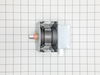
Unpluged power cord!! Removed front control panel to expose electronics (need to remove top horizontal vent cover to expose mounting hardware). Unplugged leads to control panel board. Removed magnetron with Tstat (3- phillip heads, need stubby). Installed new parts and control panel, plugged it in tested. Done.
Parts Used:

-
Michael from Coulterville, CA
-
Difficulty Level:A Bit Difficult
-
Total Repair Time:30 - 60 mins
-
Tools:Screw drivers
48 of 80 people
found this instruction helpful.
Was this instruction helpful to you?
Thank you for voting!
Microwave would not heat food
First and most important - unplug AC power 24 hours before service.
I removed the vent cover above the main door, then I removed the screw which holds the control panel in place, unplugged the main connector on the control panel so I would have enough room to work, removed grounding screw from the DIODE ASSY, pulled connector off the CAPACITOR with pliers, installed new DIODE ASSY.
After installation of DIODE and the control Panel, I plugged in the AC power and allowed the CAPACITOR to charge - this takes about an hour or so, then test. Works perfect!
I removed the vent cover above the main door, then I removed the screw which holds the control panel in place, unplugged the main connector on the control panel so I would have enough room to work, removed grounding screw from the DIODE ASSY, pulled connector off the CAPACITOR with pliers, installed new DIODE ASSY.
After installation of DIODE and the control Panel, I plugged in the AC power and allowed the CAPACITOR to charge - this takes about an hour or so, then test. Works perfect!
Parts Used:
-
Robert from Dayton, NV
-
Difficulty Level:Really Easy
-
Total Repair Time:15 - 30 mins
-
Tools:Pliers, Screw drivers
18 of 25 people
found this instruction helpful.
Was this instruction helpful to you?
Thank you for voting!
Original part was fried
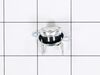
Had to remove microwave from the wall. Then disassemble entire top assembly to get to the part. Easy enough to replace after that. Then just reassemble and reinstall. About 2hrs. total
Parts Used:
-
michelle from virginia beach, VA
-
Difficulty Level:Difficult
-
Total Repair Time:1- 2 hours
-
Tools:Screw drivers
20 of 34 people
found this instruction helpful.
Was this instruction helpful to you?
Thank you for voting!
All power out. No display, not operational
Remove microwave and set on flat surface. Remove all screws on top. Remove all screws around back edge holding top on. Finally remove the screws on botton holding top on and remove top. On left side on top, remove 6 screws holding black channel in place. Also remove 3 screws holding metal top in place. Now lift black channel up and unplug 2 wires on cutout. Replace cutout and reinstall everything in reverse order. Worst part is taking microwave down and reinstalling.
Parts Used:
-
Steven from Gardiner, ME
-
Difficulty Level:A Bit Difficult
-
Total Repair Time:1- 2 hours
-
Tools:Screw drivers
15 of 22 people
found this instruction helpful.
Was this instruction helpful to you?
Thank you for voting!
Oven shut down when TCO (thermostat) detected overheat. Once cutoff, it has to be replaced not reset.
The spacesaver is mounted over the stovetop. I removed the oven, then removed all the screws from the cover. Removed the cover and located the TCO and removed the wiring and the TCO. Ordered the part VIA internet and replaced it . It helps a little that I was Radar tec. and taught Electronics for 10 years and repaired lots of Microwaves. However anyone could do it just watch what you remove and replace in reverse order.
Parts Used:
-
R C from Eglin Air Force Base, FL
-
Difficulty Level:A Bit Difficult
-
Total Repair Time:1- 2 hours
-
Tools:Pliers, Screw drivers, Wrench (Adjustable)
11 of 14 people
found this instruction helpful.
Was this instruction helpful to you?
Thank you for voting!
Lack of power to unit
This is the second time replacing this fuse, last time was exactly one year ago. The first time I replaced it, I removed the oven from the wall & disassembled a number of things to reach the culprit. This time I left the oven mounted & was able to access the 2 grille mounting screws on the top of the grille & remove it. Next comes the black plastic air deflector held by two screws & is mounted in front & on the right, it is shown on the parts list just above part #1434. After removing it, remove the two silver cover screws in the front, this cover also doesn't have a part # but is shown to the right of part #1410. At this point you can lift this cover enough to access the fuse which is on the left & held in place by one tiny screw through the clamp at the top, (careful not to drop it when removing). PS: Don't forget to cut the power to the microwave before starting!
Parts Used:
-
Neil from Williston, VT
-
Difficulty Level:Easy
-
Total Repair Time:15 - 30 mins
-
Tools:Screw drivers
11 of 16 people
found this instruction helpful.
Was this instruction helpful to you?
Thank you for voting!
after 3-4 minutes microwave display would blink and unit would just cut out.
This was the second time I've had to open up the microwave. 1st time display would blank out but system would continue to operate. Found solder connections on board to LED display were defective. Resoldered and unit was fine. This time I found the connection to the oven cavity temp cut-off was bad, plastic connection cover melted. When unit operated bottom lead and wire would heat up. Couldn't measure a Discernable distance so either wire or connector connection surface was not sufficient to carry the current. 1st replaced sensor still wire heated up. Replaced connector and there was no sign how heat from resistances.
Parts Used:
-
Larry from Brookfield, CT
-
Difficulty Level:A Bit Difficult
-
Total Repair Time:30 - 60 mins
-
Tools:Wrench set
12 of 20 people
found this instruction helpful.
Was this instruction helpful to you?
Thank you for voting!
Microwave function not working
1) Removed 4 screws securing the microwave to the cabinet.2) Slid microwave out, unplugged and placed on a work surface that allowed lower trim to hang over. 3a) Removed two screws and removed the cover on top of the oven. 3b) Unplugged high voltage plug from Magnatron. 4) Removed wires from overtemp fuse mounted to Magnatron. 5) Removed the four screws securing the Magnatron to the oven. 6) Removed Manatron. It's a tight fit, but can be done without removing anything else. 7) Replaced Magnatron. This is where I needed the magnetic part retrieval tool. The nature of a Magnatron is the use of strong magnets surrounding the tube. Getting the four screws back into place wasn't possible with just a normal magnetic screwdriver tip. I used the retrieval tool to position the screws back in place. Be sure to not initially tighten any screw completely, until they can be evenly tightened. This ensures correct compression/seating of the shielding material near the neck of the tube. 8) Reverse removal steps. Plugged in and tested microwave function on a cup of tap water. 9) Reinstated in cabinet and got a big thank you kiss from the wife!
Parts Used:
-
Aaron from BLUE RIDGE, TX
-
Difficulty Level:Easy
-
Total Repair Time:15 - 30 mins
-
Tools:Screw drivers
8 of 9 people
found this instruction helpful.
Was this instruction helpful to you?
Thank you for voting!
Oven wouldn't sensor reheat & error code on display
I looked at the exploded pic on your web site to find the location of the sensor. Next I removed the cover by unscrewing 15 screws then swaped the sensor and re assembled! Works great! Fixing it my self I saved at least 150$ and did not have to wait all day for a repair man who probaly would not have the part on the first visit.
Parts Used:
-
Chris from Springfield, VA
-
Difficulty Level:Easy
-
Total Repair Time:15 - 30 mins
-
Tools:Screw drivers
8 of 11 people
found this instruction helpful.
Was this instruction helpful to you?
Thank you for voting!
Sparking from the magnetron
Symptom: Terrible sparking coming from the right side of the microwave even with nothing in the microwave. The part that was behind the cover was the business end of what I learned was the magnetron,
Repair process: Without appliance repair experience I went onto Google and searched for parts for my model PEB1590DM2WW. I was able to find a great parts schematic on partselect.com. At first I ordered a magnetron and while waiting for the parts to arrive I also learned that the capacitor can also fail easily as described in the other install feedback on the partsselect website. So I ordered a capacitor just in case. These convection microwaves are around $600 new so a $80 in parts is not out of line for 8 years of service.
I installed the magnetron first and turned it on. sparking immediately continued so I quickly shut the unit off. After replacing the capacitor and letting it charge for several minutes before trying to start the microwave cycle was the issue. I choose to leave the replaced magnetron as the original unit was discolored and felt the replacement was inexpensive insurance. I also learned that if the wave guide (which is a plastic/metallic composite material) that covers the opening to the magnetron is burnt or has metal melted to it as mine did it will act similar to the microwave having metal inside the enclosure and will continue to spark and basically melt the wave guide further. Replacing the wave guide was very easy as well.
I am very thankful for the knowledge base and support available from Partselect.com as they made this repair possible on my own. Thank you partselect.com
Repair process: Without appliance repair experience I went onto Google and searched for parts for my model PEB1590DM2WW. I was able to find a great parts schematic on partselect.com. At first I ordered a magnetron and while waiting for the parts to arrive I also learned that the capacitor can also fail easily as described in the other install feedback on the partsselect website. So I ordered a capacitor just in case. These convection microwaves are around $600 new so a $80 in parts is not out of line for 8 years of service.
I installed the magnetron first and turned it on. sparking immediately continued so I quickly shut the unit off. After replacing the capacitor and letting it charge for several minutes before trying to start the microwave cycle was the issue. I choose to leave the replaced magnetron as the original unit was discolored and felt the replacement was inexpensive insurance. I also learned that if the wave guide (which is a plastic/metallic composite material) that covers the opening to the magnetron is burnt or has metal melted to it as mine did it will act similar to the microwave having metal inside the enclosure and will continue to spark and basically melt the wave guide further. Replacing the wave guide was very easy as well.
I am very thankful for the knowledge base and support available from Partselect.com as they made this repair possible on my own. Thank you partselect.com
Parts Used:
-
Reid from LITTLETON, CO
-
Difficulty Level:A Bit Difficult
-
Total Repair Time:30 - 60 mins
-
Tools:Screw drivers
5 of 5 people
found this instruction helpful.
Was this instruction helpful to you?
Thank you for voting!
Microwave bulb was burnt out
It is easy to repair the burnt out bulb if one has the correct bulb. Your website is very user friendly and your service is great. I was not able to replace the bulb at this time because our RV is at the repair shop for some other matters. I am sure the installation of the new bulb will go smoothly. Thanks for asking. Sharry Kiehl
Parts Used:

-
Sharry from Lititz, PA
-
Difficulty Level:Really Easy
-
Total Repair Time:Less than 15 mins
-
Tools:Screw drivers
7 of 12 people
found this instruction helpful.
Was this instruction helpful to you?
Thank you for voting!
runs but does not heat
I removed the main cover ( torx security bit required) and tested the magnetron, capacitor, diode and door interlock switches according to instructions found on the internet. The capacitor and diode tested good but the magnetron looked burnt and corroded on the tip. The magnetron I received was an exact replacement for the original. It was easy to replace the magnetron which arrived in 2 days standard shipping. I also cleaned the fan while I had access to the inside area. Hoping to get another 18 years use from the microwave!
Parts Used:
-
Scott from PIEDMONT, CA
-
Difficulty Level:Easy
-
Total Repair Time:15 - 30 mins
-
Tools:Screw drivers
4 of 4 people
found this instruction helpful.
Was this instruction helpful to you?
Thank you for voting!
Replaced under hood surface light bulb
Very easy to replace. This replacement part is the perfect fit for my microwave since the original part has been discontinued. It does have the night light and bright light feature.
Parts Used:
-
Dottie from NEW MILFORD, CT
-
Difficulty Level:Very Easy
-
Total Repair Time:Less than 15 mins
-
Tools:Screw drivers
4 of 5 people
found this instruction helpful.
Was this instruction helpful to you?
Thank you for voting!
No Power
Check with Digital meter all connections.Find a Thermostat open loop.This thermostat is near the Megatron .
Parts Used:
-
Florentino from West Palm Beach, FL
-
Difficulty Level:A Bit Difficult
-
Total Repair Time:15 - 30 mins
-
Tools:Screw drivers
7 of 14 people
found this instruction helpful.
Was this instruction helpful to you?
Thank you for voting!
The part was burnt and was causing sparking inside the microwave
Removed the old canopy mica, it has tabs that slip into slots on the top of the microwave. Then installed the new part, the tabs are inserted into the same slots.
Parts Used:

-
Bill from MAGNOLIA, TX
-
Difficulty Level:Very Easy
-
Total Repair Time:Less than 15 mins
3 of 4 people
found this instruction helpful.
Was this instruction helpful to you?
Thank you for voting!