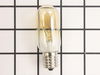
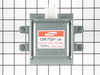
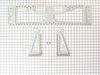
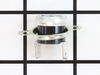
This 40-watt microwave light bulb is a genuine replacement component designed to provide interior illumination for compatible GE microwave models. Engineered to withstand the high temperatures within ...
At first I tried to use pliers to unscrew the base,very uncomfortable working position,upside down and backwards(the microwave is installed over the range top)very limited space for your body and arms to manuver and you really cant see the base,all of this took place after the breaker was turned off ofcourse,finally figured out that you can drop the entire bottom housing of the microwave by unscrewing 6 screws and the light sockets are easily accessable once you lower it,take out 1 retaining screw ,remove the entire socket and unscrewed the broken base and replaced the bulbs,I said bulbs,there is no sense in having to replace another bulb in who knows how long since only one had burned out but they were both the same age
Had to take unit off wall and disassemble the main casing.then disconnected the wires from the magnetron.took the mounting nuts off but wasn't able to remove the magnetron until I loosened the transformer out of the way .Then it came out easy.Installed the magnetron ,tightened the nuts,installed the transformer back in, connected the the wires back on and installed the casing on ,screwed the screws and got help to install the unit to the wall again.....Tested the unit before putting back on the wall to make sure it heated....The parts were exac same type and wasn't too hard to do...
1. remove microwave from wall 2. remove cover (many screws) 3. remove nuts holding magnetron in place (4) 4. remove magnetron (this is a pain due to the plastic molding used to direct cooling air through the magnetron 5. get new magnetron in place (this was even more fun to find the right angles to tilt to get the magnetron to fit 6. re-tighten the 4 nuts on the magentron 7. put the cover back on 8. put the unit back on the wall.
bonus repair: the display flickered while the magnetron was on (cooking ) prior to the magnetron dying. found a ribbon cable on the control board to the display with an aluminum foil shield that had peeled off (adhesive failure). re-installing the aluminum shield with packaging tape, and the display no longer flickers