Ensure your oven retains heat efficiently with this durable door gasket. Made from heat-resistant polymer, it forms a secure seal around the oven door to keep temperatures stable during cooking. If yo...
This door window gasket creates a secure seal around the viewing window, helping retain heat and prevent air leaks. Maintaining a proper seal improves efficiency and performance, making replacement ne...
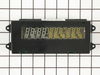
This is a Jenn-Air double oven. Turned off circuit breaker to the oven. Removed 7 screws that hold the top panel in place. Removed 3 cable/connectors from the clock module so panel can be removed from oven and placed on a table. Unscrew 4 hex head screws attaching clock module to front panel. Press on two tabs and remove circuit board from plastic frame. Replace with new board reversing dis-assembly sequence.
After examining the old board I discovered that the 470 microfarad aluminum electrolytic capacitor (in the corner) was badly deformed. I replaced this. Now I have a spare board. I believe that the failure (common in Jenn-Air ovens) starts with a transient on the power line (it did with mine). This damages the capacitor which progressively gets worse. This capacitor probably acts as a low pass filter on the power supply for the display. If any of you are into electronics, I would suggest wiring a zener diode across the capacitor to suppress transients. I wish the Jenn-Air engineers had put this in the design. It would have avoided a lot of costly repairs and saved them the bad reputation that they have as a result of this board failing over and over again.
On the front panel I removed 3 screws on top and 4 screws under the bottom. Pulled the panel down to expose the computer board, removed 4 hex head screws and disconnected 2 plugs and 1 ribbon connecter. I reversed the process and used the awl to locate the screw holes and finshed in 23 minutes and saved $ 89.00.
This repair is sooo easy! First I down loaded the service manual (free pdf) from Maytag as they make this appliance. They give all of the voltages for the J1 and J2 plugs. I checked those to be sure I was getting power to the board. I did not want to lay out close to $200 and then discover that the problem was elsewhere. All voltages on the J1 and J2 plugs were good. Next I ordered the clock and when it came in it may have taken me 5 minutes to replace the old board with the new one. Including time to go out to the garage and turn the power off and on. Also beware that the ribbon cable attaches to the clock with a compression type connector. The connector does not separate with the ribbon. Simply press on the two tabs on either side and then pull the ribbon from the connector. Reverse to reassemble.





















.gif "SUPPLEMENTAL INFORMATION Diagram and Parts List for Maytag Wall Oven")