




















LW2512ER (UWC253TDMK5) LG Air Conditioner - Overview
Sections of the LW2512ER
[Viewing 1 of 1]
Keep searches simple, eg. "belt" or "pump".


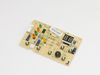
Filter Assembly,Air Cleaner
PartSelect #: PS3527546
Manufacturer #: 5231A20027A
$37.95
Special Order
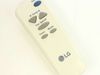
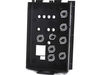
INSTALL PART ASSEMBLY,SINGLE
PartSelect #: PS12714363
Manufacturer #: AET73691406
$144.57
Special Order

Common Symptoms of the LW2512ER
[Viewing 2 of 2]

Keep searches simple. Use keywords, e.g. "leaking", "pump", "broken" or "fit".
accumulated condensation caused condenser fan failure
Pull the unit out of cabinet. Remove the brace between the blower housing and the condenser frame. Remove the screws securing the the condenser coil to the base and carefully lift and angle it just enough for the broken fan to clear ( be very careful with the refrigerant lines ). Slide the new fan back on the shaft and secure with the spring clamp. I used a pair of vice grips to compress the clamp, but be very careful because the clamp can exit the pliers, if the jaws are not perpendicular to the clamp. If you live in a area with high humidity remove the rubber plug at the back of the unit or the condensation will break your new fan. This fan needs some changes in design because the condensation puts too much stress on the plastic that contacts the motor shaft - some metal between shaft and the blades would help.
Parts Used:
-
Sam from MCQUEENEY, TX
-
Difficulty Level:Easy
-
Total Repair Time:30 - 60 mins
-
Tools:Screw drivers
20 of 25 people
found this instruction helpful.
Was this instruction helpful to you?
Thank you for voting!
Broken Fan
Part of the fan blade broke on my AC unit and was causing a vibration. This made the AC unusable. The ordered Fan was a perfect OE replacement. I simply removed the outside over and then the fan shroud inside the unit. I carefully repositioned the condenser unit being careful not to damage the fins. Using a pair of pliers, I removed the retainer clip and removed the old fan. The new fan slid right over the shaft. I replaced the retaining clip and then repositioned the shroud. Then I placed the condenser and fins back into place and then placed the cover back over the unit. Worked perfect. No issues. Take your time. Excellent replacement fan!
Parts Used:
-
April from EASLEY, SC
-
Difficulty Level:Really Easy
-
Total Repair Time:30 - 60 mins
-
Tools:Pliers
7 of 10 people
found this instruction helpful.
Was this instruction helpful to you?
Thank you for voting!
Unit would not turn on.
1 - Unbolted a/c unit from window cover - 2 - pulled internal unit forward to reveal display and controller area - 3 - used #1 phillips to remove screws to open cover - 4 - removed display assembly by disconnecting ribbon cable from main pcb - 5 - removed old pcb from display assembly 4 small phillips screws - 6 - reused ribbon cable and temp probe in new pcb and installed new pcb into display assembly - 7 - installed updated display assembly - 8 - closed controller assembly - 9 - restored a/c unit to window frame cover - 10 rebolted connections to window cover - 11 - started a/c unit!
Parts Used:
-
Tim from Chapel Hill, NC
-
Difficulty Level:Easy
-
Total Repair Time:Less than 15 mins
-
Tools:Screw drivers
2 of 2 people
found this instruction helpful.
Was this instruction helpful to you?
Thank you for voting!