




















LMV1680BB (CBKELGA) LG Microwave - Instructions
Keep searches simple. Use keywords, e.g. "leaking", "pump", "broken" or "fit".
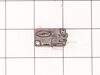
Broken door micro switch. (unit does not start heating)
Unplug the unit before servicing. Need phillips screwdriver. Open door. Use step ladder to access and remove 2 small screws from top of the room air diffuser at top of unit. Slide diffuser slightly to the left to align the diffuser's plastic tab on the left side to rotate toward you. (The wires for the front control panel are at the far left side of this difuser, but difuser is slotted for easy removal). Once the difuser is removed you will see 1 screw at the top that secures the pannel cover on the left side of the unit. Remove screw and slide this panel slightly up and out. This exposes the plastic frame that holds the upper and lower door switches. To locate the door switches and observe how they work, close and open the door and watch the door (bayonets) open and close the micro switches. Do the (red) buttons on top of the switches move up and down when the door bayonets push and release? If the buttons do not "pop" up when opened the switch is defective. The switch frame is secured with 2 screws. Remove screws and rotate the unit out for easy access to the micro switch(s). The internal (spring?) on my unit that is suposed to allow the red (visible) button on top of the switch to "pop" up when the door is opened was broken. Carefully pry the switch outward while being careful to lift the plastic holder-piece that holds the switch in place. Be careful, there is a small pin on the frame, so rotate the switch OUT toward you while lifting (carefully) the plastic holder-piece (you will see it on top of the switch). You can use an ohm meter to test the continuity of the switches. But if the buttons don't "pop" they are defective. Replace switch and reassemble.
Parts Used:
-
JAMES from BILLINGS, MT
-
Difficulty Level:Very Easy
-
Total Repair Time:30 - 60 mins
-
Tools:Screw drivers
37 of 66 people
found this instruction helpful.
Was this instruction helpful to you?
Thank you for voting!
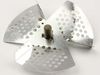
The fan cover in top of the cooking area was burned.
The original cover was burned and actually caught on fire. Research informed me that food can splatter and stick to the cover. The particle will get hot enough to ignite the plastic cover. I ordered the cover and included the fan since it was so cheap, Replacement was super easy. Done in 10 minutes and made my wife happy. She was ready to buy a new microwave because she thought something was wrong with ours but food splatter was the cause. Parts were less than $10 + $6 shipping. Keep the inside of the microwave clean!!
Parts Used:

-
Mike from PINEY FLATS, TN
-
Difficulty Level:Really Easy
-
Total Repair Time:Less than 15 mins
-
Tools:Pliers
13 of 18 people
found this instruction helpful.
Was this instruction helpful to you?
Thank you for voting!
door handle broken
Door Handle broken snap off the back unscrew put in new handle resnap simple. Shouldn't have broken in first place made cheap
Parts Used:
-
Caroline from Blue Springs, MO
-
Difficulty Level:Really Easy
-
Total Repair Time:Less than 15 mins
-
Tools:Screw drivers
19 of 39 people
found this instruction helpful.
Was this instruction helpful to you?
Thank you for voting!
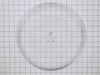
Broke the round glass tray
-
Eileen from DETROIT LAKES, MN
-
Difficulty Level:Very Easy
-
Total Repair Time:Less than 15 mins
10 of 13 people
found this instruction helpful.
Was this instruction helpful to you?
Thank you for voting!
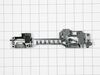
One of the switches in a component that door activates when shut.
I replaced the whole component with all three switches in it even though only one switch was bad . Taking out one switch out of the holder unit would probably have damaged the unit that was holding the switches. Easy install and it works great again .
Parts Used:
-
Jimmy from OZARK, MO
-
Difficulty Level:Easy
-
Total Repair Time:30 - 60 mins
-
Tools:Pliers, Screw drivers
9 of 11 people
found this instruction helpful.
Was this instruction helpful to you?
Thank you for voting!
Door sensor switch went bad. Microwave would not operate.
Watched a couple of repair videos on Youtube by searching for the model number. Found out what to do in order not to get shocked by the powerful capacitor.
Ordered the two switches (To be sure, I could have ordered a third switch as suggested in the videos.)
Bought a tamper-proof star bit to get the cover off. Followed the directions to replace the switches. - I broke the harness and had to use some super glue, but it's all good. I should have removed the harness instead of trying to get a switch out while it was still in place.
It's all back together, and the wife is happy!!
Ordered the two switches (To be sure, I could have ordered a third switch as suggested in the videos.)
Bought a tamper-proof star bit to get the cover off. Followed the directions to replace the switches. - I broke the harness and had to use some super glue, but it's all good. I should have removed the harness instead of trying to get a switch out while it was still in place.
It's all back together, and the wife is happy!!
Parts Used:
-
Randall from ARCADIA, CA
-
Difficulty Level:A Bit Difficult
-
Total Repair Time:1- 2 hours
-
Tools:Pliers, Screw drivers
15 of 29 people
found this instruction helpful.
Was this instruction helpful to you?
Thank you for voting!
The major plastic frame was broken at the screw hole support. I was sent the wrong part and found out the part I needed was no longer made and would have to buy a new door for $150.
The wrong part was under $20. When I found out I had to replace the whole door for $150. I decided DYI was the way to go. I used JB weld and the door looks and works like a charm. Give plenty of time to cure all water needs to be cured out if exposed to microwaves. No problems so far.
Parts Used:
-
Kyle from LANCASTER, CA
-
Difficulty Level:Really Easy
-
Total Repair Time:30 - 60 mins
-
Tools:Screw drivers
8 of 9 people
found this instruction helpful.
Was this instruction helpful to you?
Thank you for voting!
would not start.
diagnosed defective 'door-shut switch' in the switch holder assembly. rather than replace switch, replaced entire locker holder assembly which made for a very simple and easy repair...not to mention very inexpensive.
Parts Used:
-
James from VIRGINIA BCH, VA
-
Difficulty Level:Really Easy
-
Total Repair Time:30 - 60 mins
-
Tools:Screw drivers
8 of 10 people
found this instruction helpful.
Was this instruction helpful to you?
Thank you for voting!
Replaced the door
Removed the upper plastic panel (4-screws) over the microwave and then lifted off the door and installed the new door. Then replaced the upper plastic panel and it was done!
Parts Used:
-
Ralph from JACKSONVILLE, NC
-
Difficulty Level:Very Easy
-
Total Repair Time:Less than 15 mins
-
Tools:Screw drivers
7 of 8 people
found this instruction helpful.
Was this instruction helpful to you?
Thank you for voting!
Microwave not heating, everything else works
Not knowing which of the switches to replace I ordered all three in the assembly. Replacing the full assembly was easy, first unplug the microwave. Then remove the top cover to access the screws that hold the control panel in place and let the control panel hang. There are two screws that hold the assembly in place - remove those. I used needle nose pliers to pull the wires off of the switches and immediately put the wires on to the new assembly so there was no confusion on what wire went where. Place the assembly back in position, replace the two screws to hold it in, put control panel in place and secure screws. Replace top cover and plug in.
Parts Used:
-
Barbara from Philadelphia, PA
-
Difficulty Level:Really Easy
-
Total Repair Time:15 - 30 mins
-
Tools:Screw drivers
5 of 5 people
found this instruction helpful.
Was this instruction helpful to you?
Thank you for voting!
Was making a noise when turning around
I removed the bottom plate which had 9 screws.
than unplug 2 wires to the motor and unscrewed 2 screws, replaced the old motor with the new one and also the coupler. and so far no noise. easy fix. Thanks
than unplug 2 wires to the motor and unscrewed 2 screws, replaced the old motor with the new one and also the coupler. and so far no noise. easy fix. Thanks
Parts Used:

-
George from RICHMOND HTS, OH
-
Difficulty Level:Really Easy
-
Total Repair Time:15 - 30 mins
-
Tools:Screw drivers
5 of 6 people
found this instruction helpful.
Was this instruction helpful to you?
Thank you for voting!
food does not get hot, carousel did not turn, all other indicators worked
Read the troubleshooting section on this site. Figured it was an interlock problem because the food was not getting hot (magentron not turning on) and the carousel was not turning. Did not think both the carousel motor and magnetron failed at same time, thus indicated an interlock problem. The interlock switches are actuated by the door latch. Replaced the assembly locker piece with all three switches (only a $20 dollar part) and microwave was fully operational again. Wife and kids think I am a hero.
Parts Used:
-
John from SEVERN, MD
-
Difficulty Level:Really Easy
-
Total Repair Time:30 - 60 mins
-
Tools:Screw drivers
3 of 3 people
found this instruction helpful.
Was this instruction helpful to you?
Thank you for voting!
UNABLE TO INSTALL DUE TO DAMAGED IN SHIPPING
WORTHLESS...I EMAILED YOU ON 2/7/22 AFTER RECEIVING THE DAMAGED FILTER DUE TO NOT SHIPPING IN A HARD OR SOMETHING IN THE ENVELOPE TO PROTECT THE FILTER FROM BEING BENT.
I HAVE NOT HAD ANY RESPONSE FROM YOU FOR THE DAMAGED FILTER OR WHEN I CAN EXPECT ONE THAT I CAN USE.
UNSATISIFACTORY SERVICE!
I HAVE NOT HAD ANY RESPONSE FROM YOU FOR THE DAMAGED FILTER OR WHEN I CAN EXPECT ONE THAT I CAN USE.
UNSATISIFACTORY SERVICE!
Parts Used:

-
Tina from EL DORADO, KS
-
Difficulty Level:Very Difficult
-
Total Repair Time:More than 2 hours
3 of 4 people
found this instruction helpful.
Was this instruction helpful to you?
Thank you for voting!
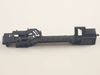
Micro Wave no heat all else fine. Also at times door would not shut properly.
Replace (after testing w/ohm meter) diode and locker holder. My door often would not close properly. Microwave let know by saying not shut properly. When disassembled found the top screw mount was hollowed out resulting in it moving on occasion when you close door. First remove casing (special safety torx head) needed for rear screws. Onc e removed all parts available to view or work on. Diode is on the capacitor so caution is needed when removing. Serious shock hazard if touched. Use insulated pliers to remove from capacitor and a phillips on the ground. Test with ohm meter Should have resistance on way and non the opposite. Replaced mine bad. Next the holder 2 phillips screws and its yours. Unplug each switch and remove. Take note to what wires go to what switch and what switch mounts where. Mine had 3 switches. Removed from old holder and put in new. Screwed holder back in place and left scrws loose till re wired. Once wired set the holder by lightly tighting the screws. Try the door till it seats properly ensuring that all 3 switches are working properly. If so thighten screws. If all seems to work as advertised, safely plug in and test unit if heats up un plug and put cover back on micro. Your all set. Happy heating.
Parts Used:
-
Roy from MILLINGTON, TN
-
Difficulty Level:Really Easy
-
Total Repair Time:1- 2 hours
-
Tools:Pliers, Screw drivers
2 of 2 people
found this instruction helpful.
Was this instruction helpful to you?
Thank you for voting!
Hard to take out old screws.
-
Suresh from RESTON, VA
-
Difficulty Level:Really Easy
-
Total Repair Time:1- 2 hours
-
Tools:Nutdriver, Pliers, Screw drivers
2 of 2 people
found this instruction helpful.
Was this instruction helpful to you?
Thank you for voting!