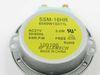
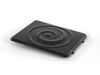
Is your LG microwave no longer cooking evenly? You may need a new Glass Cooking Tray. This authentic LG tray helps rotate the food at the center of your microwave, getting it heated perfectly every ti...
$111.48
In Stock
Order within the next 11 hrs and your part ships today!
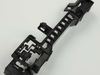
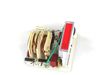
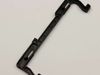
This replacement microwave door release button assembly is designed to restore proper door-opening function when the original button is worn or broken. Built for durability and reliable performance, i...
Ask our experts a question about this model and we'll get back to you as soon as possible!
7 questions answered by our experts.
< Prev
1
2
Next >
Sort by:
Search filter:
Clear Filter
Your search term must have 3 or more characters.
Keep searches simple. Use keywords, e.g. "leaking", "pump", "broken" or "fit".
Sorry, we couldn't find any existing answers that matched.Try using some different or simpler keywords, or submit your new question by using the "Ask a Question" button above!
Ernest
February 6, 2023
Plate sits on a thingy with wheels to rotate as plate turns. I want to find the thing with wheels on it that holds the plate.
For model number LMC2075ST
Hello Ernest, thank you for reaching out. The part you are looking for is the Turntable Tray Support, part number PS12115010. This part is compatible with your model. We hope this solves your problem!
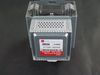
I replaced the Magnetron in my microwave and still I have no heat but l do hear a clicking noise. Not sure what that is. But besides that, wondering what else would be wrong for it not to heat. Or what part could I possibly replace.
For model number LMC2075ST
Hello Michael, thank you for the great question. Based on our understanding of the issue, we would suggest you replace the control board, part number PS12739042. We hope this helps.
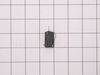
Hello Sterling, thank you for contacting us. We have researched your model and found that the issue is probably with the magnetron, part number PS12383382. If that does fix your issue, then the problem is most likely to be related to the micro-switch, part number PS3598700. Customer service is available 7 days a week if you need help placing an order. Glad to be of assistance!
Hello Ralph, thank you for your inquiry. Based on the description that you have provided, we would recommend replacing the door latch, part number PS3522837, to fix the issue. We hope this solves your problem!
After watching a few youtube videos, I used a phillips SD to take controll pannel off to access the switches that sense when microwave door is closed. Swapped out all 3 switched and mocrowave works like new. $20 fix (shipping included)
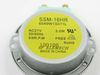
My 8 year old daughter cleaned the inside of the microwave with enough water to rival a tsunami. Resulted in a clean microwave with a fried out motor that no longer revolved. Part came quickly. Took cover and bottom off to get to the part. One screw held it on and a plug. Removed those, put on new part and she was good to go. No trip to home depot today.
The countdown timer was working but no "cooking" happening. Did not hear the familiar sound of the heating part working.
Determined it might be some simple switches for under $15 dollars. Bought one of each. They allow the microwave to turn on/activate by signaling that the door is properly latched. My wife noticed that it was failing and then failed over the course of about a day. Several times where it worked, then did not work. The timer was counting down one time and then when she opened the door the microwave heating component turned on. Guess it had activated the switch as she was opening the door.
Procedure to repair - Unplug - Remove two screws on front top - allows you to remove the vent. Realized there was a charcoal filter there that I had never replaced so ordered that after the fix. - Remove two screws to pull off the front right panel (area where your microwave buttons are) One at the top under the before mentioned vent and one under the microwave on the far right corner. - Have someone hold the panel because wiring is to short to place it on a ledge while connected or take a picture and remove connections. I simply held it while my daughter undid the micro switches. - Carefully remove micro switches. There were two "orange" button ones so I chose the top one to replace along with the green button one that I had ordered, so I simply pulled an orange from the bottom and a green from the top latch area. You may have remove the part that holds the switches since it was a little tough with the wires in the way and not knowing how the switches stay put. - plug in new switches and place in the brackets that hold them in place - reverse everything you did. Viola - a working microwave vs purchasing a brand new for several hundred dollars or having to call in a technician.I love that my young kids did this project with me and we actually got it running. Don't like to have to throw away more items at the landfill.