




















LD10D2 - Instructions
Keep searches simple. Use keywords, e.g. "leaking", "pump", "broken" or "fit".
Sparks and loud hum from oven
1. I went to the internet to find the service manual for the Maytag microwave.
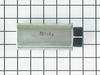
2. I opened up the oven and started measuring the resistance of the diode, capacitor, transformer, and magnetron between terminals and then to ground. The transformer and magnetron were well within the resistance limits. The diode was shorted in both directions(+-). The capacitor was fully open in both directions -- high resistance.
3. I ordered the 2 parts, installed them, and ran the oven. Worked perfect first time.
4. Reinstalled oven and worked ever since (1 week so far).
5. The secret was that the transformer had a load hum. I figured the transformer was OK. The magnetron had no short between filaments and ground to filaments. The only two left were the diode and capacitor. The first two are about $200 -- almost the value of a new microwave. The $70 repair was well worth it. If the first two were still bad, then tempted to buy a new oven.
2. I opened up the oven and started measuring the resistance of the diode, capacitor, transformer, and magnetron between terminals and then to ground. The transformer and magnetron were well within the resistance limits. The diode was shorted in both directions(+-). The capacitor was fully open in both directions -- high resistance.
3. I ordered the 2 parts, installed them, and ran the oven. Worked perfect first time.
4. Reinstalled oven and worked ever since (1 week so far).
5. The secret was that the transformer had a load hum. I figured the transformer was OK. The magnetron had no short between filaments and ground to filaments. The only two left were the diode and capacitor. The first two are about $200 -- almost the value of a new microwave. The $70 repair was well worth it. If the first two were still bad, then tempted to buy a new oven.
Parts Used:
-
Guy from Bellingham, MA
-
Difficulty Level:Really Easy
-
Total Repair Time:15 - 30 mins
-
Tools:Pliers, Screw drivers
113 of 171 people
found this instruction helpful.
Was this instruction helpful to you?
Thank you for voting!
loud buzzing noise
The repair went well...I am so glad that I read this info before buying a new microwave....it saved me lots of money. I did have a repair man come and look at it and he told me to buy a new one but it cost alot of money when it wasn't necessary. I did the repair and I was very proud of myself.
Three men watched a woman fix this and it was no problem...they were impressed also....
Three men watched a woman fix this and it was no problem...they were impressed also....
Parts Used:

-
Sandra from coto de caza, CA
-
Difficulty Level:Really Easy
-
Total Repair Time:15 - 30 mins
-
Tools:Screw drivers
56 of 100 people
found this instruction helpful.
Was this instruction helpful to you?
Thank you for voting!
no heat
I looked up the #1 reason for no heat for my microwave on the site , and using my model number found that 92% of the time it was the Black Sleeve Diode. Ordered the $15 part, and installed it within 30 minutes. Most of the time was used for removing the built in microwave and removing the cover. Replaced the diode by finding it on the diagram that I printed from this site (free). Very relieved that we don't need to have our custom cabinetry re-sized to accommodate a new microwave. Thank you!
Parts Used:
-
Lisa from PARADISE, PA
-
Difficulty Level:Easy
-
Total Repair Time:15 - 30 mins
-
Tools:Pliers, Screw drivers
28 of 28 people
found this instruction helpful.
Was this instruction helpful to you?
Thank you for voting!
No Power to Microwave
After determined the problem on one of the websites...I received the part I needed... removed the control panel and installed the new main fuse In about 15 mins!
Parts Used:

-
John from Palos Hills, IL
-
Difficulty Level:Really Easy
-
Total Repair Time:Less than 15 mins
-
Tools:Screw drivers
42 of 89 people
found this instruction helpful.
Was this instruction helpful to you?
Thank you for voting!
Magnitron failed
Over the stove microwave installed in top cabinet row.
1. Unplug device.
2. Two people to remove from wall/cabinet (remove two, large, top mounting screws and rotate entire microwave down and off the wall mount). Should be some wood spacers between top of device and bottom of cabinet.
3. Remove screws from sheet metal cover.
4. Remove one screw holding blowers in place and rotate out of the way, in order to gain access to 2 of 5 screws that hold the magnetron in place.
5. Unplug magnetron and remove the 5 screws.
6. Drop in new magnetron and re-assemble microwave in reverse order (steps 5-3).
7. Two people restore micro to wall/cabinet. Replace wood spacers, re-install two, large mounting screws (finger-tight). Test device. Secure the two large screws.
1. Unplug device.
2. Two people to remove from wall/cabinet (remove two, large, top mounting screws and rotate entire microwave down and off the wall mount). Should be some wood spacers between top of device and bottom of cabinet.
3. Remove screws from sheet metal cover.
4. Remove one screw holding blowers in place and rotate out of the way, in order to gain access to 2 of 5 screws that hold the magnetron in place.
5. Unplug magnetron and remove the 5 screws.
6. Drop in new magnetron and re-assemble microwave in reverse order (steps 5-3).
7. Two people restore micro to wall/cabinet. Replace wood spacers, re-install two, large mounting screws (finger-tight). Test device. Secure the two large screws.
Parts Used:
-
Joseph from WILTON, NH
-
Difficulty Level:A Bit Difficult
-
Total Repair Time:1- 2 hours
-
Tools:Screw drivers
8 of 13 people
found this instruction helpful.
Was this instruction helpful to you?
Thank you for voting!
No heat
Removed case,
Discharged HV capacitor and removed cooling fan.
Unscrewed ground end of HV diode and unplugged from HV capacitor.
Installed new diode by reversing the order. In my case, the problem was the magnetron was bad, so I replaced it as well.
Discharged HV capacitor and removed cooling fan.
Unscrewed ground end of HV diode and unplugged from HV capacitor.
Installed new diode by reversing the order. In my case, the problem was the magnetron was bad, so I replaced it as well.
Parts Used:
-
John from SANTA CLARA, CA
-
Difficulty Level:Really Easy
-
Total Repair Time:30 - 60 mins
-
Tools:Screw drivers
4 of 4 people
found this instruction helpful.
Was this instruction helpful to you?
Thank you for voting!
Microwave would not heat food. All other functionality was working as expected
I disconnected the power. Took off the front panel that was held together by two screws. Reviewed the schematic that was inside. Located the switches, saw which lead was burnt. Unscrewed the two screws that held the switch in place, cleaned the connector, and put the switch in and connectors back. Powered the device, tested for cooking/heating functionality. It worked, Closed the front panel
Parts Used:
-
James from Staten Island, NY
-
Difficulty Level:Really Easy
-
Total Repair Time:15 - 30 mins
-
Tools:Screw drivers
6 of 10 people
found this instruction helpful.
Was this instruction helpful to you?
Thank you for voting!
Microwave slowly stopped heating food
Initially we started looking to buy a replacement microwave to replace our 13+ year old built-in microwave. It was a real pain finding a replacement to fit the exact dimensions. So I thought I'd try to find an old KitchenAid microwave. However, I was pleasantly surprised when this site came up on my search. Their website allows me to input the problems and then it showed two possible parts that needed to be replaced. I emailed tech support and asked them which part I needed. They responded very quickly and said I needed to replace the magnetron. I watched a couple YouTube videos and then pulled my microwave apart. It was incredibly easy to pull the outer cover off. The magnetron had 5 screws that needed to be removed and one electrical plug. Took me maybe 10 min to complete the entire repair. It was one of the easiest repairs I've done and so thankful for this site They saved me a ton of money from not buying a new microwave and we now have our microwave working again. In hindsight, I wouldn't hesitate. I'd order the Part now and get it fixed.
Parts Used:
-
Theodore from SPOKANE, WA
-
Difficulty Level:Very Easy
-
Total Repair Time:Less than 15 mins
-
Tools:Screw drivers, Socket set, Wrench set
3 of 3 people
found this instruction helpful.
Was this instruction helpful to you?
Thank you for voting!
Microwave did not work; no clock, etc. 120VAC at duplex outlet OK. Thought there must be an internal in line fuse or reset.
Unplug microwave! It's NOT necessary to remove microwave from above stove. Removed two Philips head screws on top front of unit to remove front grille. Removed one screw to remove control panel, letting it hang down. Found inline fuse in cabinet where line cord wires come in. Pulled out blown fuse with thumb and forefinger. Snapped in new fuse, replaced control panel and grille with the three screws. Plugged in the microwave. -Worked great! Good opportunity while grille was off to clean it and replace the charcoal filter inside the cabinet.
Parts Used:
-
Lisa from DURHAM, NC
-
Difficulty Level:Very Easy
-
Total Repair Time:Less than 15 mins
-
Tools:Screw drivers
3 of 3 people
found this instruction helpful.
Was this instruction helpful to you?
Thank you for voting!
Would not heat and made a buzzing or popping sound
Unplug the microwave. Remove the Philips head and safety Torx head screws along the bottom of the sides and rear of the microwave which hold the black cover on. Lift the cover up at the rear and slide it backwards to disengage the tabs on the front top. Remove the cover. Discharge the capacitor by shorting the terminals to each other and then ground. Do this with a well insulated object and be aware there may be a pop when you do this. Keep hands, etc. on the insulated part of the object (screwdriver handle, etc). There's a lot of stored energy in that capacitor. I'd advise first checking the diode to make sure its not bad. Replace it if it is. The Magnatron is held in with a couple of screws on the top and sides. Unplug the connector and remove the screws. Remove the Magnatron. Installation is the reverse of removal.
Parts Used:
-
Thomas from NEWARK, DE
-
Difficulty Level:Easy
-
Total Repair Time:15 - 30 mins
-
Tools:Screw drivers
4 of 7 people
found this instruction helpful.
Was this instruction helpful to you?
Thank you for voting!
Power Went Completely Out
The power on the microwave went completely out when I went to use it, but there was no power failure for the house or neighborhood. We removed the microwave from above the oven. Took out the screws on the sides and back of the microwave and slid the top back. The line fuse was located on top unobstructed, NOT behind the button panel like some microwave models. As the appliance is over 20 years old the line fuse was quite old. It was really hard to pry it out of its holder and actually broke. I used a vacuum to suck up the dust and glass and it was easier to get out the ends once the middle broke. Popped the new line fuse in, slid the top back on, put in the screws and put the microwave back in its compartment above the stove. Good as new!! We were about to spend money on a new microwave, but thankfully I came across this site. So happy I did!!
This repair was really easy. The part that took the most time was taking it down from it's compartment above the oven and putting it back up there once repaired.
This repair was really easy. The part that took the most time was taking it down from it's compartment above the oven and putting it back up there once repaired.
Parts Used:
-
Brittney from LUFKIN, TX
-
Difficulty Level:Very Easy
-
Total Repair Time:15 - 30 mins
-
Tools:Pliers, Screw drivers
2 of 2 people
found this instruction helpful.
Was this instruction helpful to you?
Thank you for voting!
Microwave oven ran but stopped heating
I had to unmount the over-the-range microwave oven to be able to gain access to the interior of the oven. Complicating removal (and re-installation) was the fact that there is a "pot-filler" faucet installed directly underneath the oven. In retrospect, I should've removed the faucet before doing the repair, but "c'est la vie."
After I got the microwave down, removing the case was also "interesting." I get bonus points for the fact that the previous owner must've had to replace the same diode before - and then re-assembled the microwave case incorrectly - thereby adding to the confusion (BTW, the service manual that I found online said nothing about how to remove the oven's case).
To remove the case, undo all the screws holding it on, and then rotate the case upwards from the back while also pulling the case backwards. There are crimped folds on the inside of the case that mate with the back edges of the front of the oven's chassis, and these folds have to be unclipped from the chassis in order to remove the case.
Replacing the diode itself was the easiest part of the job. The two connectors on the diode are of different types, making it impossible to install the diode with the wrong polarity.
BTW, the diode that had failed was not an OEM diode; I suspect it was a generic component that had been installed by a repairman sometime between 2004-2008 (when our home's original owners still owned the home). On the other hand, the new diode from PartSelect is an OEM part (it came packaged in a sealed Whirlpool bag).
The fact that the oven had stopped heating indicated that it was either the high-voltage diode or the magnetron that had failed. Since a replacement diode costs ~ 1/10th as much as a replacement magnetron, I figured it made sense to replace the cheaper part first. Fortunately, this fixed the problem.
One last thing: I tried testing both the old and new diodes for conductivity and polarity using my volt-ohm meter (VOM), but I was unable to get either diode to "turn on," even though my VOM is powered by a 9-v battery, and I used the 2-Mohm range setting. I guess the test voltage of my el-cheapo VOM isn't high enough to exceed the diode's threshold voltage, (even though I have successfully used this same VOM to test low-voltage diodes).
After I got the microwave down, removing the case was also "interesting." I get bonus points for the fact that the previous owner must've had to replace the same diode before - and then re-assembled the microwave case incorrectly - thereby adding to the confusion (BTW, the service manual that I found online said nothing about how to remove the oven's case).
To remove the case, undo all the screws holding it on, and then rotate the case upwards from the back while also pulling the case backwards. There are crimped folds on the inside of the case that mate with the back edges of the front of the oven's chassis, and these folds have to be unclipped from the chassis in order to remove the case.
Replacing the diode itself was the easiest part of the job. The two connectors on the diode are of different types, making it impossible to install the diode with the wrong polarity.
BTW, the diode that had failed was not an OEM diode; I suspect it was a generic component that had been installed by a repairman sometime between 2004-2008 (when our home's original owners still owned the home). On the other hand, the new diode from PartSelect is an OEM part (it came packaged in a sealed Whirlpool bag).
The fact that the oven had stopped heating indicated that it was either the high-voltage diode or the magnetron that had failed. Since a replacement diode costs ~ 1/10th as much as a replacement magnetron, I figured it made sense to replace the cheaper part first. Fortunately, this fixed the problem.
One last thing: I tried testing both the old and new diodes for conductivity and polarity using my volt-ohm meter (VOM), but I was unable to get either diode to "turn on," even though my VOM is powered by a 9-v battery, and I used the 2-Mohm range setting. I guess the test voltage of my el-cheapo VOM isn't high enough to exceed the diode's threshold voltage, (even though I have successfully used this same VOM to test low-voltage diodes).
Parts Used:
-
Forrest from Eugene, OR
-
Difficulty Level:Difficult
-
Total Repair Time:1- 2 hours
-
Tools:Screw drivers
2 of 2 people
found this instruction helpful.
Was this instruction helpful to you?
Thank you for voting!
No heat when the microwave was in use
The instructions on the website were incredibly easy and I saved myself a lot of headache by using this site.
-it was built in unit - so I needed to pull the decorative grill from around the outside to remove it from the wall
- removing the back of the case involved removing phillips head screws from along the side and back of the unit. the only issue I encountered on removing screws was the fact that the "torx / star" screws could not be fit with the wrench that I had (they had a pin in the center that would not allow the wrench to fit into the star). However, a pair of pliers was handy and they were removed just easily.
- I had ordered both the high voltage diode and magnetron because I didn't know which item was the problem. I grounded the diode with two screwdrivers while wearing rubber gloves to be safe. the warnings on this did the trick as it was the only scary part of the operation.
- the diode was a little hard to spot looking at the schematics, but is is found on the lower right corner of the right side of the panel and easily pulled out and replaced. I tried the microwave again to see if it worked...and it did not. So I confirmed that the magnetron was the issue.
- removing the screws for the magnetron and putting in the replacement was a dead easy and I tried the microwave again before putting cover back on. Worked like a charm. Super easy!
-it was built in unit - so I needed to pull the decorative grill from around the outside to remove it from the wall
- removing the back of the case involved removing phillips head screws from along the side and back of the unit. the only issue I encountered on removing screws was the fact that the "torx / star" screws could not be fit with the wrench that I had (they had a pin in the center that would not allow the wrench to fit into the star). However, a pair of pliers was handy and they were removed just easily.
- I had ordered both the high voltage diode and magnetron because I didn't know which item was the problem. I grounded the diode with two screwdrivers while wearing rubber gloves to be safe. the warnings on this did the trick as it was the only scary part of the operation.
- the diode was a little hard to spot looking at the schematics, but is is found on the lower right corner of the right side of the panel and easily pulled out and replaced. I tried the microwave again to see if it worked...and it did not. So I confirmed that the magnetron was the issue.
- removing the screws for the magnetron and putting in the replacement was a dead easy and I tried the microwave again before putting cover back on. Worked like a charm. Super easy!
Parts Used:
-
Stuart from STUART, FL
-
Difficulty Level:Really Easy
-
Total Repair Time:30 - 60 mins
-
Tools:Pliers, Screw drivers
2 of 2 people
found this instruction helpful.
Was this instruction helpful to you?
Thank you for voting!
microwave not heating
removed a dozen screws-discarded large cap-replaced diode-replaced a dozen screws(took longer to replace them than remove for some unknown reason). Microwave now works(wife happy).
Parts Used:
-
Mark from GREENSBURG, PA
-
Difficulty Level:Easy
-
Total Repair Time:30 - 60 mins
-
Tools:Pliers, Screw drivers
2 of 2 people
found this instruction helpful.
Was this instruction helpful to you?
Thank you for voting!
Microwave wouldn’t heat
I want to preface this review by stating that I do some DIY from YouTube, but have no experience in electronic repair. The microwave is over the stove with the extendavent. First I unplugged the microwave, removed the vent and started to unscrew the microwave from the mount. I used a power drill to speed things up. I was able to remove the microwave on my own. I unscrewed the lid on the microwave and took the lid off and there is the magnetron. I opened up needle nose pliers to have each end touch the terminals of the capacitor (holds the power, Dangerous). I made sure to keep my hands on the rubber handles and avoid touching the metal part of the pliers. I used the pliers to remove the plug of the capacitor to the magnetron as well. The magnetron has 4 screws (2 top, 2 bottom). There is a magnet that can hold the screws to keep from falling but I’d still recommend a screwdriver with a magnet on the end. The magnetron has another set of wires connected by a metal bracket like a holder, not really connecting any wiring to the magnetron itself. I had to unscrew 1 screw to removed that. Adding everything back on was easy, same steps back. I plugged in the microwave and tested a cup of water before I mounted it back above the stove. Voila! I did need my wife’s help to hold the microwave on the hinge while screwing into the mount. It doesn’t take a lot of muscle for the help. $85 for the part and ~40 mins to fix a $400 microwave!
Parts Used:
-
Rex from ROSEVILLE, CA
-
Difficulty Level:Really Easy
-
Total Repair Time:30 - 60 mins
-
Tools:Pliers, Screw drivers
1 person
found this instruction helpful.
Was this instruction helpful to you?
Thank you for voting!