JVM6175DF1BB General Electric Microwave - Overview

Sections of the JVM6175DF1BB

[Viewing 3 of 3]

Manuals & Care Guides for JVM6175DF1BB

Click to download
Keep searches simple, eg. "belt" or "pump".
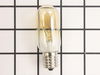
Light Bulb - 40W 130V – Part Number: WB36X10003
Light Bulb - 40W 130V
★★★★★
★★★★★
(4)
PartSelect #: PS247209
Manufacturer #: WB36X10003
This 40-watt microwave light bulb is a genuine replacement component designed to provide interior illumination for compatible GE microwave models. Engineered to withstand the high temperatures within ...
$27.89
  Special Order
Light Socket - 250V 75W – Part Number: WB08X10016
Light Socket - 250V 75W
★★★★★
★★★★★
(2)
PartSelect #: PS230544
Manufacturer #: WB08X10016
Light bulb not included.
$35.95
  Special Order
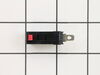
Secondary Door Switch – Part Number: WB24X829
Secondary Door Switch
★★★★★
★★★★★
(2)
PartSelect #: PS237421
Manufacturer #: WB24X829
  No Longer Available
Grease Filter – Part Number: WB06X10596
Grease Filter
★★★★★
★★★★★
(1)
PartSelect #: PS952418
Manufacturer #: WB06X10596
This metallic vent hood filter collects grease particles in the air from cooking. Sold individually.
$81.10
  Special Order
Glass Light Lens – Part Number: WB36X10071
Glass Light Lens
★★★★★
★★★★★
(2)
PartSelect #: PS247275
Manufacturer #: WB36X10071
$28.20
  Special Order
Monitor Door Switch – Part Number: WB24X830
Monitor Door Switch
★★★★★
★★★★★
(1)
PartSelect #: PS237422
Manufacturer #: WB24X830
$58.30
  Special Order
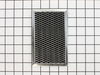
Microwave Charcoal Filter – Part Number: WB02X11536
Microwave Charcoal Filter
PartSelect #: PS3510489
Manufacturer #: WB02X11536
This charcoal filter is for microwaves. Charcoal filter removes cooking odors from air that circulates through the microwave vent. Follow the instructions in your owner's manual when installing this part.
  No Longer Available
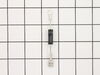
Diode – Part Number: WB27X10597
Diode
PartSelect #: PS239740
Manufacturer #: WB27X10597
This part allows power to go one way only.
$72.08
  Special Order
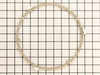
Glass Turntable Roller Guide – Part Number: WB06X10818
Glass Turntable Roller Guide
PartSelect #: PS2369901
Manufacturer #: WB06X10818
This circular roller guide sits under the microwave glass turntable.
$83.25
  Special Order
LEVER-S/W – Part Number: WB06X10128
LEVER-S/W
PartSelect #: PS227843
Manufacturer #: WB06X10128
  No Longer Available
COUPLER – Part Number: WB06X10815
COUPLER
PartSelect #: PS2369898
Manufacturer #: WB06X10815
Struggling with uneven cooking or a stationary microwave tray? It may be time to replace your Turntable Motor Coupler. This is where our GE Turntable Motor Coupler comes in. This handy little componen...
$58.36
  Special Order
MAGNETRON Assembly – Part Number: WB27X11079
MAGNETRON Assembly
PartSelect #: PS2370172
Manufacturer #: WB27X11079
When your microwave stops heating your food properly, it could be time to replace the magnetron. This GE Magnetron Assembly is tailored to get your microwave cooking at full power again. Why is this i...
$215.53
  Special Order

Questions And Answers for JVM6175DF1BB

Ask our experts a question about this model and we'll get back to you as soon as possible!

9 questions answered by our experts.
  • 1
  • 2
Sort by:
Sorry, we couldn't find any existing answers that matched.Try using some different or simpler keywords, or submit your new question by using the "Ask a Question" button above!
Jan
December 1, 2019
Please provide instructions to replace the ps8755556 control panel.Thank you.
For model number JVM6175DF1BB
PartSelect logo
Hello Jan and thanks for writing. use a Phillips head screwdriver to unthread the two mounting screws securing the grill with the screws unthreaded open the oven door then slide the grill to the left and lift it up to remove next remove the control panel mounting screw lift the control panel up to detach note the orientation of the wires connect it to the control board then depress the locking tabs if necessary to disconnect the wires remove the screws securing the grounding wire and set the control panel on a sturdy surface release the ribbon connector now and thread the mounting screws securing the main control board to the housing with the screws removed lift out the board prepare the new control panel for installation by removing all of the protective coverings make sure the new switch cable is inserted through the hole in the control board housing then position the board in the housing thread the screws to secure the ribbon connector secured the grounding wire to the control board housing reconnect the remaining wires to the appropriate terminals on the board now insert the control panel tabs into the slots in the frame and push the panel down replace the mounting screw to secure insert the tabs on the grille into the slots in the frame and slide the grille to the right rethread the mounting screws with the repair completed plug the power cord back in and your microwave oven should be ready for use, We hope this helps. Please contact us anytime.

1 person found this helpful.

Was this helpful?
Thank you for voting!
Yarima
December 10, 2023
My microwave is giving me a message I-6 sensor food and it won’t stop beeping, I had to disconnected what part do I need to replace ?
For model number JVM6175DF1BB
PartSelect logo
Hello Yarima, thank you for asking. We would recommend turning the breaker off for a minute and if the issue did not reset, you will need to replace the control panel, part number PS8755556. We hope this helps!

1 person found this helpful.

Was this helpful?
Thank you for voting!
Related Parts:
Charlie
December 16, 2023
Why do I have a dim control panel light. It is difficult to read the control panel time.
For model number JVM6175DF1BB
PartSelect logo
Hello Charlie, Thank you for your inquiry. It can be caused by either clouded glass on the control panel-which you can check by removing it, or the control board display is failing and the board will need to be replaced. We hope this helps.

1 person found this helpful.

Was this helpful?
Thank you for voting!
Related Parts:
Linda
November 4, 2021
Used reheat and opened door too soon resulting in sensor error appearing on the display. Troubleshooting doesn't say how to fix it. Only says don't do it. We tried unplugging it and plugging it in again after a while. Seemed to work ok once, but then sensor error was back. Help!
For model number JVM6175DF1BB
PartSelect logo
Hello Linda, Thank you for the question. Here is the steps for clearing the Code from GE. "Step 1 Check to see whether the microwave door is open or if you or someone else pressed "Start/Pause" before any steam appeared during a cooking cycle. Step 2 Close the door, if open. Step 3 Press "Start" immediately." We hope this helps!

Was this helpful?
Thank you for voting!
Carol
April 5, 2023
What switch is making my microwave run when we open the door,?,just started this tonight
For model number JVM6175DF1BB
PartSelect logo
Hello Carol, thank you for reaching out. It appears that your microwave may have a damaged monitor door switch. We recommend you replace the door interlock switch, part number PS237422, to fix the issue. Good luck with your repair!

Was this helpful?
Thank you for voting!
Related Parts:
  • 1
  • 2

Common Symptoms of the JVM6175DF1BB

[Viewing 6 of 6]
Won’t turn on
Fixed by
these parts
Fixing Fixing Fixing
Show All
Doesn’t shut off
Fixed by
these parts
Fixing Fixing
Show All
No heat
Fixed by
these parts
Fixing Fixing Fixing
Show All
Tray won’t turn
Fixed by
these parts
Fixing Fixing
Show All
Touchpad does not respond
Fixed by
these parts
Fixing
Show All
Noisy
Fixed by
these parts
Fixing
Show All
Keep searches simple. Use keywords, e.g. "leaking", "pump", "broken" or "fit".
light worked, timer and control pad worked, but no turntable, no heat, no noises of any sort, just didn't start up
Noted on partselect.com that someone else with this problem, found it to be secondary door switch. There are three door switches in this model, but online info noted that one of the three might feel "soft" (in my case, one switch clicked in a rather "jiggly" way, the other two were strong decisive clicks.) To access the door switches on this model was the only difficult part. First use a torx bit to remove the two torx screws below the latches inside the microwave. This frees the latching part inside, that holds the door switches, which you will remove after you take off the control panel. The top grill has to come off before you can remove the door panel. Remove the screws above the grill, on the microwave top cover, The grill on this model is covered with a panel that moves out when it vents. After removing the two top screws, the covered grill vent slides left to remove. Be careful, as the sliding tabs are plastic. Wiggle and jiggle it, to slip it off. Below the removed grill, is a small metal grill with one screw in lower center. Remove that screw, and wiggle that out. You'll then see the one screw that holds on the control panel. Remove this screw, and lift the control panel up to remove. Again, go slowly and gently, as the bottom tabs holding the control panel in, are also plastic and easily broken. Lay the control panel on something, (I used the coffee maker) and pull out the wire bundles tucked on the left, that are attached to the latching panel. Wiggle the latching panel gently to lift it up off of it's plastic tabs and pull it out towards you, so you can see the three door switches. Each switch (part number WB24X829) has a little black switch on it. Feel each switch with either your finger, or a screwdriver to see which one doesn't "click" strongly. The weak one is the one you will replace. The door switches are fitted into a tab, and plugged into their wires. Remove the defective switch, pull out the wires, and replace it with the new switch, plugging back the wires, and slipping it back into it's plastic tabs. Then put everything back together in reverse order. The entire job took me fifteen minutes EXCEPT for figuring out how to slide off the upper grill, which I have told you. A repairman would have cost $150, the part was $18. AND, there's a good chance, the other two switches will get "used up" in the next year or so as well, so I'll be ready next time. Thank you, Partselect, why work all day, to make money, only to give it to somebody else, for fifteen minutes of work. All I needed was the knowledge.
Parts Used:
Secondary Door Switch
  • Marla from Arlington, TX
  • Difficulty Level:
    Easy
  • Total Repair Time:
    Less than 15 mins
  • Tools:
    Screw drivers
320 of 387 people found this instruction helpful.
Was this instruction helpful to you?
Thank you for voting!
Light bulb out, tried to remove, lamp socket broke
Above the stove mounted microwave. I dropped the lens cover from under the bulb and tried to remove the bulb. The bulb separated from the base. I tried to remove the base with a pliers and the lamp socket broke. I ordered the parts and dropped the bottom cover of the unit down (5 screws). Removed 1 screww from the lamp socket, unplugged the wires and took it out. Simply replaced socket, fastened bottom cover of microwave, installed new bulb and closed lens cover.
Parts Used:
Light Bulb - 40W 130V Light Socket - 250V 75W
  • Gene from Urbana, IL
  • Difficulty Level:
    Really Easy
  • Total Repair Time:
    Less than 15 mins
  • Tools:
    Screw drivers
220 of 266 people found this instruction helpful.
Was this instruction helpful to you?
Thank you for voting!
bulb had broken off in base that was still screwed into socket
At first I tried to use pliers to unscrew the base,very uncomfortable working position,upside down and backwards(the microwave is installed over the range top)very limited space for your body and arms to manuver and you really cant see the base,all of this took place after the breaker was turned off ofcourse,finally figured out that you can drop the entire bottom housing of the microwave by unscrewing 6 screws and the light sockets are easily accessable once you lower it,take out 1 retaining screw ,remove the entire socket and unscrewed the broken base and replaced the bulbs,I said bulbs,there is no sense in having to replace another bulb in who knows how long since only one had burned out but they were both the same age
Parts Used:
Light Bulb - 40W 130V
  • william from san antonio, TX
  • Difficulty Level:
    A Bit Difficult
  • Total Repair Time:
    15 - 30 mins
  • Tools:
    Pliers, Screw drivers
93 of 109 people found this instruction helpful.
Was this instruction helpful to you?
Thank you for voting!