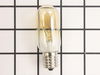
This 40-watt microwave light bulb is a genuine replacement component designed to provide interior illumination for compatible GE microwave models. Engineered to withstand the high temperatures within ...
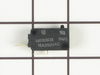
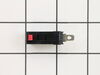
This ceramic microwave fuse is just over an inch in length. It is white in the center, and metal on both ends. This is a 20-amp fuse, and is used to power your microwave. If the touch pad on the micro...
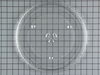
This glass turntable tray is a durable, heat-resistant component designed to rotate food evenly within compatible microwave models. Crafted from food-grade tempered glass, it features a smooth, clear ...
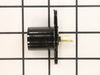
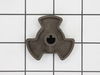
This turntable motor coupler connects the turntable motor to the turntable tray to activate the tray. If your tray does not consistently turn or does not turn at all, replace this part. This part meas...
Need a specialized replacement part to get your GE Appliance back to peak performance? Our GE Appliances Vent Damper might be exactly what you're looking for. This genuine original equipment manufactu...
No Longer Available
Questions And Answers for JVM1440WH04
Ask our experts a question about this model and we'll get back to you as soon as possible!
8 questions answered by our experts.
< Prev
1
2
Next >
Sort by:
Search filter:
Clear Filter
Your search term must have 3 or more characters.
Keep searches simple. Use keywords, e.g. "leaking", "pump", "broken" or "fit".
Sorry, we couldn't find any existing answers that matched.Try using some different or simpler keywords, or submit your new question by using the "Ask a Question" button above!
Nelson
February 3, 2020
How to replace the fuse? How to open control panel plate?
For model number JVM1440WH04
Hi Nelson, Thank you for your inquiry. The fuse is located under the plastic grill at the top of the microwave. It's held on by two screws. Once you've removed the screws and taken off the plastic grill, you go to the right side of the microwave and remove another screw that holds a small metal grill in place. Removing the small metal grill is probably the toughest part of this repair. You kind of have to rock it back and forth a bit to get it to release. Once that's off, you can get to the fuse. Before you start this repair, ensure that the microwave is unplugged, and the capacitor is discharged. A capacitor stores large amounts of electricity even after your microwave is unplugged. I hope this helps. Thank you and have a great day.
Hello Robert and thanks for writing.
It certainly sounds like a faulty Line fuse PS239525 and/or secondary door switch PS237421check for signs of damage and replace it if needed. We hope this helps. Please contact us anytime.
Trying to order the glass piece but I don't have the case that it fits in, do I need that or can I just order the glass?
For model number JVM1440WH04
Hello Joy, Thank you for the question. If you do not have the Turntable Roller Guide or the Turntable Coupler that the glass Tray rotates on, they will need to be ordered as well. We hope this helps!
While cooking items in the microwave, after a few minutes the microwave completely shuts off and won’t operate for some time. Is there any way to fix this?
For model number JVM1440WH04
Hello Justin, Thank you for the question. This is normally an indication the appliance is over heating. We suggest testing the Hood Thermostat. This safety device switches the microwave off if it begins to overheat. We hope this helps!
After replacing the fuse and verifying power functions, when attempting to heat a cup of coffee the microwave immediately blows the fuse and won’t operate.
For model number JVM1440WH04
Hi Don,
Thank you for your question. If the fuse blows when you heat a cup of coffee, your microwave may not have its own dedicated circuit. Unplug the microwave and plug it into another electrical outlet. If the microwave heats with no issue, then it was on the same circuit as another appliance. If the fuse does blow, then a part inside the microwave is causing the issue. You will need to check the magnetron, the high voltage diode and the door switches. Before inspecting these parts, for safety reasons, since the microwave capacitor can still store electricity even when the microwave is unplugged, it is usually advised that you discharge the capacitor before any attempt at repair. We have included a link on how to do so. We hope this helps! If you have any questions, please let us know. We are open 7 days a week. We look forward to hearing from you!
Turned out the issue was easily solved by replacing a single, inexpensive fuse.
First off, UNPLUG THE MICROWAVE.
The fuse is located under the plastic grill at the top of the microwave. It's held on by two screws. Once you've removed the screws and taken off the plastic grill, you go to the right side of the microwave and remove another screw that holds a small metal grill in place. Removing the small metal grill is probably the toughest part of this repair. You kind of have to rock it back and forth a bit to get it to release. Once that's off, you can get to the fuse. I removed the burnt out one with a pair of needle nose pliers. I also put a small piece of cardboard under the fuse when I did this so I didn't accidentally drop it into the innards of the microwave. I did the same thing when I replaced the new fuse. I then plugged the appliance back in and made sure it worked. Once that was confirmed, I replaced both grills.
The unbelievable happened. Our glass carousel cooking tray developed a crack. Each day the crack got longer. I ordered a new one on Tuesday and it arrived the next morning just before the cracked one completely cracked. I have never experienced such fast service. I highly recommend PartSelect and their helpful service.