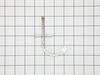
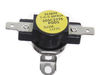
If your oven isn’t heating right or the temperature keeps changing, this sensor could be the problem. It helps your oven stay at the right temperature by sending signals to the control board. When it’...
Need better lighting inside your oven? This halogen bulb gives off a warm, clear light so you can easily check on your food while it cooks. It’s made to handle high heat and fits into the top of the o...
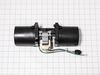
This range and oven cooling fan is designed to circulate air within the control compartment, preventing heat buildup and protecting sensitive electronics during and after cooking. By maintaining prope...
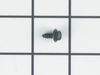
This part is a replacement screw for your oven. It is made of black metal and is sold individually. This screw is approximately 1/4 inch in diameter and about 1/2 inch in length. It is designed to con...
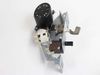
Maintain safe and consistent oven performance with this genuine cooling fan sensor board. This electronic component monitors the cooling fan’s speed and communicates with the main control board to pre...
Facing trouble with your GE range? Our GE cooling fan sensor board is here to solve your problem. This key part accurately monitors the speed of your cooling fan and communicates the info to the main ...
Got a GE appliance that's acting up? The solution could be simpler than you think! Let's get straight down to the nitty-gritty - you might just need the High Limit Switch. This small but powerful pa...
Introducing the GE Glass Oven Window, your solution for a safe and efficient oven. As the internal layer of your oven door's window, it's designed to handle high heat, making sure you have a clear loo...
$113.73
Special Order
Questions And Answers for JT3500SF2SS
Ask our experts a question about this model and we'll get back to you as soon as possible!
4 questions answered by our experts.
< Prev
1
Next >
Sort by:
Search filter:
Clear Filter
Your search term must have 3 or more characters.
Keep searches simple. Use keywords, e.g. "leaking", "pump", "broken" or "fit".
Sorry, we couldn't find any existing answers that matched.Try using some different or simpler keywords, or submit your new question by using the "Ask a Question" button above!
Mayhugh
January 24, 2022
The upper oven temp is over lower than setting
For model number JT3500SF2SS
Hello Mayhugh, Thank you for the question. We su7ggest testing the Oven Sensor. Testing the temperature sensor probe on your oven is easy. With the sensor at room temperature, measure the resistance between the two prongs at the end of the sensor connector. The resistance of the sensor should read approximately 1080 – 1090 ohms at room temperature. If you need help placing an order, customer service is open 7 days a week. Please feel free to give us a call. We look forward to hearing from you!
Hi Mickey, thank you for the question. Based on our understanding, we would recommend checking the oven control board, part number PS11700838. It manages the functions of the wall oven, such as heating and temperature. You may need to replace it to fix the issue. We hope this solves your problem!
Was this helpful?
Thank you for voting!
Kevin
March 26, 2024
Both ovens turn on but will not heat. It goes to 100 degrees and stops. Neither ovens heat but there is a clicking sound?
For model number JT3500SF2SS
Hello Kevin, thank you for getting in touch. According to our research, the issue is most probably with the control board, part number PS11700838. It manages the functions of the wall oven such as heating and temperature. You may need to replace it to solve the problem. Glad to be of help!
Was this helpful?
Thank you for voting!
Edward
December 6, 2024
F20 code on the upper oven keeps popping up randomly. Turned off the breaker but it keeps happening is a sensor or control board
For model number JT3500SF2SS
Hello Edward, thank you for your question. When the F20 error appears on the screen, it means that the oven temperature has exceeded the preset threshold. The two parts to check are the Temperature Sensor PS8754411 and the Electronic Control PS11700838. Good luck with your repair.
The first step was to determine whether the problem was with the fan itself or the switch. I did this by opening the back cover and using a Volt meter to verify that the fan was not getting power. (I could have skipped this step.)
Next, I unplugged the range, closed up the back cover and lifted the range hood by removing two hex head screws that are just inside and on either side of the top of the opening in the range door. Propping the hood open, I removed the connector leading to the switch, then pushed the switch out the front. Inspection showed that the switch was damaged so I closed up the range and ordered the part from Part Select. Once the part arrived, it was a 15 minute job to unplug the range, lift the top, install the new switch, and close up the unit.
Caution. On starting to install the switch, I failed to unplug the range and my finger brushed one of the hot contacts leading to the switch. Thankfully, I was not injured. Do not repeat my mistake on this issue. Unplug the range even if you're only installing this simple switch.
After opening the Oven door, I removed the glass cover to view and locate the bulb, at the inside, top front of the Oven. Removed the burnt out bulb by pulling it in a forward motion towards the front of the Oven, slid the new bulb into place and the Oven is again functional.