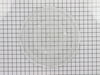
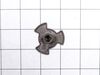
Struggling with uneven cooking or a stationary microwave tray? It may be time to replace your Turntable Motor Coupler. This is where our GE Turntable Motor Coupler comes in. This handy little componen...
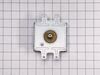
When your microwave stops heating your food properly, it could be time to replace the magnetron. This GE Magnetron Assembly is tailored to get your microwave cooking at full power again. Why is this i...
We're sorry, but our Q&A experts are temporarily unavailable.
Please check back later if you still haven't found the answer you need.
3 questions answered by our experts.
< Prev
1
Next >
Sort by:
Search filter:
Clear Filter
Your search term must have 3 or more characters.
Keep searches simple. Use keywords, e.g. "leaking", "pump", "broken" or "fit".
Sorry, we couldn't find any existing answers that matched.Try using some different or simpler keywords, or submit your new question by using the "Ask a Question" button above!
Joe
December 5, 2019
Top handle came apart
For model number JNM1951SR1SS
Hello Joe, Thank you for contacting us. I have researched the model you have provided and have found the part you are looking for is PartSelect Number PS3510619 for the Handle. Hope this helps!
Was this helpful?
Thank you for voting!
Sondra
May 5, 2022
The fan comes on when the door opens
For model number JNM1951SR1SS
Hi Sondra,
Thank you for your question. If the fan comes on when the door opens, there is an issue with one of the door switches and you will need to test them with a multimeter for continuity to see which one is causing the issue. Using a multimeter set to Rx1, ensure the button is depressed and touch the terminals with the meter’s probes, you should receive a reading of zero or nearly zero, indicating that there is continuity. Next, with the probes still touching the terminals, ensure the button is not pushed in, this test should indicate that there is no continuity. If your test results differ from those above, you will need a replacement door interlock switch. The part number listed under your model number for the door switches are PS237422 and PS237421. If you need help placing an order for them, customer service is open 7 days a week and anyone will be happy to assist you. Please feel free to give us a call. We look forward to hearing from you!
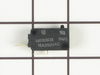
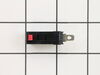
Noted on partselect.com that someone else with this problem, found it to be secondary door switch. There are three door switches in this model, but online info noted that one of the three might feel "soft" (in my case, one switch clicked in a rather "jiggly" way, the other two were strong decisive clicks.) To access the door switches on this model was the only difficult part. First use a torx bit to remove the two torx screws below the latches inside the microwave. This frees the latching part inside, that holds the door switches, which you will remove after you take off the control panel. The top grill has to come off before you can remove the door panel. Remove the screws above the grill, on the microwave top cover, The grill on this model is covered with a panel that moves out when it vents. After removing the two top screws, the covered grill vent slides left to remove. Be careful, as the sliding tabs are plastic. Wiggle and jiggle it, to slip it off. Below the removed grill, is a small metal grill with one screw in lower center. Remove that screw, and wiggle that out. You'll then see the one screw that holds on the control panel. Remove this screw, and lift the control panel up to remove. Again, go slowly and gently, as the bottom tabs holding the control panel in, are also plastic and easily broken. Lay the control panel on something, (I used the coffee maker) and pull out the wire bundles tucked on the left, that are attached to the latching panel. Wiggle the latching panel gently to lift it up off of it's plastic tabs and pull it out towards you, so you can see the three door switches. Each switch (part number WB24X829) has a little black switch on it. Feel each switch with either your finger, or a screwdriver to see which one doesn't "click" strongly. The weak one is the one you will replace. The door switches are fitted into a tab, and plugged into their wires. Remove the defective switch, pull out the wires, and replace it with the new switch, plugging back the wires, and slipping it back into it's plastic tabs. Then put everything back together in reverse order. The entire job took me fifteen minutes EXCEPT for figuring out how to slide off the upper grill, which I have told you. A repairman would have cost $150, the part was $18. AND, there's a good chance, the other two switches will get "used up" in the next year or so as well, so I'll be ready next time. Thank you, Partselect, why work all day, to make money, only to give it to somebody else, for fifteen minutes of work. All I needed was the knowledge.
To get to the switches you need to remove the metal cover/housing of the microwave, by first removing several screws that hold it in place, and then sliding the cover towards the back of the unit. You'll find the switches in some plastic holders above the door-open button, and it's its easy to see how the mechanism engages/disengages the switches when the door is opened and closed.
If it is not obvious which switch is bad, in our case the bad switch felt "soft" when we pressed the switch button with our fingers. A good switch has a firm "click" when pressed.
The switches are easy to replace - pop out the old switch (no tools required) and pull off the electrical connectors. Then pop in the new switch and reattach the connectors.