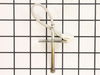
The temperature sensor detects the temperature within the oven cavity. If your oven is too hot, not heating evenly, or has little to no heat when baking, you may need to replace the temperature sensor...
This halogen lamp bulb is a genuine OEM replacement part for your oven. If the light has burned out in your oven, replace it with this part. This is a 35 watt bulb. Replacing this bulb is fairly easy ...
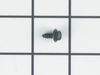
This part is a replacement screw for your oven. It is made of black metal and is sold individually. This screw is approximately 1/4 inch in diameter and about 1/2 inch in length. It is designed to con...
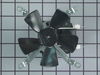
Are you looking for a replacement part for your oven or range that delivers effective and reliable performance? Well, this Upper Cooling Fan Motor with Blade is your solution! A genuine, direct compon...
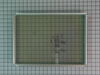
Are you struggling with a cloudy oven door? Get your oven back to its best with the GE Door Middle Glass. Crafted with high heat-resistance, this crucial element rests in the heart of your wall oven d...
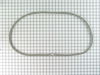
Need a quick fix to ensure your meals cook efficiently? Look no further than our GE Oven Door Gasket. This vital oven range accessory creates a perfect seal between your oven door and opening. The res...
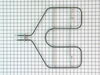
If your oven isn’t broiling like it used to or the top element isn’t heating, this replacement broil element could be the fix. It’s the part that gives off that intense heat from the top of the oven, ...
Removed six 1/4" hex nuts on rear of oven. Then through front/inside removed a single 1/4" hex nut to actually remove sensor. Unplug sensor connector, remove. Reversed steps, push oven back in place and plugged in. Tested oven function.
Unplugged appliance and removed 5 screws on back of stove/oven and removed plate. Disconnected the sensor and unscrewed it on the inside of the oven. Pulled the cord through and replaced with new sensor. Replaced all parts and plugged in the appliance and tested. Worked great.
After turning off the breaker to cut power to the oven, I opened the oven door and, using the PartSelect exploded diagram as a guide, I removed 3 screws from the underside of the control panel - I was then able to slide the panel up and out to remove it. Leaving all of the control wires (especially the ribbon) connected to control panel, I saw the fan assembly mounted to the rear of the control box.
I noted the position of the two attached wires - black on top (or left), white on bottom (or right). Using a nutdriver with an extension bar, I unscrewed 4 screws holding the assembly in place. I removed the old fan and installed the new fan in its place. It was necessary to bend the new fan's legs out a bit to get them to line up with the holes. I reconnected the wires as mentioned above, then reinstalled the control panel.
I tested the oven by turning the breaker back on and letting the oven heat up to 450 degrees. The fan turned on as expected. After the oven cooled off, I reinstalled the 3 screws to secure the control panel.