




















JES1142SFC001 General Electric Microwave - Overview
Sections of the JES1142SFC001
[Viewing 1 of 1]
Keep searches simple, eg. "belt" or "pump".
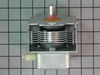
Magnetron
PartSelect #: PS953838
Manufacturer #: WB27X10682
This part is used to generate microwave energy/heat.
No Longer Available

Questions And Answers for JES1142SFC001
We're sorry, but our Q&A experts are temporarily unavailable.
Please check back later if you still haven't found the answer you need.
Common Symptoms of the JES1142SFC001
[Viewing 2 of 2]

Keep searches simple. Use keywords, e.g. "leaking", "pump", "broken" or "fit".
Both Intermittent- and No-Heating
First, I read the PartsSelect DIY report by Linda, Warsaw, IN. With confidence, I purchased the magnetron. Upon receipt, I took the built-in microwave out of the cabinet, set the unit on the kitchen floor, and was stopped cold by the Safety Torx nuts on the reverse of the unit. Borrowing the right wrench allowed the 20 minute start-to-finish part changeout and reinstallation of the unit in the cabinet to proceed. The old magnetron was the defective part. Discovery of the 10-year Parts-Only warranty on the less than 10-year old unit was insufficinet to guide me to take the unit in for their Labor bill to repair. New part in hand, it just was that easy - and assumed to be no less expensive.
Parts Used:
-
Richard from Merritt Island, FL
-
Difficulty Level:Easy
-
Total Repair Time:15 - 30 mins
-
Tools:Screw drivers
18 of 24 people
found this instruction helpful.
Was this instruction helpful to you?
Thank you for voting!
Everything Worked Fine But It Stopped Heating The Food.
Take the four saftey torx screws off the back of microwave that hold the side panels on. There are no screws in the front. Just pick up the side panels a little and slide towards the back of microwave and it will come off. The magnetron is visible behind control panel. Unplug the magetron, take a 3/8 nut driver , remove the one bolt that holds it on , remove and replace with the new one. Plug the wire (it will only go one way) back up and replace cover.
Parts Used:
-
ROBERT from GAINESVILLE, TX
-
Difficulty Level:Really Easy
-
Total Repair Time:Less than 15 mins
-
Tools:Nutdriver, Screw drivers
1 of 2 people
found this instruction helpful.
Was this instruction helpful to you?
Thank you for voting!
Micowave not heating food.
I just took off the cover, located the magnetron, replaced it and slapped everything back together and since then everything's been working pretty good.
Parts Used:
-
Corey from Greenville, NC
-
Difficulty Level:Easy
-
Total Repair Time:30 - 60 mins
-
Tools:Screw drivers, Socket set
Was this instruction helpful to you?
Thank you for voting!