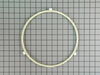
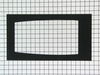
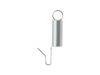
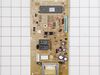
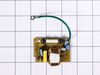
The roller glide in your microwave rests under the microwave plate, and allows it to rotate when the microwave is running. It is a round plastic ring with 3 wheels spaced out around the perimeter. If ...
We're sorry, but our Q&A experts are temporarily unavailable.
Please check back later if you still haven't found the answer you need.
4 questions answered by our experts.
< Prev
1
Next >
Sort by:
Search filter:
Clear Filter
Your search term must have 3 or more characters.
Keep searches simple. Use keywords, e.g. "leaking", "pump", "broken" or "fit".
Sorry, we couldn't find any existing answers that matched.Try using some different or simpler keywords, or submit your new question by using the "Ask a Question" button above!
Glenda
August 30, 2021
How do I get the control panel off this built in GE profile microwave? There is no vent, vents out the back, so the diy videos aren't helpful. I see no screws holding it in place unless I have to remove the entire cover of the microwave?
For model number JE2160SF03
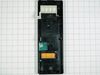
Hello Glenda, Thank you for the question. Since there is no upper vent for this model, you will need to remove the Cover. On the back of the appliance there will be screws holding the cover in place. Once the Cover is removed, you will be able to access the screws that hold the Control Panel in place so you can remove and replace it. We hope this helps!
4 people found this helpful.
Was this helpful?
Thank you for voting!
Liza
November 7, 2019
Used the microwave just now to heat up lunch; as soon as i took my plate out - the control panel went blank and the microwave will not do anything. How can i troubleshoot this?
For model number GE Profile JE2160SF 03
Hi Liza, you would have to get a multimeter to test the electronic components.
Thank you for your question and good luck with your repair!
1 person found this helpful.
Was this helpful?
Thank you for voting!
Allyn
March 22, 2023
Does not heat liquids orfood.
For model number JE2160SF03
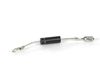
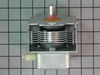
Hi Allyn, thank you for reaching out. Based on the description that you have provided, we would recommend checking the diode, part number PS953843, and magnetron, part number PS953838. We hope this solves your problem!
Hello - Have had this for 17 years with no problems. Today while heating it popped (noise) and went dead. It had tripped the breaker. Reset the breaker. Unit is on, was able to set the time and select a heating selection and it will not start the heating cycle. Suspect the magnetron or worse. any hints? Thanks.
For model number JE2160SF03
Hello Daniel, thank you for reaching out. Before replacing the magnetron, we would recommend checking the high voltage diode, part number PS953843. It is an electrical current control device inside the microwave. It provides high voltage that powers the magnetron. You may need to replace it to fix the issue. We hope this sorts out your problem!
First I ordered and replaced the diode. That did not help. Then I ordered both the magnetron and the thermostat magnetron because I didn't know what I was doing. After I replaced those, it still wouldn't heat. So I called an electrician. He noticed I had knocked a wire loose. I connected it and the microwave worked. I reconnected the old magnetron, just to test it. It didn't work. Then I put the new one back in. It's working just fine now! It took quite a while to put everything back in place because it was a built-in. But it was a lot cheaper than getting a new microwave, even with the cost of a repair man to show me I had a loose wire!
First, I read the PartsSelect DIY report by Linda, Warsaw, IN. With confidence, I purchased the magnetron. Upon receipt, I took the built-in microwave out of the cabinet, set the unit on the kitchen floor, and was stopped cold by the Safety Torx nuts on the reverse of the unit. Borrowing the right wrench allowed the 20 minute start-to-finish part changeout and reinstallation of the unit in the cabinet to proceed. The old magnetron was the defective part. Discovery of the 10-year Parts-Only warranty on the less than 10-year old unit was insufficinet to guide me to take the unit in for their Labor bill to repair. New part in hand, it just was that easy - and assumed to be no less expensive.
First step was to discharge the transformer's capacitor (very important to do), before attempting any microwave repair. I opened the diagram/schematic found inside the microwave oven and followed the technician's troubleshooting steps; checked the capacitor; it checked OK, I checked the diode for a short, it checked OK. I checked the windings of the transformer that supply the power to the Magnetron; it checked Ok. I proceeded to order the parts; the Magnetron and the sensor located on the top part of the Magnetron. When the parts arrived; I went straight to the location of the Magnetron, I attached the new sensor on the new Magnetron and removed the old one. I connected the harness from the transformer to the new Magnetron and tested the microwave oven and it worked perfectly like a new one. This site has a great deal of information about repairs for the do it-yourself like myself, unlike other appliance's parts websites. Thumbs up to this site, I am very pleased with my order, I received it in a timely fashion as promised. I recommend it to everyone; this site is the best place to shop for appliances parts.