JBV42G*01 General Electric Microwave Oven Combo - Overview

Sections of the JBV42G*01

[Viewing 2 of 2]
Keep searches simple, eg. "belt" or "pump".
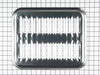
Broiler Pan - Large – Part Number: WB48X10056
Broiler Pan - Large
★★★★★
★★★★★
(1)
PartSelect #: PS1517612
Manufacturer #: WB48X10056
Includes the pan and grate.
$68.19
  Special Order
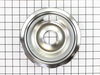
Drip Bowl - 6" – Part Number: WB31X5010
Drip Bowl - 6"
PartSelect #: PS244466
Manufacturer #: WB31X5010
This six inch chrome drip bowl is intended for use with looped terminal style surface mount burner element units.
$12.95
  Special Order
Screw - Package of 12 – Part Number: WZ4X345D
Screw - Package of 12
PartSelect #: PS312638
Manufacturer #: WZ4X345D
$93.28
  Special Order
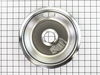
Drip Bowl - 8 Inch – Part Number: WB31X5011
Drip Bowl - 8 Inch
PartSelect #: PS244470
Manufacturer #: WB31X5011
Sold individually.
$26.95
  Special Order
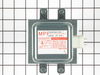
Magnetron – Part Number: WB27X10249
Magnetron
PartSelect #: PS239377
Manufacturer #: WB27X10249
This part is used to generate microwave energy/heat.
$420.61
  Special Order
RECTIFIER – Part Number: WB27X5070
RECTIFIER
PartSelect #: PS239980
Manufacturer #: WB27X5070
$228.24
  Special Order
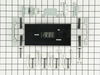
Electronic Clock and Timer Kit – Part Number: WB19X10006
Electronic Clock and Timer Kit
PartSelect #: PS233996
Manufacturer #: WB19X10006
This electronic clock replaces the mechanical clocks with a more reliable digital timer. As per the manufacturer, this part should be installed by appliance repair person.
$567.21
  Special Order
Terminal Block  Assembly – Part Number: WB17X5051
Terminal Block Assembly
PartSelect #: PS232617
Manufacturer #: WB17X5051
This ceramic terminal block kit includes one ceramic block and terminal assembly with mounting bracket. Terminal blocks generally provide an easy solution for connecting individual wires.
  No Longer Available
TERMINAL BLOCK Assembly (2 P – Part Number: WB17X5060
TERMINAL BLOCK Assembly (2 P
PartSelect #: PS232622
Manufacturer #: WB17X5060
$72.84
  Special Order
HINGE SPT Right Hand – Part Number: WB10X148
HINGE SPT Right Hand
PartSelect #: PS230904
Manufacturer #: WB10X148
$13.09
  Special Order
HINGE SPT Left Hand – Part Number: WB10X149
HINGE SPT Left Hand
PartSelect #: PS230905
Manufacturer #: WB10X149
  No Longer Available
I D PANEL – Part Number: WB56X5678
I D PANEL
PartSelect #: PS704749
Manufacturer #: WB56X5678
  No Longer Available

Questions And Answers for JBV42G*01

Be the first to ask our experts a question about this model!

Common Symptoms of the JBV42G*01

[Viewing 2 of 2]
Element will not heat
Fixed by
these parts
Fixing
Show All
Timer will not advance
Fixed by
these parts
Fixing
Show All
Keep searches simple. Use keywords, e.g. "leaking", "pump", "broken" or "fit".
Electronic Timer went out and Top Oven No Longer worked
There are about 12 wires behind the panel...and this was the second time I've replaced the electronic clock in the past four years. I replaced the analog clock four years ago with the digital version because the analog was no longer available, so I knew what I was in for. There are four screw (top of the frame and lower frame) to remove before the frame holding the clock will come out. First DISCONNECT the power! You've have to remove the clock control knobs, and the plastic lever on the self cleaning handle. The first time I ordered this replacement part from PartsSelect there was a diagram included on which wire goes where. This time there wasn't! So it gets a little complicated. Make sure you label all the wired before you disconnect the old clock panel. Anyway, remove the four nuts holding the old clock in place; put the new clock panel in; replace the four nuts. I'll be glad to talk anyone through the rest and I have photos of the whole repair.
Parts Used:
Electronic Clock and Timer Kit
  • David from Owings Mills, MD
  • Difficulty Level:
    Difficult
  • Total Repair Time:
    1- 2 hours
  • Tools:
    Pliers, Screw drivers
60 of 73 people found this instruction helpful.
Was this instruction helpful to you?
Thank you for voting!
Mechanical/electrical clock/timer not working
Followed the instruction provided except had to add a NEUTRAL LEAD which on the old part had been provided by the frame as it was metal/ electrical vs plastic/electronic . Used one of the extra Wire Extensions provided, drilled a hole in the clip connection and attached it to the metal frame holding in the replacement clock. The need for a NEUTRAL LEAD was not discussed in the instructions.
Parts Used:
Electronic Clock and Timer Kit
  • Maxwell from RINGWOOD, NJ
  • Difficulty Level:
    A Bit Difficult
  • Total Repair Time:
    15 - 30 mins
  • Tools:
    Nutdriver, Pliers, Screw drivers
29 of 36 people found this instruction helpful.
Was this instruction helpful to you?
Thank you for voting!
Old mechanical timer worn out.
This digital timer, GE Part # WB19X10006 (PartSelect PS233996) is called out by GE as the current replacement for the mechanical timer in the JB500G*J1 range. I had tried to get one some time ago from another dealer but was told it was discontinued and no longer available, so I was pretty happy to come across it in the PartSelect catalog.

It comes with a number of mounting brackets and instructions to use the brackets that resemble the old parts, but when I did that the control buttons did not line up with the holes in the glass and were offset about 1/4" to the left. It was impossible to simply slide the timer over that far because it bumped into the underlying metal frame. I ended up using a longer set of brackets which lifted the timer about 1/2" off the glass, thereby avoiding interference with the frame, and bent the brackets sideways to line up with the holes in the glass. But then a transformer on the new timer stuck out about 1/4" too far in back to get the rear cover back on. I made two vertical cuts in the rear cover from the edge down past the timer and bent the resulting flap around the transformer. The resulting installation looks like it was made that way and works great.
Parts Used:
Electronic Clock and Timer Kit
  • Theodore from Atwater, CA
  • Difficulty Level:
    A Bit Difficult
  • Total Repair Time:
    1- 2 hours
  • Tools:
    Nutdriver, Pliers
26 of 32 people found this instruction helpful.
Was this instruction helpful to you?
Thank you for voting!