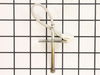
The temperature sensor detects the temperature within the oven cavity. If your oven is too hot, not heating evenly, or has little to no heat when baking, you may need to replace the temperature sensor...
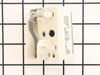
If your stove’s burner isn’t heating right—maybe it’s stuck on high or won’t turn on at all—this control switch could be the fix. It’s made for 6-inch burners and lets you adjust the heat smoothly, no...
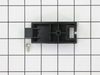
This genuine GE drawer support is an original replacement part sourced from the manufacturer and is designed for use with electric ranges. Made of durable plastic, it attaches to the rear of the drawe...
Looking to fix your range drawer? You're in the right place. First things first, the GE Front Drawer Support is the key to maintaining stability'and without it, your range drawer might wobble or becom...
This surface element is for ranges. Surface elements supply the heat to a cooking area on top of the range. Unplug the range or shut off the house circuit breaker for the range before installing this ...
Is your GE range's knob assembly worn out or missing? Don't worry, we have the perfect replacement for you! Our GE Surface Burner Knob Assembly is designed to not only refresh the look of your range b...
The GE Oven Door Window Pack Assembly is a genuine OEM part that fits select GE ranges and ovens. It includes a heat-resistant inner glass panel, frame, and seals, providing insulation and clear visib...
Ask our experts a question about this model and we'll get back to you as soon as possible!
3 questions answered by our experts.
< Prev
1
Next >
Sort by:
Search filter:
Clear Filter
Your search term must have 3 or more characters.
Keep searches simple. Use keywords, e.g. "leaking", "pump", "broken" or "fit".
Sorry, we couldn't find any existing answers that matched.Try using some different or simpler keywords, or submit your new question by using the "Ask a Question" button above!
Jonathon
December 29, 2019
Beeping and blinking F71.
For model number JB750SF1SS
Hi Jonathon,
Thank you for your question. The F71 error code is letting you know that your touchpad is either failing or one of the buttons is sticking. To resolve this issue, unplug the oven and then use a hair dryer on a warm setting to heat up the touchpad. As you are blowing warm air on the touchpad, rub the buttons with your thumb in case one of them is sticking and then let the unit cool down. Plug the oven back in. If the F71 error code reappears, you will need to replace the touchpad. We hope this helps. Thank you and have a great day!
1 personfound this helpful.
Was this helpful?
Thank you for voting!
Patricia
April 12, 2023
I can't program the clock to display the time of day.
For model number JB750SF1SS
Hello Patricia, thank you for contacting us. You can set the clock by pressing the 9 and 0 buttons together. Then you can set the required time using the numbers buttons and then press the start button. We hope this helps.
1 personfound this helpful.
Was this helpful?
Thank you for voting!
Jorge
January 9, 2025
I need the glass for the front door, how much does it cost?
For model number JB750SF1SS
Hello Jorge, Thank you for writing. The Glass is only sold as part of the Stainless Steel Door Panel, PartSelect #: PS8767304. All prices and availability are shown on the site, We hope this information helps!
Removed six 1/4" hex nuts on rear of oven. Then through front/inside removed a single 1/4" hex nut to actually remove sensor. Unplug sensor connector, remove. Reversed steps, push oven back in place and plugged in. Tested oven function.
The existing terminal block on my Ge oven/Range had melted due to a loose wire causing sparking and starting the plastic casing of the terminal block on fire and melting it, Part select made the part easy to find and had it at my house in 2 days. All I had to do was remove six screws to take the back sheet metal cover off of the oven. Unscrew the terminal connections remove two mounting screws that held the terminal on to the oven body. This was a little trickier than it should have been because the melted plastic had reformed making it very hard to access the mounting screws. i then mounted the new piece and plugged the oven in, it took 15 minutes and was very easy. definitely saved me at-least a $100 for the service call i would have made if finding the part wasn't so convenient
Unplugged appliance and removed 5 screws on back of stove/oven and removed plate. Disconnected the sensor and unscrewed it on the inside of the oven. Pulled the cord through and replaced with new sensor. Replaced all parts and plugged in the appliance and tested. Worked great.