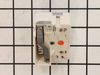
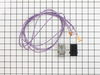
The 8-inch surface element switch is also known as an infinite heat switch, and is a part for your range. It controls the large surface element. It will turn the element on and off, and allow you to c...
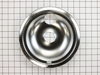
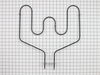
This Drip Bowl, also known as a burner bowl or drip pan, is made to fit an element 8 inches in diameter and comes in chrome. The actual total diameter of this drip bowl is closer to 10 inches, but don...
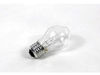
This 40-Watt light bulb is sold individually.
It is specially designed to withstand extreme temperatures, so this bulb is compatible with a variety of appliance types including refrigerators, ranges,...
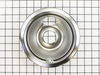
This drip bowl, also known as the drip pan or burner bowl, is 6 inches in internal diameter to match the burner, but actually measures closer to 8 inches in total diameter to its outer edges. This au...
The temperature sensor detects the temperature within the oven cavity. If your oven is too hot, not heating evenly, or has little to no heat when baking, you may need to replace the temperature sensor...
If your stove’s burner isn’t heating right—maybe it’s stuck on high or won’t turn on at all—this control switch could be the fix. It’s made for 6-inch burners and lets you adjust the heat smoothly, no...
This genuine GE drawer support is an original replacement part sourced from the manufacturer and is designed for use with electric ranges. Made of durable plastic, it attaches to the rear of the drawe...
The electronic oven control board manages heating and temperature functions in wall ovens. Modified wiring may require professional installation. Unplug the oven or shut off the circuit breaker before replacing.
This part is the replacement light socket for your oven. The oven light socket provides power to the light, and at the same time holds the light bulb in place.
Looking to fix your range drawer? You're in the right place. First things first, the GE Front Drawer Support is the key to maintaining stability'and without it, your range drawer might wobble or becom...
Ask our experts a question about this model and we'll get back to you as soon as possible!
4 questions answered by our experts.
< Prev
1
Next >
Sort by:
Search filter:
Clear Filter
Your search term must have 3 or more characters.
Keep searches simple. Use keywords, e.g. "leaking", "pump", "broken" or "fit".
Sorry, we couldn't find any existing answers that matched.Try using some different or simpler keywords, or submit your new question by using the "Ask a Question" button above!
Linda
January 11, 2022
The burners and oven will not heat.
For model number JB250DF7WW
Hi Linda,
Thank you for your question. If the elements on the cooktop and in the oven are not working, check the power cord to make sure it is plugged in correctly and check the circuit breaker or fuse. To test the surface burners, unplug one of the elements and plug it into another terminal to see if it is working. You will also need to check the surface burner switches, the terminal blocks, the oven elements and the temperature sensor. We have included a link that you may reference on how to check these parts. We hope this helps! Good luck with the repair!
Can I buy the socket into which the top burner plugs? I didn't didn't find that on your parts display
For model number JB250DF7WW
Hello Bill, thank you for reaching out to PartSelect. The part you are looking for is the surface burner terminal block kit, part number PS232606. We look forward to hearing from you if you need assistance with placing an order through our 7-days-a-week customer service. We hope this helps!
When I try to cut the oven on. It is telling me that I need to unlock door. However I do know it is not the lock switch. Or the handle itself. Have tried unplugging stove for 24hours. Help
For model number JB250DF7WW
Hi Kyle, thank you for getting in touch. It seems like the issue is with the control board, part number PS12227057. A faulty relay on the control board might be causing the issue. Checking the control board for continuity using a multimeter might help. Good luck with the repair!
Was this helpful?
Thank you for voting!
Jerry
July 28, 2021
Why does the clock numbers flicker
For model number JB250DF7WW
Hi Jerry,
Thank you for your question. If the numbers on the electronic control board are flickering, there may have been a recent power outage. To resolve the issue, push the Cancel button and then set the time on the control panel. Once the time has been entered, press the Start button to see if the display is functioning normally. If not unplug the oven for 1 minute and then plug it back in. Once it has been plugged back in, try and set the clock. If the display continues to blink, you will need to replace the electronic control board. We hope this helps! If you have any questions, please let us know.
Was this helpful?
Thank you for voting!
< Prev
1
Next >
✖
Ask a Question
Ask our experts a question on this model and we'll respond as soon as we can.