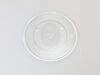
This microwave waveguide cover, also known as a stirrer blade cover, is an essential component for maintaining optimal cooking performance. It protects internal parts from food splatter while allowing...
Cook your meals evenly with this sturdy glass turntable tray. It fits in the center of your microwave and rotates food for better results. Made from heat-resistant glass and easy to clean, this tray i...
$203.38
Special Order
Questions And Answers for FGMO226NUFA
Ask our experts a question about this model and we'll get back to you as soon as possible!
6 questions answered by our experts.
< Prev
1
2
Next >
Sort by:
Search filter:
Clear Filter
Your search term must have 3 or more characters.
Keep searches simple. Use keywords, e.g. "leaking", "pump", "broken" or "fit".
Sorry, we couldn't find any existing answers that matched.Try using some different or simpler keywords, or submit your new question by using the "Ask a Question" button above!
Bhupinder
June 16, 2023
When I open the door, the plate keeps on rotating.
For model number FGMO226NUFA
Hi Bhupinder, thank you for asking. To fix the issue, you may need to check the door monitor switch, part number PS12365114. It prevents the microwave from starting when the door is open. Glad to be of assistance!
Does this model have a charcoal filter and is it hard to replace?
For model number FGMO226NUFA
Hi Lynda,
Thank you for your question. There is no charcoal filter listed for this model. We hope this helps! If you have any questions, please let us know.
1 person found this helpful.
Was this helpful?
Thank you for voting!
Maritza
April 11, 2023
Do you have the trim kit that will fit 30 inch cabinet space for this Fridgidaire gallery microwave?
For model number FGMO226NUFA
Hi Maritza, thank you for contacting us. According to our research, the compatible outer door assembly for your model is part number PS12705725. If you require assistance to place an order, please contact customer service!
How do I remove and replace the controll panel. I just received a new panel from you, but the YouTub videos show removing four screws from the top front of tle oven. My unit does not have any screws at this location. Help!
For model number FGMO226NUFA
Hi Donald, thank you for reaching out. We have attached some relevant instructions, which may not be of the exact same model but will help you while replacing the control panel. In order to replace the control panel, you just need to un-thread the screws present at the back and right side of the microwave. After that, just pull the cover outwards and lift it up. Release the potentially stored electrical charge in the capacitor by placing needle-nose pliers with an insulated handle across each set of terminals. Un-thread the screws securing the control panel. Open the door and lift the control panel up to detach. Disconnect the wire connectors to install the new control panel. Connect the wire connectors to the new control panel and reassemble the unit. Good luck with your repair!
Was this helpful?
Thank you for voting!
Jeffrey
March 2, 2024
Hi, I have a microwave from Frigidaire and during a power surge it came back locked so I can’t use it and I don’t know how to unlock it. Can you please help me with this situation it has a red icon that’s a lock please help.
For model number FGMO226NUFA
Hello Jeffrey, thank you for your inquiry. You may need to unplug the unit for a few minutes and then plug it in again and try to unlock the door. If it does not work, then you may need to open the door manually. You may need to use a cardboard, and just shim it in where the door hook is located. Push the cardboard in until you can become able to lift-up the door hook. Once you reached on that stage, then lift-up the door hook, and the door will get open. We hope that helps!
Was this helpful?
Thank you for voting!
< Prev
1
2
Next >
✖
Ask a Question
Ask our experts a question on this model and we'll respond as soon as we can.
First problem was there are a lot of different enclosures for NUFA models. After much research, I found a video of a smaller countertop micro that had the same screw pattern as my large Gallery over the stove unit. For my micro, you remove the screws on the back, one screw on the left side, and the entire cover lifts off. I then discharged the capacitor using a pair of insulated needle nosed pliers, and took a picture so I could replug everything correctly. Then removed all of the connectors and one screw holding the board in place, and removed the old board. After that, I just did everything in reverse, and plugged it in. Voila! I was finished. It was a very simple job once I found how to access the control board. Hope this helps, and my thanks for the prompt parts delivery. Don Crow