




















DPGT650EH0MG General Electric Dryer - Overview
Sections of the DPGT650EH0MG
[Viewing 3 of 3]


Manuals & Care Guides for DPGT650EH0MG
Click to downloadKeep searches simple, eg. "belt" or "pump".
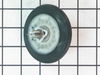
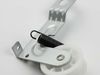
Drum Support Roller with Axle
PartSelect #: PS959905
Manufacturer #: WE03X10008
This part is the replacement drum support roller for your dryer. The roller is approximately 3 inches in diameter and is sold individually. The main reason to replace the drum support roller is if the...
$74.27
Special Order

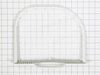
Lint Filter
PartSelect #: PS960013
Manufacturer #: WE18X10008
This filter collects lint as it passes through the dryer vent.
No Longer Available



Questions And Answers for DPGT650EH0MG
We're sorry, but our Q&A experts are temporarily unavailable.
Please check back later if you still haven't found the answer you need.
Common Symptoms of the DPGT650EH0MG
[Viewing 2 of 2]


Keep searches simple. Use keywords, e.g. "leaking", "pump", "broken" or "fit".
There was a grinding noise while the dryer was being used.
We removed the top and front of the dryer and found that the drum roller bearings had gone out on one side. All this happenend on a weekend with no reair store open. We googled the cut sheet for the dryer, found the part number we needed and ordered the parts (we went ahead and replaced both rollers) from partselect.com. For $70 and our own labor, we completed the repair by Wednesday evening. I feel certain we saved at least $100 if not more by doing the work ourselves.
Parts Used:
-
Dan from Mineola, TX
-
Difficulty Level:Easy
-
Total Repair Time:30 - 60 mins
-
Tools:Screw drivers, Socket set
36 of 56 people
found this instruction helpful.
Was this instruction helpful to you?
Thank you for voting!
Noise and Squeaking from Front During Drying
Front roller bearings were bad and figured to do the belt while in there. I bought the manual online which was very helpful.
??
Unplug dryer
Remove 4 screws behind touch panel
Tilt panel forward then up leaving wires attached
Rear has 2 screws on the rear ends facing down remove them at ends
Lift rear up then forward push and top will be freed (keep on top)
Front edges have 1 screw each but sharp areas watch
Open door and remove x 4 screws then lift up and forward bottom has tabs each end to hold in place
Wires for light and switch can stay attached, move front/door to side
Exposed will be the drum brace.. I changed the x 2 rollers while the drum brace was in place.
To undo the rollers you have to use a wrench to reach in as you use a nut driver to remove then re-install new roller with washer on inside and outside (pay attention when you remove)
Remove x 4 small screws..... hold drum inside then lift brace up and forward
Have assistance hold drum steady with pressure to the back otherwise you will have to align back to the rear rollers
Reach into the bottom for the idle pulley to remove drive belt tension... drive belt is VERY SKINNY and has ribbed side that faces the drum.
Reverse the steps..
??
Unplug dryer
Remove 4 screws behind touch panel
Tilt panel forward then up leaving wires attached
Rear has 2 screws on the rear ends facing down remove them at ends
Lift rear up then forward push and top will be freed (keep on top)
Front edges have 1 screw each but sharp areas watch
Open door and remove x 4 screws then lift up and forward bottom has tabs each end to hold in place
Wires for light and switch can stay attached, move front/door to side
Exposed will be the drum brace.. I changed the x 2 rollers while the drum brace was in place.
To undo the rollers you have to use a wrench to reach in as you use a nut driver to remove then re-install new roller with washer on inside and outside (pay attention when you remove)
Remove x 4 small screws..... hold drum inside then lift brace up and forward
Have assistance hold drum steady with pressure to the back otherwise you will have to align back to the rear rollers
Reach into the bottom for the idle pulley to remove drive belt tension... drive belt is VERY SKINNY and has ribbed side that faces the drum.
Reverse the steps..
Parts Used:

-
Philip from FREEHOLD, NJ
-
Difficulty Level:Easy
-
Total Repair Time:1- 2 hours
-
Tools:Screw drivers
4 of 4 people
found this instruction helpful.
Was this instruction helpful to you?
Thank you for voting!
replacement of filter
It wasn't a repair - just replaced a filter that was wearing out in one spot
Parts Used:
-
Elaine from Los Altos, CA
-
Difficulty Level:Really Easy
-
Total Repair Time:Less than 15 mins
5 of 9 people
found this instruction helpful.
Was this instruction helpful to you?
Thank you for voting!