




















DLE7150W (00) LG Dryer - Instructions
Keep searches simple. Use keywords, e.g. "leaking", "pump", "broken" or "fit".
Dryer would run with no heat
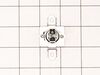
I actually went to mr fix it on u tube. Great instruction on how to take dryer apart. First I unplugged the dryer. I found I could reach the heating system by removing the lint tube in the back of the dryer. I put my I phone with the light on inside the back of the dryer and tested the connections to see if all were working. The thermal fuse was not working. I removed the two wires , red on top and white on the bottom. Then used a small Phillips screwdriver to remove the two mounting screws and removed the fuse. I then used a vacuum to clear any lint from the back of the dryer and inside the dryer. This took me about an hour and a half. I did it this way because I did not want to disassemble the entire dryer to get to the components. I received the fuse in 3 days and tested it. It was fine. I then put it in the dryer screwed it in place, connected the wires. Replaced the lint tube. This took about 10 minutes. Dryer is running great.
Parts Used:
-
Richard from ORMOND BEACH, FL
-
Difficulty Level:Easy
-
Total Repair Time:30 - 60 mins
-
Tools:Screw drivers
96 of 111 people
found this instruction helpful.
Was this instruction helpful to you?
Thank you for voting!
The dryer worked fine except the dryer did not heat up
I unplugged the dryer and disconnected the vent.
I pulled the dryer away from the wall so I had room to work on it.
Pulled the top cover off (slides back).
Took the door off
Took the front adjustable feet on the bottom off
Unscrewed all of the face screws on the front of the dryer
Took the two screws off of the back of the control panel holding the control panel to the metal frame.
Gently pulled on the control panel to reveal 4 screws under the control panel to be able to take the front cover off.
Pulled the front cover off (the dryer door front cover).
Pulled the dryer vent cover off (two screws).
I could now see the heating element with sensor/fuse (right side).
Did a continuity test (beep) on all visable sensors/fuses on the heating element. No beep on the thermal fuse (used website diagram to locate parts to test and replacement part numbers).
Got the part after about a week, tested the parted (it beeped), replaced with new part and put dryer back together, plugged in and the dryer heated. Problem solved.
I pulled the dryer away from the wall so I had room to work on it.
Pulled the top cover off (slides back).
Took the door off
Took the front adjustable feet on the bottom off
Unscrewed all of the face screws on the front of the dryer
Took the two screws off of the back of the control panel holding the control panel to the metal frame.
Gently pulled on the control panel to reveal 4 screws under the control panel to be able to take the front cover off.
Pulled the front cover off (the dryer door front cover).
Pulled the dryer vent cover off (two screws).
I could now see the heating element with sensor/fuse (right side).
Did a continuity test (beep) on all visable sensors/fuses on the heating element. No beep on the thermal fuse (used website diagram to locate parts to test and replacement part numbers).
Got the part after about a week, tested the parted (it beeped), replaced with new part and put dryer back together, plugged in and the dryer heated. Problem solved.
Parts Used:
-
Catherine from COVINGTON, WA
-
Difficulty Level:Really Easy
-
Total Repair Time:30 - 60 mins
-
Tools:Screw drivers
29 of 32 people
found this instruction helpful.
Was this instruction helpful to you?
Thank you for voting!
No heat; flow-sense error diagnosed but no blockage in exhaust.
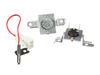
The first thing I did was locate a copy of the Service Manual (not the User / Owner Manual). After looking at that and looking online I learned that there is no sensor for the Flow Sense feature itself. The Flow Sense doesn't detect a blockage. It detects excessive heat and the manufacturer has simply concluded that too much heat is most likely caused by a blocked duct and then it activates the Flow Sense safety feature: cutting off the heat source. Since I knew it was a heat problem I figured I'd get inside and check the two thermostats and the igniter. Igniter was fine, one thermostat was fine, the other one - the High Limit Thermostat - was giving inconsistent readings. I replaced it. Here's how: First I took the dryer apart. This is a little time consuming. There are a lot of parts that need to come out. I recommend that you put the screws in small baggies with a note as to where you took them out of so that you know where they go when you put it back together. You need to remove part of the back, the top and the front. I removed the electrical box because that is what is shown in the manual but I'm not convinced that I needed to. See if you can get the rest of the dryer apart without removing it but if you have to remove it it's not that big of a deal. It's a little tricky to detach the wire harnesses is all. And extra steps, of course. I did not remove the drum. Instead I just reached inside with the front off and pulled the wires off the thermostats to test them for resistance with a multimeter. It was kind of a pain and a little awkward but I did not want to mess with the drum tensioner. Once I figured out that the High Limit Thermostat was the likely culprit I removed it - which required a very short Phillips head screw driver and some patience since I could not actually see one of the screws. But all good. Just remember which wire goes on which terminal. Make a note for yourself: gray back / red front - something like that. Then I ordered the part and installed the new one and rebuilt the dryer in reverse from what I did.
Now, here's the thing: I actually did two things: aside from changing the thermostat I also thoroughly cleaned out the dryer. Somehow a lot of lint built up in there - no idea how since it all appeared to leave the dryer through the vent. but there must be some small gap somewhere. I cleaned everything including the flame detector. When I put it all back together it worked but I'm not 100% sure that the thermostat was bad. It's at least possible that all the lint and dirt was messing with the way the thermostats behaved. So what I would recommend, if you have this problem, is to clean it out first and then put it back together enough to run it and see of the heat comes on. It will take maybe 30-60 seconds for the heat to come on while the igniter lights. If not, go ahead and replace whichever thermostats or other parts you think are broken.
Now, here's the thing: I actually did two things: aside from changing the thermostat I also thoroughly cleaned out the dryer. Somehow a lot of lint built up in there - no idea how since it all appeared to leave the dryer through the vent. but there must be some small gap somewhere. I cleaned everything including the flame detector. When I put it all back together it worked but I'm not 100% sure that the thermostat was bad. It's at least possible that all the lint and dirt was messing with the way the thermostats behaved. So what I would recommend, if you have this problem, is to clean it out first and then put it back together enough to run it and see of the heat comes on. It will take maybe 30-60 seconds for the heat to come on while the igniter lights. If not, go ahead and replace whichever thermostats or other parts you think are broken.
Parts Used:
-
Daniel from MANALAPAN, NJ
-
Difficulty Level:A Bit Difficult
-
Total Repair Time:1- 2 hours
-
Tools:Screw drivers
15 of 15 people
found this instruction helpful.
Was this instruction helpful to you?
Thank you for voting!
No Heat to my Dryer
1. Had to find out what was causing the problem by eliminating each part one by one using a multimeter. I got a video link from parts select on how to do this.
2. Then got another video link sent to me by parts select on how to take my dryer a part and replace the part.
3. Followed it step by step and it worked really well.
4. The process was great except shipping was excessively high for such a small part.
2. Then got another video link sent to me by parts select on how to take my dryer a part and replace the part.
3. Followed it step by step and it worked really well.
4. The process was great except shipping was excessively high for such a small part.
Parts Used:
-
James from ELLENVILLE, NY
-
Difficulty Level:Easy
-
Total Repair Time:1- 2 hours
-
Tools:Screw drivers
12 of 16 people
found this instruction helpful.
Was this instruction helpful to you?
Thank you for voting!
Did not heat
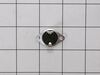
Called Parts Select and assisted me in proper parts needed. Drier works as new.
Took out drum. Found all parts easy to locate. Found defective part and replaced with new one.
Thank you Parts Select for your assistance.
Took out drum. Found all parts easy to locate. Found defective part and replaced with new one.
Thank you Parts Select for your assistance.
Parts Used:
-
Ephraim from CEDARHURST, NY
-
Difficulty Level:Easy
-
Total Repair Time:15 - 30 mins
-
Tools:Pliers, Screw drivers, Wrench (Adjustable)
5 of 5 people
found this instruction helpful.
Was this instruction helpful to you?
Thank you for voting!
dryer wasn't heating up
-
TERRY from NEW BOSTON, MI
-
Difficulty Level:Really Easy
-
Total Repair Time:15 - 30 mins
-
Tools:Screw drivers
9 of 12 people
found this instruction helpful.
Was this instruction helpful to you?
Thank you for voting!
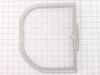
Lint filter had cracked and broken on the sides
-
Karen from Barrackville, WV
-
Difficulty Level:Very Easy
-
Total Repair Time:30 - 60 mins
8 of 9 people
found this instruction helpful.
Was this instruction helpful to you?
Thank you for voting!
Drum wasn't turning
I took the dryer apart. You have to take the top off, then the door/front off. There are wires & other parts that need to be unhooked as well. A flat tip screw driver can be used to pop the top off. The screws were all phillips. Once you take that all apart, then you can access the drum. I bought the belt because I thought that was what was wrong with it. Turned out to be hair in the drum rollers. Took those all off & put wheel grease on each of them, put new belt on (since I had it LOL) then put it all back together. Make sure everything is lined up correctly otherwise you will have to take it apart & reline (which I had to do)
I am a 49yr old female & was able to do this repair on my own!
I am a 49yr old female & was able to do this repair on my own!
Parts Used:
-
Beth from FROST, TX
-
Difficulty Level:Really Easy
-
Total Repair Time:1- 2 hours
-
Tools:Screw drivers
7 of 8 people
found this instruction helpful.
Was this instruction helpful to you?
Thank you for voting!
when you push start button dryer does always start
order start button and was sent thermal, reordered and rep sent me a button that was not for my machine even though she had model no.,called third time and was told I had to order new control panel but they were not being manufactured any more.so it is not fixed
Parts Used:
-
Harley from OKLAHOMA CITY, OK
-
Difficulty Level:A Bit Difficult
-
Total Repair Time:30 - 60 mins
-
Tools:Pliers, Screw drivers
7 of 9 people
found this instruction helpful.
Was this instruction helpful to you?
Thank you for voting!
Added air diverter on exhaust hose and blew out heat limiter fuse.
Entered dryer from rear exhaust port. Removed 2 screws and 2 clip on wires. A little awkward of process but superior method over disassembly of drum and main parts.
Parts Used:
-
Robert from Jenkintown, PA
-
Difficulty Level:Easy
-
Total Repair Time:30 - 60 mins
-
Tools:Screw drivers
5 of 6 people
found this instruction helpful.
Was this instruction helpful to you?
Thank you for voting!
No heat
Pull off the top and front of the dryer and reached in and replaced the part it was easy. Had to clean all the dryer out real good with from the lint
Parts Used:
-
Brent from HINCKLEY, UT
-
Difficulty Level:Really Easy
-
Total Repair Time:30 - 60 mins
-
Tools:Screw drivers
5 of 7 people
found this instruction helpful.
Was this instruction helpful to you?
Thank you for voting!
Filter edge cracked
-
Patrina from Elberta, MI
-
Difficulty Level:Very Easy
-
Total Repair Time:Less than 15 mins
4 of 4 people
found this instruction helpful.
Was this instruction helpful to you?
Thank you for voting!
Dryer Filter had a whole in it.
-
Beverly from AMITYVILLE, NY
-
Difficulty Level:Really Easy
-
Total Repair Time:Less than 15 mins
4 of 4 people
found this instruction helpful.
Was this instruction helpful to you?
Thank you for voting!
Lint filter cracked
-
Kimberly from COMMERCE CITY, CO
-
Difficulty Level:Very Easy
-
Total Repair Time:Less than 15 mins
4 of 4 people
found this instruction helpful.
Was this instruction helpful to you?
Thank you for voting!
igniter would not light
Initially replaced igniter. Didn't think it was bad though. Read other suggestions on another website. None were the correct diagnosis for my situation. And when I figured it out they did not offer correct part. The dryer thermistor temp sensor (probe sensor) is what I replaced. Found it on Parts Select. I did replace other parts also. But that's the one that ultimately was the issue.
Was not hard at all if one is even a little handy.
Was not hard at all if one is even a little handy.
Parts Used:
-
Dave from SAINT JOHN, IN
-
Difficulty Level:Easy
-
Total Repair Time:15 - 30 mins
-
Tools:Screw drivers
4 of 4 people
found this instruction helpful.
Was this instruction helpful to you?
Thank you for voting!